
Push Notification Strategy for Mobile Apps
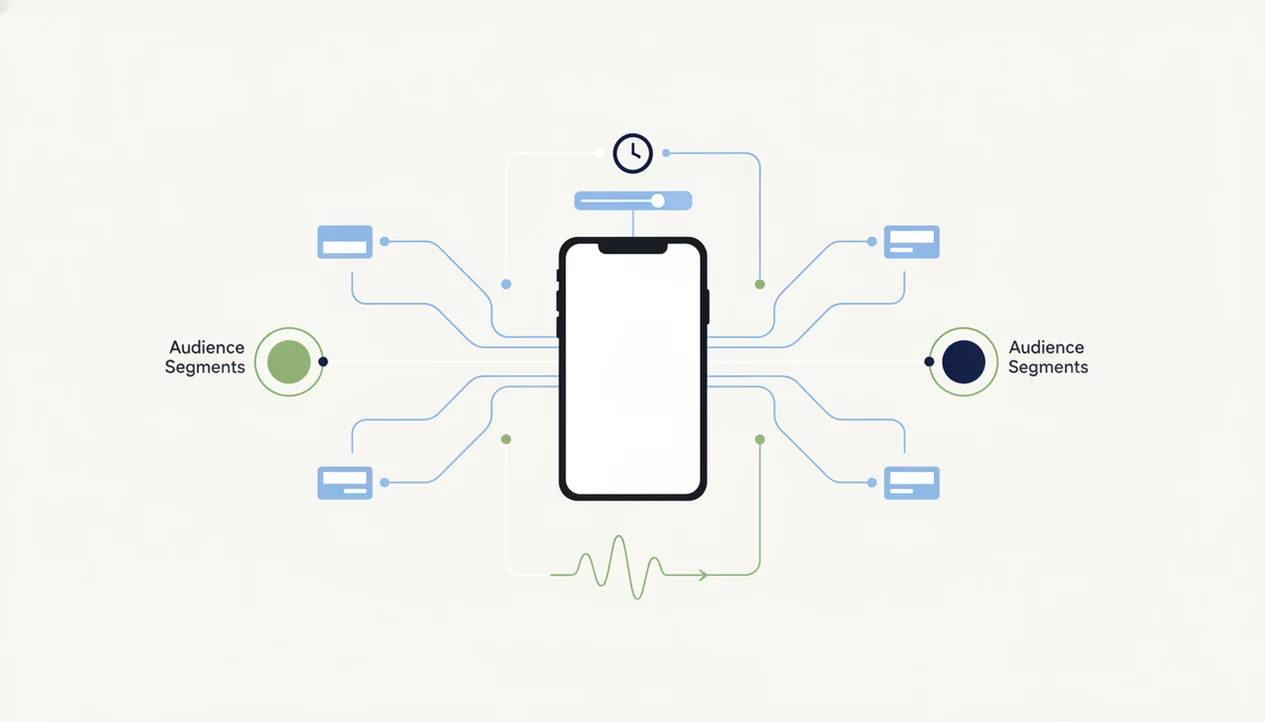
A push notification strategy is a practical plan for sending timely, relevant app messages that support activation, retention, revenue, or product education without overwhelming users. The best strategies define goals first, segment users carefully, control timing and frequency, and measure what happens after the tap.
> Definition: A push notification strategy is the set of goals, rules, segments, triggers, messages, delivery limits, and measurement practices a mobile app team uses to decide when and why it should interrupt a user.
TL;DR
- Start with a business or product goal, not a message idea: activation, retention, feature adoption, transaction completion, or revenue recovery.
- Relevance, timing, and frequency controls matter more than volume because excessive or irrelevant push messages drive opt-outs and notification fatigue.
- A useful push program connects the notification, deep link, in-app destination, user preference settings, and experiment reporting into one measurable system.
Push Notification Strategy Definition for App Teams
A push notification strategy is the operating plan that decides which users receive which messages, under which conditions, and how success is measured after delivery. It is not the same thing as one campaign sent before a sale, release, or content drop.
A single push campaign answers, “What should we send today?” A durable strategy answers, “When is interruption justified across the user lifecycle?” That includes onboarding nudges, activation prompts, retention reminders, revenue recovery, feature education, and service alerts.
The safer reading is simple: push is a product surface, not just a marketing channel. If a team treats it like a generic broadcast list, the notification tray becomes clutter. The user remembers that. A founder checking keyword rank in a spreadsheet before coffee may care about acquisition, but weak push rules can lose the users those rankings brought in.
At-a-Glance Push Strategy Checklist
Use this checklist before a push stream goes live: every notification should have a goal, audience rule, timing rule, frequency limit, destination, and measurement plan. Missing one of those parts usually creates noise inside the app and inside the reporting dashboard.
| Strategy area | What to check before sending |
|---|---|
| Goal | Map each push to one measurable outcome, such as onboarding completion, renewal, or task completion. |
| Audience | Segment by behavior, lifecycle stage, value, consent, and stated preferences. |
| Timing | Respect time zone, local quiet hours, recent activity, and the moment that created intent. |
| Frequency | Use global caps, suppression rules, and user controls across product and marketing sends. |
| Destination | Deep link to the exact app screen that matches the message. |
| Measurement | Track delivery, opens, clicks, conversions, opt-outs, uninstalls, and holdout-group lift. |
The same discipline belongs in mobile app product and ux planning, because push failures often start with unclear product moments.
Five Push Notification Facts Teams Should Know
These five facts should guide any push notification strategy before copy, tooling, or automation rules are chosen. They are also the checks we use when reviewing a notification plan against a release calendar.
- Clear goals and success metrics prevent random messaging, especially when several teams can trigger sends.
- Personalization requires behavior, preference, lifecycle, and consent data. A first-name token is not meaningful personalization.
- Too many notifications create overload. In a 2023 YouGov survey, 44% of smartphone users said they receive too many push notifications, and 33% said they often disable notifications entirely (YouGov).
- Push performs best when the post-click screen matches the promise in the message.
- A/B testing is not optional for mature programs, because timing, copy, audience quality, and product context change over time.
For app teams, a targeted push tied to a real user action is often safer than a broad campaign because it carries clearer intent and lower interruption cost.
Push Notification System Mechanics Behind the Scenes
Push notification systems work by turning app events into eligibility rules, then asking platform services to deliver messages through operating-system-controlled permission layers. In plain terms, the app records behavior, the campaign system decides whether a user qualifies, and the device decides how visible the message becomes.
Event data feeds segments and triggers: abandoned checkout, completed onboarding, missed workout, expiring trial, unread message. Campaign rules then choose copy, timing, frequency caps, suppressions, and deep links. After that, iOS, Android, or the browser can still mediate delivery through permissions, notification settings, focus modes, summaries, and channels.
This is why push is a behavioral nudge, not a guaranteed engagement lever. Users judge each interruption by urgency, relevance, timing, and destination quality. The pocket check is real. If the tap lands on a generic home screen, the system did its job but the product failed the moment.
Before You Start a Push Notification Strategy
Before you build the push plan, make sure the app can support respectful delivery and reliable measurement. A strong strategy will still fail if consent flows, event data, ownership, deep links, or stop rules are unclear.
- Confirm that permission prompts are placed deliberately, preference controls are visible, and quiet-hour logic can prevent messages from landing at the wrong local time.
- Audit the events that will power triggers and reporting, especially onboarding steps, conversion actions, purchases, renewal behavior, inactivity, and churn-risk signals.
- Assign owners for product, lifecycle, marketing, and transactional sends so one team is accountable for conflicts, caps, suppression rules, and calendar pressure.
- Test every deep link against the promise in the copy. If the notification says “review your order,” the tap should open that order, not the home screen.
- Decide which negative signals pause or stop campaigns, including opt-outs, uninstalls, complaints, repeated non-response, and user-set topic or frequency limits.
This preparation keeps the numbered build process grounded in the real app, not an idealized campaign diagram.
How to Build a Push Notification Strategy
Build a push notification strategy by moving from goal to lifecycle moment, then to segmentation, copy, deep links, and measurement. Do not start with a message calendar until the product team knows which user behavior it is trying to change.
1. Set the push goal
- Set one primary goal for each notification stream, such as activation, retention, revenue recovery, feature adoption, or transaction completion.
2. Map the user moment
- Identify lifecycle moments where push adds value, including onboarding gaps, abandoned intent, upcoming deadlines, saved preferences, and requested alerts.
3. Segment the audience
- Segment users by behavior, permission status, lifecycle stage, preference settings, and recent activity.
4. Write the message
- Write short copy that gives a clear reason to return without using false urgency.
5. Link to the right screen
- Route every push to the relevant deep-linked screen, not a generic app entry point.
6. Measure the result
- Measure conversions, opt-outs, uninstall signals, and control-group lift before expanding the stream.
Keep the plan close to the product workflow: one trigger, one audience rule, one destination screen, and one success metric. If a product manager cannot explain why the user benefits from the interruption, the push should stay in draft.
Push Notification Goals and Success Metrics
A useful push metric connects the notification to downstream behavior, not just the tap. Opens matter, but they are incomplete unless the app records what the user did after arriving.
| Goal type | Common push examples | Better success metrics |
|---|---|---|
| Activation | Finish profile, enable permission, complete first action | Onboarding completion, first meaningful action, opt-in rate |
| Retention | Streak reminder, saved search alert, unfinished lesson | Return rate, repeat action, retained cohort lift |
| Revenue | Cart recovery, upgrade prompt, renewal reminder | Conversion rate, incremental revenue, renewal completion |
| Feature adoption | New tool prompt, underused workflow reminder | Feature start, feature completion, repeat usage |
| Service or transaction | Delivery update, fraud alert, approval request | Task completion, support deflection, user confirmation |
Vanity metrics can mislead. A bright open rate with rising opt-outs means the campaign is pulling attention while damaging permission health. Before changing onboarding-triggered pushes, compare the stream against mobile app onboarding so the notification does not compensate for a confusing first session.
Push Notification Segmentation and Personalization Rules
Relevant push personalization comes from user behavior, lifecycle stage, consent, and preferences. It does not come from dropping a first name into a generic promotion.
- Lifecycle stage: New, activated, dormant, loyal, and churn-risk users need different messages because their next useful action differs.
- Behavior: Viewed items, unfinished tasks, saved preferences, recent sessions, and purchase intent are stronger signals than broad demographics.
- Preference settings: Topics, frequency, quiet hours, and transaction-only choices should constrain every campaign rule.
- Context: Location, time zone, and device state can help, but only where consented, accurate, and genuinely useful.
- Data quality: Bad events create bad targeting. A misfired “complete your setup” push after setup is done breaks trust quickly.
A 2022 Airship benchmark report found that app users who received personalized messaging showed materially higher engagement than users receiving generic messages, but the lift depends on consent, event quality, and whether the post-click screen respects the user’s original intent (Airship).
Push Notification Timing and Frequency Limits
Frequency limits protect the permission asset. A push program should account for local time, recent behavior, quiet periods, global caps, and suppression after the user has already acted.
A practical timing model starts with time zone delivery, then adds behavior-based triggers. Cart recovery may work shortly after abandonment. A bill reminder may belong before a deadline. A feature prompt may wait until the user has enough context to care. The release calendar should not override that.
Frequency needs one shared ceiling across product, lifecycle, and marketing sends. Without it, three teams can each send a “reasonable” campaign and still overwhelm the same user. In 2020 smartphone-use research from Reviews.org, U.S. adults reported receiving an average of 46 smartphone notifications per day; that is the crowded tray your message enters (Reviews.org).
Use suppressions after conversion, recent open, repeated non-response, churn-risk signals, and user-set quiet hours. Short-term clicks are not worth long-term muting.
Push Notification Examples by App Use Case
Good push ideas match the app category and the user’s expected urgency. Transactional and user-requested pushes usually tolerate higher urgency than promotional messages because the user already asked the product to watch something.
- Ecommerce: Price drop, cart recovery, delivery update, back-in-stock alert, or refund status.
- Media and content: Followed topic update, saved article reminder, creator upload, or restrained breaking news.
- Finance and banking: Transaction alert, fraud warning, bill reminder, low-balance threshold, or large deposit notice.
- Health and fitness: Habit reminder, plan adherence prompt, progress milestone, appointment reminder, or medication check where compliant.
- Productivity and SaaS: Task due, collaboration mention, approval request, workflow exception, or failed automation notice.
A preview video timeline with muted audio can make a store listing feel polished, but push has a different job. It should return the user to a specific state. Teams refining the landing screen can use app ui patterns to reduce post-click drop-off.
Common Push Notification Strategy Mistakes
The most common push mistakes come from treating access to the notification tray as free attention. It is not free. It is rented from the user, one interruption at a time.
Sending blasts to everyone is the first failure. Optimizing only for open rate is the second. A vague “Don’t miss this” push may earn taps, but it also trains users to ignore the sender. Urgency should be reserved for time-sensitive, high-value messages.
Operational mistakes matter too. Teams often ignore opt-outs, mutes, complaint signals, uninstall movement, and repeated non-response. They forget to deep link to the relevant in-app state. They let product, CRM, and marketing teams send overlapping campaigns without one shared calendar.
Tests can also mislead when they lack a hypothesis or enough sample size. AI targeting does not fix weak strategy, thin event data, or a product with unclear value. Garbage events, louder.
Push Notification Testing and Verification Plan
A push strategy is working only if it changes behavior after accounting for negative signals and baseline activity. Last-click reporting alone is too noisy for confident decisions.
Start with pre-launch QA. Test permissions, device types, operating-system versions, localization, notification channels, truncation, badge behavior, and deep links. A Play Console pre-launch report screenshot with red accessibility and crash markers should pause the send, not sit in a Slack thread as decoration. If the destination is broken, the campaign is broken.
Then test copy, timing, trigger logic, and audience definitions. Holdout groups matter because many users would have returned without a notification. Review dashboards on a fixed cadence for delivery, opens, clicks, conversions, opt-outs, uninstall movement, and complaint patterns.
Use one post-campaign template: goal, audience, hypothesis, result, decision. The attribution will still be imperfect, but the decision trail stays readable when the next build train moves.
Limitations
Push notifications have hard limits, and a good strategy names them before the program scales.
- Push is permission-based, and delivery can be blocked by the OS, browser, device state, or user settings.
- Even relevant messages are interruptive, so every app has a practical frequency ceiling.
- Low-value products cannot push their way into strong retention; the core app experience still has to work.
- Attribution is noisy because users may return later through search, email, widgets, or habit.
- Platform differences across iOS, Android, and web affect permission prompts, channels, summaries, and delivery behavior.
- Focus modes, quiet hours, notification summaries, and inbox overload can reduce visibility.
- AI or predictive tools can amplify poor targeting when event data is delayed, duplicated, or wrong.
- Privacy, consent, and regional compliance rules limit which data can be used for segmentation.
- Accessibility issues in the destination screen can make a useful push unusable for some users.
Tools like Power Themes can help teams separate store requirements, product guidance, and marketer recommendations before changing metadata or lifecycle messaging. For related consent and usability checks, app accessibility belongs in the same review cycle.
FAQ
How does the push notification method work?
A server sends a message request to a platform push service, which passes it through the operating system to the user’s device if permissions and settings allow delivery. The app then opens the linked destination when the user taps.
What are good push notification ideas for mobile apps?
Useful push ideas include reminders, transactional alerts, abandoned action prompts, saved preference updates, feature prompts, milestones, and time-sensitive service messages. Power Themes generally treats these as product moments before marketing messages.
How often should apps send push notifications?
Apps should send push notifications only as often as they can deliver clear user value, with frequency caps, suppression rules, and preference controls. Transactional alerts can usually be more frequent than promotional sends.
What makes push notifications effective?
Effective push notifications are relevant, timely, short, consent-based, and connected to a useful in-app destination. Measurement should include downstream action, not just opens.
Is push notification marketing useful?
Push notification marketing is useful when it supports a clear lifecycle goal such as retention, cart recovery, renewal, or feature adoption. It should be limited when the message is generic, low-value, or likely to increase opt-outs.
What is a push notification in Android?
An Android push notification is a message delivered to an Android device through platform notification services and displayed according to app permissions, notification channels, and user settings. Android users can often control categories of notifications separately.
What is a push notification in banking?
A banking push notification is commonly used for transaction alerts, fraud warnings, bill reminders, balance thresholds, card activity, and account security prompts. These messages are usually service-oriented and higher urgency than promotions.
How do you measure push notification success?
Measure push success with delivery rate, open rate, click-through rate, conversion rate, retention impact, opt-out rate, uninstall movement, and incremental lift from holdout groups. Power Themes recommends treating opens as a diagnostic metric, not the final outcome.