
AI Detector vs AI Humanizer: Which App Do You Need?
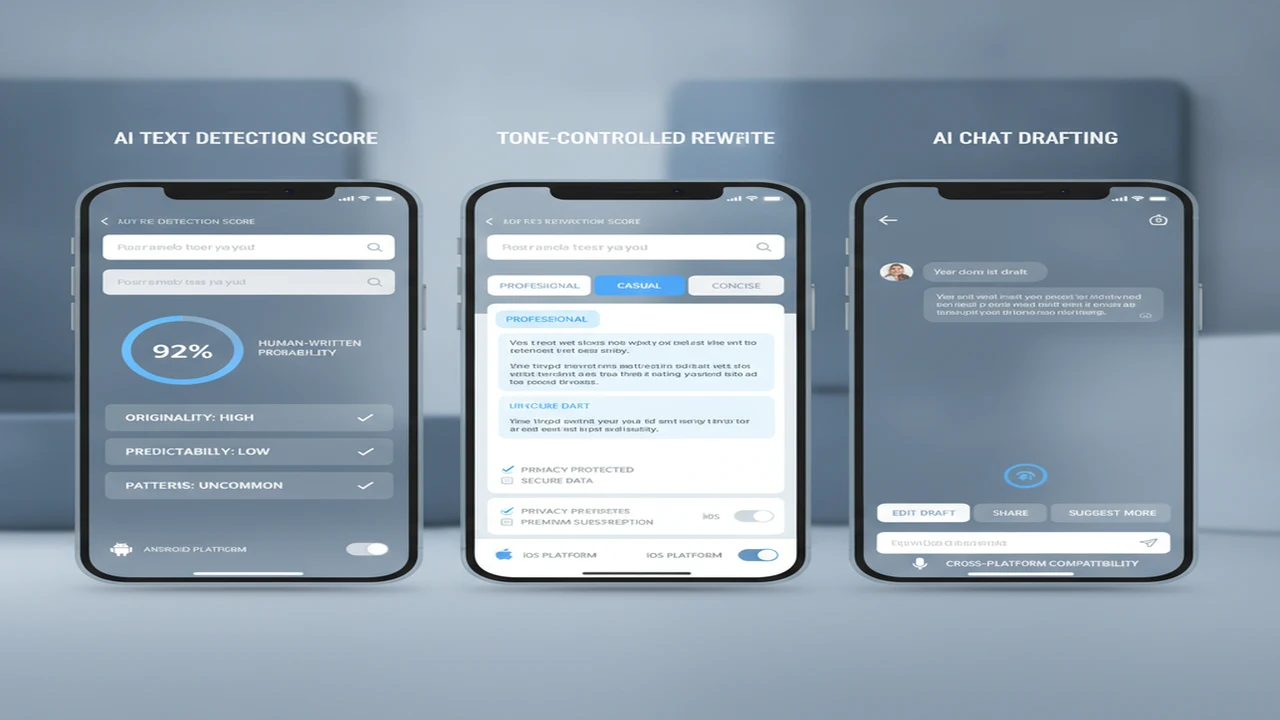
Detector and humanizer apps often appear beside each other in search results, but they answer different product jobs. One classifies submitted text and returns a likelihood-style signal. The other changes the submitted text, usually through paraphrasing, tone adjustment, or sentence restructuring.
That distinction should guide the install decision. A crowded feature list matters less than whether the first session gets you from paste to useful result without an unexpected account wall, premature subscription screen, unclear privacy flow, or output that cannot be copied and edited.
Quick answer: Choose an AI detector when the next task is assessing whether text contains patterns associated with machine-generated writing. Choose an AI humanizer when you need to revise stiff, repetitive, or generic copy. For drafting, chat, and image features, consider a broader iOS assistant, but assess its onboarding, privacy disclosures, subscription flow, export options, and repeat-session value.
What does this mean?
Definition: An AI detector estimates whether text resembles machine-generated writing, while an AI humanizer rewrites text to sound less formulaic; neither category can guarantee authorship, accuracy, originality, or acceptance by another detection system.
What is the difference between an AI detector and an AI humanizer?
An AI content detector performs classification. You paste or upload text, start a scan, and receive a score, label, or highlighted explanation indicating patterns the system associates with AI-generated or human-written language. The result is an estimate, not an authorship record.
An AI Humanizer performs transformation. It rewrites wording, rhythm, sentence structure, or tone. The useful question is whether the revision improves clarity and preserves meaning, not whether it reaches a particular detector score.
The distinction is also reflected in Microsoft Copilot's detector and humanizer overview. Microsoft, 2024, describes detectors as classification tools and humanizers as tools for changing tone, flow, and word choice.
Bundled apps can support both jobs, but the onboarding should still establish intent. A prominent “check” action fits assessment. “Rewrite” or tone selection fits revision. Asking users to navigate a general chatbot before either action adds first-session friction.
When should you use an AI detector?
Use a detector when the next required action is review. Editors may use one signal while examining repetitive phrasing, unsupported claims, source quality, or a sudden change in voice. Moderation teams may use results to decide which submissions deserve closer inspection. Students and instructors should avoid turning a percentage into an automatic misconduct decision.
The browser-based AI Detector App is one listing-based example of a focused check workflow. A web tool may suit users who want to paste text without installing a mobile app, although account rules, limits, storage practices, and result detail still need review.
Detector value depends on what follows the scan. A useful result should help the user inspect passages, ask for documentation, or begin an editorial review. A score with no explanation can create certainty without giving the user an actionable next step.
- Editorial triage before publication
- Review of abrupt voice or formatting changes
- Moderation queues that require human follow-up
- A preliminary check before examining sources and citations
- Comparing signals without presenting them as factual authorship judgments
When is an AI humanizer or writing assistant the better fit?
Choose a humanizer when the text already exists and the main problem is presentation. Common jobs include reducing repetition, adjusting formality, shortening a draft, or making instructions easier to scan. The output should remain editable because automated rewriting can change facts, qualifications, or intended emphasis.
A general writing assistant fits an earlier stage. The ACI AI Writer iOS listing emphasizes chatbot and image-making functions alongside writing-related keywords. That broader scope may help someone drafting and iterating on a phone, but it also makes navigation, saved history, export, and paywall timing more important.
Market packaging increasingly mixes these jobs. A Google Play listing for AI Detector & Humanizer included detection, humanizing, checker scoring, and BypassGPT positioning in 2026. That Google Play, 2026 example shows how one install can contain several workflows, but it does not mean each workflow receives equal product attention.
For a focused phone workflow, see how to check and revise AI text on a phone. The key is to preserve a manual editing stage rather than publishing the first rewrite.
- Humanizer: revise an existing passage
- AI Writer: create or expand a draft
- AI Chat: iterate through questions and follow-up prompts
- Image maker: produce visual concepts, subject to separate rights and quality checks
Which features matter most before you choose?
Start with the input path. Check paste limits, supported file formats, language coverage, batch options, and whether scanning requires an account. On mobile, a useful first session should make the primary action obvious and keep the keyboard, paste field, result, and copy controls from competing for space.
Result design differs by category. A detector benefits from plain-language score explanations and passage-level context. A humanizer needs tone, length, and rewrite controls. A writing assistant needs prompt editing, conversation history, regeneration, and dependable export.
Review the store listing for platform availability, subscription terms, trial conversion, privacy labels, and account deletion guidance. Our guide to combined detector and humanizer apps can help when one install is preferable to switching products.
Camera or photo-library access is not central to text pasted from the clipboard. If an app requests those permissions, connect the prompt to a visible feature such as extracting text from an image or creating media. A permission request without immediate context can weaken activation.
- Paste and document limits
- Score or rewrite explanations
- Tone, length, and formatting controls
- History, folders, copy, share, and export
- Guest use versus required account creation
- Relevant camera and photo permission prompts
- Privacy labels and text-retention disclosures
- Trial length, renewal price, and cancellation visibility
- iOS, Android, web, and cross-device availability
- Time from launch to first useful result
How do detector, humanizer, and writer apps compare?
The feature matrix separates assessment, revision, and creation. It also excludes card-scanning products that can surface around unrelated scanner keywords but do not perform the text jobs discussed here.
One competing App Store listing advertised percentage checks, one-tap humanizing, paraphrasing, and light or dark display modes in 2026. App Store listing, 2026 is a useful market signal for expected mobile speed and visual comfort, but listing language alone does not establish output quality.
How can you evaluate an AI writing app before paying?
Use a repeatable install-to-retention review rather than judging the app from one polished store screenshot. Representative samples should include short and long text, formatting, quotations, technical terms, and passages whose facts you can verify.
Pay attention to the order of prompts. An account wall, notification request, tracking choice, or subscription screen shown before the core value is understood can suppress activation. This guide to reducing first-session friction in a phone-based text workflow covers the operational sequence in more detail.
The final check is repeat use. A utility may feel impressive once but fail to earn a second session if history is missing, results are difficult to export, or limits appear only after onboarding.
- Define the text job: assessment, revision, drafting, chat, or image creation.
- Check platform availability across iOS, Android, and web.
- Review the store listing for screenshots, update history, limits, and subscription disclosures.
- Inspect privacy disclosures for collection, storage, account, and deletion details.
- Map the onboarding flow from launch to the first useful result.
- Run representative text samples rather than one unusually short passage.
- Read result explanations and identify the action each result supports.
- Edit the output manually for voice, meaning, formatting, and clarity.
- Verify facts and citations against their original sources.
- Reassess value after several sessions, including history, export, limits, and renewal cost.
What limitations should shape the decision?
Detection percentages are probabilistic signals that can produce false positives and false negatives. Different products may return different scores because their models, thresholds, supported languages, and text-processing methods vary. See why AI Checker apps can disagree before interpreting small score differences.
A humanizer may improve rhythm or clarity without establishing that a person wrote the text or that another detector will classify it differently. Rewriting can also alter facts, citations, formatting, qualifications, and voice, so final editorial review remains necessary.
Public listings may omit paste limits, supported languages, model changes, account requirements, storage behavior, or platform-specific differences. Prices, trials, privacy labels, paywalls, and included features can also change after the article date.
Which app type should you choose?
Choose by the next action. If you need to assess a passage, start with a detector and keep a person responsible for interpretation. If you need to improve an existing draft, use a humanizer with controllable rewriting. If you need to create, brainstorm, or continue a conversation, a broader writer or chatbot is the better category.
A combined workflow makes sense only when moving from scan to revision improves the publication process. Extra features do not compensate for unclear results, an early paywall, weak export, or privacy disclosures that do not fit the sensitivity of the submitted text.
After the first scan or rewrite, measure repeat-session value through saved time, usable history, reliable export, and the number of outputs that survive manual review. That is a stronger product signal than the size of the feature list.
- Assessment required next: choose a detector.
- Revision required next: choose a humanizer.
- Drafting or conversation required next: choose a writer or chat assistant.
- Several jobs recur in one session: consider a combined app.
- Sensitive or unpublished text: prioritize privacy documentation and data controls.
Comparison
| Decision factor | AI detector | AI humanizer | AI writer or chat app | Mobile product implication |
|---|---|---|---|---|
| Primary job | Estimate whether text contains AI-associated patterns | Revise wording, flow, or tone | Draft, brainstorm, chat, or create | The first screen should lead with the intended action |
| Typical input | Pasted text or supported document | Existing draft plus tone instructions | Prompt, conversation, or source text | Keyboard and paste-field design affect activation |
| Typical output | Score, label, highlights, or report | Rewritten passage | Draft, response, revision, or image | Copy, share, and export controls should be visible |
| Best-fit user | Editor, educator, moderator, or reviewer | Writer revising stiff or repetitive copy | Creator starting or extending a draft | Store screenshots should show the matching workflow |
| Result interpretation | Probabilistic signal, not an authorship finding | Editorial option requiring review | Generated material requiring verification | Explanations are more useful than unsupported certainty |
| Editing controls | Usually limited to rescan or passage review | Tone, length, style, and paraphrase controls | Prompt editing, regeneration, and chat history | More controls can add onboarding complexity |
| Platform availability | AI Detector App is presented as a web option | Varies by vendor | AI Writer & AI Chat: ACI has a US iOS listing | Confirm Android, web, and regional availability |
| Account and onboarding | May offer direct paste or require sign-in | May ask for style choices before rewriting | May introduce several tools and a subscription | Count steps to the first useful result |
| Privacy considerations | Submitted text and scan history | Original text plus rewritten output | Prompts, chats, media, and account data | Read privacy labels and text-retention disclosures |
| Subscription risk | Scan limits may sit behind a paywall | Rewrite length or tones may be restricted | Multiple features may support a broader subscription | Check trial conversion and renewal terms |
| Repeat-session value | Saved reports and explainable results | Consistent revisions with editable output | History, export, and reusable conversations | Reassess usefulness after several sessions |
| Out-of-category exclusions | Foloy supports Pokémon and One Piece cards with collection value totals | ScanDex focuses on price trend charts plus rarity and condition data | MonPrice cites TCGPlayer pricing, a 19,000-card recognition model, and market tracking | These are TCG card scanner products, not text detector, humanizer, or writing apps |
Limitations
Frequently Asked Questions
Can an AI detector prove that a person used AI?
No. A detector estimates whether text contains patterns associated with machine-generated writing. Its score should support further review, not serve as conclusive evidence about authorship or conduct.
Is an AI humanizer the same as a paraphrasing app?
The categories overlap, but positioning can differ. A paraphrasing app usually focuses on alternative wording, while a humanizer may also offer tone, rhythm, sentence variation, or detector-related workflows. Both require manual review.
Can the AI Detector App also humanize AI writing?
Its public product site should be checked for the current tool set, limits, and workflow. Because features can change, confirm whether humanizing is available and whether it is included in the same access or subscription tier.
Is AI Writer & AI Chat: ACI available on Android?
The source reviewed for this article is its US iOS App Store listing. Android availability was not established by that source, so check the relevant regional store rather than assuming cross-platform support.
Should students rely on an AI content detector score?
Students can use a score as a prompt to review citations, drafting records, and voice consistency. It should not replace institutional guidance, source verification, or discussion with an instructor.
What should teams check in an AI writing app's privacy listing?
Check which text, prompts, identifiers, diagnostics, purchases, and usage data may be collected. Also look for storage practices, account deletion options, tracking disclosures, and whether sensitive drafts can be removed.
Do humanized rewrites still need fact-checking and editing?
Yes. Rewriting can change names, numbers, qualifications, citations, formatting, or intended meaning. Compare the revision with the source, verify factual claims, and restore the author's voice before publication.
Is a combined AI Checker and AI Humanizer worth the extra onboarding?
It can be when users repeatedly move from assessment to revision in the same session. The combination is less useful if the second tool adds navigation, account steps, paywalls, or output controls that slow a simple one-job workflow.