
Why AI Checker Apps Can Give Different Scores
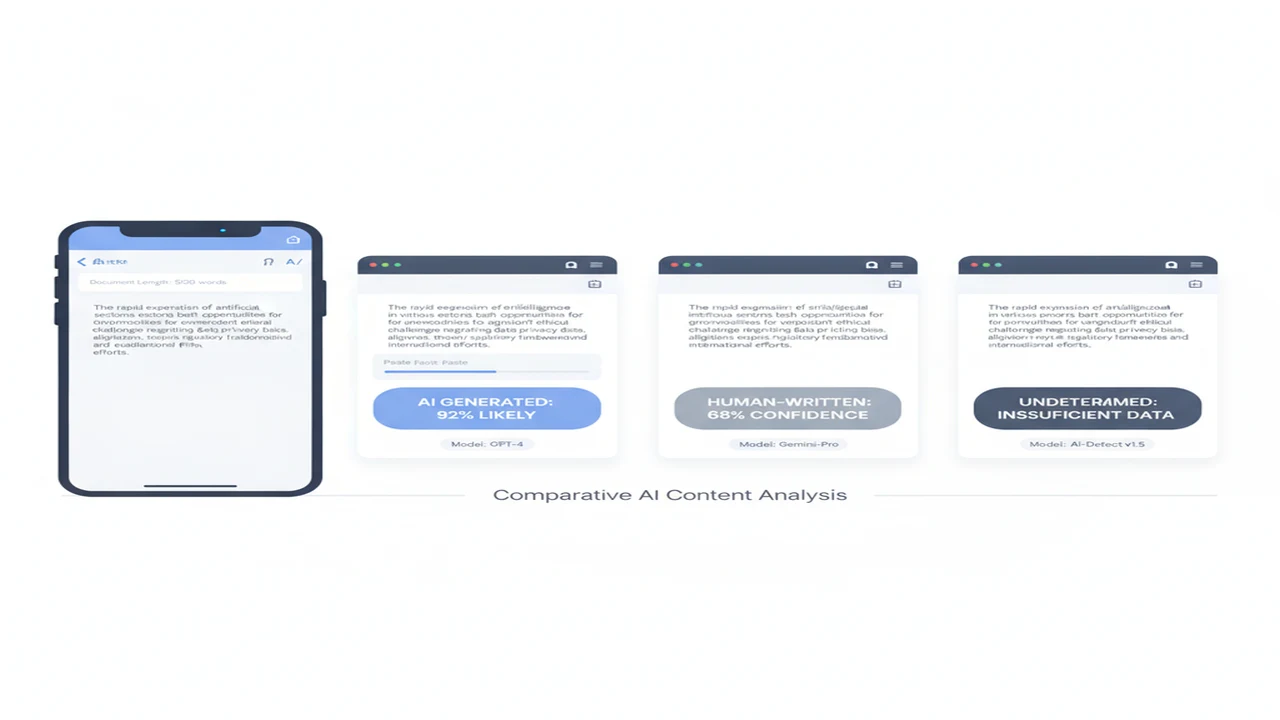
Paste one paragraph into two AI checker apps and you may receive a low-risk label from one, a high AI percentage from another, and sentence highlights from a third. The disagreement does not necessarily mean one screen malfunctioned. The products may be answering different classification questions while presenting their outputs with similar-looking percentages.
This becomes a mobile product issue as much as a model issue. Clipboard cleanup, document import, character limits, account gates, network processing, and backend releases can change what reaches the detector. The useful question is not which app produced the preferred number. It is what the app measured, how it prepared the input, and whether its result can be reviewed responsibly.
Quick answer: AI checker scores vary because each product uses its own detection model, training data, thresholds, preprocessing rules, and score labels. Results can also change with passage length, copied formatting, platform workflows, or a model update. Read every score as a product-specific estimate for the submitted sentence, passage, or document, not as a universal finding about authorship.
What does this mean?
Definition: An AI checker is a classification tool that estimates whether patterns in submitted text resemble machine-generated or human writing, usually returning a probability, label, or highlighted passage rather than establishing authorship as a fact.
Why can the same text receive different AI scores?
Every detector learns its version of AI-like writing from a particular training corpus. One model may emphasize predictable word sequences, another may examine sentence variation, and another may combine several classifiers. Training material can also lean toward essays, marketing copy, chatbot answers, or other genres. A formal passage may therefore sit close to one model's decision boundary but far from another's.
Products also choose different thresholds. A detector optimized to catch more suspected machine-written text may flag borderline passages aggressively. A cautious product may require stronger model confidence to reduce AI checker false positives. Neither setting creates a universal standard because the threshold reflects a product decision about risk, audience, and interface behavior.
Segmentation introduces another difference. One app may classify every sentence and combine those outputs. Another may assess the passage as one block. A third may remove quotations, references, or headings first. MIT Sloan's guidance on inconsistent AI-detector results explains why these non-standardized outputs should not be used as conclusive evidence.
How do input length and formatting change a result?
Short samples give a classifier less context. A polished sentence, slogan, heading, or standard email phrase can contain too little variation for a stable distinction. Expanding the input into a complete logical passage may produce a substantially different label because the model can evaluate relationships across more sentences.
Formatting affects what the service receives. Bullets can become separate fragments, smart quotes can change during paste, and copied PDFs may insert line breaks or headers. Citations, tables, code, and quoted material may be retained by one service but removed by another. A mixed-author document can also hide whether a flag relates to one section or the aggregate.
The web-based AI content checker illustrates the familiar paste, scan, and review workflow in its public product materials. When using AI Detector App or another browser checker, preserve the original file and verify the submitted text after pasting. That check is particularly important on a phone, where selection handles and clipboard formatting can omit or duplicate content.
- Avoid drawing a document-level conclusion from a title or isolated sentence.
- Remove navigation text, repeated headers, and unrelated references consistently.
- Keep quotations either included in every run or excluded from every run.
- Record whether the app scanned plain text, rich text, a PDF, or an imported document.
Why might an iPhone app and a web checker disagree?
An iPhone app and a website may use different input pipelines even when their screens look similar. The app might receive text through the iOS share sheet, clipboard, camera OCR, or document picker. The website may accept only pasted plain text. Each route can alter line breaks, special characters, language detection, or the amount of text submitted.
Public listing information for AI detector app for iPhone provides an iOS listing example. Its store presence confirms an iPhone distribution route, but a listing alone does not disclose every preprocessing rule, backend model version, or threshold. AI Detector, AI Humanizer: ACI could also receive server-side model changes independently of an App Store binary update.
Mobile teams should distinguish platform parity from visual parity. Two platforms can use similar interfaces while differing in import support, text limits, network handling, or release timing. Our guide to choosing between detector and humanizer workflows covers the adjacent feature decision without assuming that every iOS and Android implementation behaves identically.
What do AI checker percentages actually mean?
A result such as 80 percent AI does not automatically mean that 80 percent of the words were generated by a model. It might represent classifier confidence, an estimated probability for the entire passage, the share of sentences crossing an internal threshold, or a vendor-defined risk score. The interface must explain the denominator before the percentage becomes useful.
Sentence highlights require the same caution. A highlighted sentence may have crossed a classification threshold without accounting for the surrounding document. Repetitive instructions, conventional academic phrasing, or edited boilerplate can resemble patterns found in model-generated training samples. A binary label compresses even more uncertainty into a yes-or-no screen.
When evaluating AI detection score meaning, look for an in-app explanation beside the result. Useful UX identifies whether the score applies to a sentence, passage, or document and whether highlights are evidence inputs or merely model outputs. Without that context, percentages from different products should not be averaged or ranked as though they share one scale.
Why do edited or humanized passages produce unstable scores?
Rewriting changes the signals a classifier sees. Splitting a sentence, replacing predictable phrases, varying syntax, or moving paragraph boundaries can shift a passage across an internal threshold. A small edit can have an outsized effect when the original score was already near that boundary.
An AI Humanizer feature is generally positioned around rewriting or changing style. It cannot establish that a person authored the resulting passage, and a lower detector score would not prove that either. Rechecking after each small edit can also encourage score chasing rather than improving clarity, sourcing, or factual accuracy.
AI Detector App publicly combines checking and rewriting positioning. Builders considering this paired feature model should separate the two jobs in onboarding: first explain what the classification estimates, then show what rewriting changes. For a focused phone workflow, see how to check and humanize AI text on a phone.
How should mobile teams evaluate an AI checker feature?
Start with the intended session. A student reviewing a long essay, a marketer checking short product copy, and an AI Chat user editing a response need different input limits and explanations. The listing should make the primary use case clear before install rather than hiding it behind onboarding or a subscription screen.
Review the feature matrix below, then verify important claims in current product documentation. Our overview of detector and humanizer apps in one workflow can help frame bundling decisions. For ASO and conversion, specific claims about document import, history, supported languages, and exports are more useful than a generic promise to detect AI text.
- Supported inputs: paste, share sheet, document import, camera OCR, or direct typing.
- Text rules: minimum length, maximum length, supported languages, and section handling.
- Result UX: score definition, highlighted evidence, uncertainty language, and comparison history.
- Onboarding: account requirement, paywall timing, sample scan, and time to first result.
- Privacy: processing location, retention disclosure, deletion controls, and model-training terms.
- Operations: export options, latency states, failure recovery, version notes, and iOS or Android availability.
How can users compare scores without overreading them?
A useful comparison controls the input before examining the outputs. Preserve one source passage, normalize formatting once, and submit the identical text to each checker. Do not edit between runs. Record the date because backend models and calibration can change without an obvious interface update.
Run the whole document and then repeat by logical section. This can reveal whether disagreement comes from one passage or from aggregation. Capture each product's label definition rather than copying only the percentage. If one result applies to sentences and another applies to the document, place them in separate columns.
The process should also account for mobile UX. A paste failure, truncated document, or unexpected permission prompt can invalidate the comparison before classification begins. Reducing input friction and keeping a visible character count makes repeat sessions easier to audit.
- Select one representative passage.
- Preserve the original wording.
- Normalize headings and line breaks.
- Record character and word counts.
- Submit identical inputs.
- Capture labels and score definitions.
- Repeat by logical section.
- Investigate disagreement patterns.
- Review privacy and retention terms.
- Document the app and model version.
Comparison
| Decision factor | Why scores may differ | What the user should check | Mobile product implication |
|---|---|---|---|
| Detection model and training data | Models learn different patterns from different human and machine-written corpora. | Documented use case, supported languages, and intended genres. | Match the model's stated use case to the user's typical mobile session. |
| Score definition and threshold | Confidence, probability, flagged-sentence share, and risk labels are not interchangeable. | Definition of the percentage and boundary for each label. | Explain the score beside the result rather than behind a help menu. |
| Text length and segmentation | Sentence, section, and full-document checks provide different context. | Minimum input, maximum input, and section aggregation. | Show character counts and truncation before submission. |
| Formatting and preprocessing | Apps may handle bullets, quotations, references, and line breaks differently. | A preview of the exact text being scored. | Clipboard and document-import routes need consistent cleanup. |
| Language and writing genre | Formal essays, marketing copy, code, and chat responses contain different patterns. | Supported languages and genre guidance. | Onboarding should ask about the job without adding excessive setup. |
| Model update timing | Backend releases can change classification or calibration. | Release notes, model labels, and scan timestamps. | History screens should retain enough context to explain changed results. |
| Privacy and text retention | Cloud and local processing routes may retain or reuse text differently. | Retention period, deletion controls, and model-training policy. | Privacy disclosures should appear before sensitive text is submitted. |
| Platform and input workflow | Web, iOS, and Android versions may use different imports or release schedules. | Platform parity, supported file types, and network requirements. | Store listings should describe platform-specific limits before install. |
Limitations
AI checker outputs can include false positives and false negatives. Results may shift with model updates, language, genre, passage length, quotations, or mixed human and machine editing. Opaque labels make cross-product comparisons harder, especially when a short mobile input is scored without enough context.
Public listings may omit model versions, thresholds, retention periods, supported languages, or text-length rules. Store listings and documentation can also change after August 5, 2026. Users should review current privacy terms before submitting confidential, student, client, or unpublished text.
No score by itself establishes authorship, originality, or misconduct. It should be one review signal alongside source history, drafts, citations, revision records, and direct conversation. No quantitative accuracy or adoption claims are included here because eligible source-and-year statistics were not supplied.
Frequently Asked Questions
Can an AI checker prove that text was written by AI?
No. A checker estimates whether textual patterns resemble material in its learned categories. The result can support a broader review, but it cannot establish authorship, intent, or misconduct on its own.
Why does the same passage score differently after it is pasted again?
The second paste may contain changed line breaks, missing text, duplicated text, or different quotation formatting. A backend model update, language-detection change, or non-deterministic processing step can also affect the output. Compare the submitted character count and saved text first.
Are sentence-level AI scores more useful than a document score?
They answer a narrower question and can help locate disagreement, but isolated sentences provide less context. A good review uses sentence highlights to investigate sections while retaining the full-document result and its score definition.
Does an AI Humanizer guarantee that text will pass a checker?
No. Rewriting changes syntax and predictability, but detector models and thresholds differ. A rewritten result also does not prove human authorship. Editing should prioritize clarity, factual accuracy, voice, and appropriate disclosure rather than a target detector score.
Can the AI Detector App identify mixed human and AI writing?
Its public checker and rewriting positioning does not by itself establish reliable identification of every mixed-author passage. Check current documentation for sentence highlighting, section analysis, input limits, and an explanation of how mixed results are aggregated.
Is AI Detector, AI Humanizer: ACI available on Android?
The referenced Canadian App Store listing confirms an iOS distribution route. That listing does not establish Android availability or absence. Check current official product materials and the relevant Android store before planning a cross-platform rollout.
Should schools or employers rely on one AI checker score?
No. A single probabilistic classification should not determine a high-impact decision. Review drafts, source notes, citations, revision history, policy requirements, and the writer's explanation, with a documented process for challenging false positives.
How often can an AI content detector change its scoring model?
There is no universal schedule. Providers can update backend classifiers, thresholds, language handling, or score calibration without requiring a mobile app update. Save the scan date, app version, visible model label, input text, and score definition when reproducibility matters.