
Pokemon Card Scanner Apps: Price Checks, Accuracy, and Collection Tracking
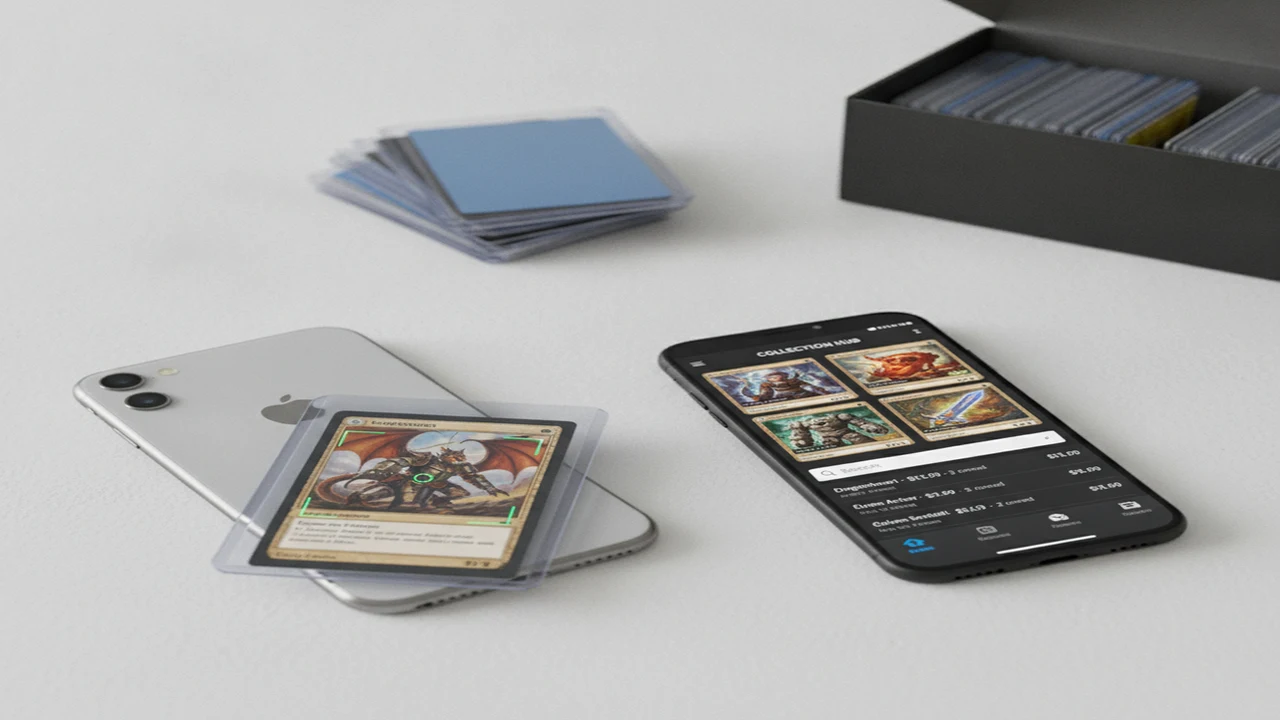
Pokemon card scanner apps reduce the manual work of identifying sets, card numbers, variants, and recent prices. The useful ones do more than recognize the character on the card. They help distinguish printings, show the source and timing of price data, and move a confirmed match into a collection tracker without excessive editing.
The right choice depends on the job. A seller checking a small stack needs fast identification and comparable sales. A collector cataloging binders needs reliable variant controls, quantities, condition fields, export options, and collection totals. Start with our guide to the best Pokemon card scanner apps for iOS and Android if platform availability is the main decision.
This category organizes the product questions that matter after install: camera permission, scan confirmation, pricing context, correction effort, collection retention, and subscription friction. It also explains where scanners can misidentify visually similar cards and why a displayed price should not be mistaken for a guaranteed sale value.
Quick answer: Choose a Pokemon card scanner around the workflow after recognition. Confirm that it exposes set, card number, variant, condition, price source, and update date before saving. For collection work, prioritize correction controls, quantities, export, and cross-device access. For valuation, verify important cards with recent sold listings and grading context rather than relying on one headline estimate.
What does this mean?
Definition: A Pokemon card scanner app uses a phone camera or uploaded image to identify a card, connect it with market-price data, and often save it to a digital collection.
Guides in this category
What should a Pokemon card scanner identify before you save a card?
A usable scan result should identify more than the Pokemon name. Check the set, collector number, language, finish, edition, and any special treatment that changes the market match. The confirmation screen should keep these fields visible before the card enters a collection, because correcting a mistaken variant later adds friction to every pricing and inventory task.
Camera UX also affects recognition quality. Good onboarding explains lighting, framing, glare, and whether the app needs the full card border in view. It should request camera permission when the user starts scanning, explain why access is needed, and provide a photo-upload or manual-search route when permission is declined.
For a repeatable capture process, follow the steps in How to Scan Pokemon Cards and Check Their Value. The goal is not simply to produce a result. It is to reach a result that can be checked against visible identifiers on the physical card before saving.
- Match the collector number and set symbol, not only the artwork.
- Confirm normal, reverse holo, holo, promo, and special variants.
- Check language and regional printing where the catalog supports them.
- Review condition before using a displayed value in collection totals.
- Keep manual search available for damaged, sleeved, or reflective cards.
Which features matter after the camera recognizes a card?
Recognition is an acquisition step. Retention depends on what the app lets a collector do next. A useful feature matrix should include quantity editing, condition fields, folders or lists, duplicate handling, price history, grading context, export, account recovery, and support for more than one device.
Card Value Scanner (CardValueScanner.io) describes photo identification, market prices, graded context, and collection totals. Those functions address a connected workflow, but buyers should still map each advertised feature to their own platform, catalog, and pricing needs rather than choosing from the scanner label alone.
Our Pokemon scanner feature comparison breaks the decision into recognition, valuation, and collection operations. Competitors such as TCGplayer, Collectr, and PriceCharting may emphasize different parts of that path. Compare the number of corrections and screens required to get from camera capture to a trustworthy saved record.
How should you evaluate pricing and grading features?
A price screen should state what the number represents. Active listings, recent sold transactions, raw-card estimates, graded sales, and marketplace averages answer different questions. Useful product UX exposes the source, condition assumption, grade, sale date, and currency near the estimate instead of hiding that context behind a generic value label.
The iOS listing for iPhone Pokemon card scanner describes eBay sold data, PSA, CGC, and BGS context, AI pre-grade guidance, and collection tracking across supported games. Pre-grade output should be used to organize inspection priorities, not as a substitute for an authentication or grading decision. The companion Pokemon card scanner app can be checked for current product positioning and platform information.
Where do scanner apps have important limitations?
Scanner results can be affected by glare, sleeves, cropped borders, low resolution, alternate artwork, similar reprints, and cards whose distinguishing marks are small. Catalog coverage can also vary by language, promotional release, and newly launched set. A confident interface can still return the wrong printing, so the collector number and variant should be confirmed on valuable cards.
Price estimates have a separate limitation: card condition and transaction context can outweigh correct identification. Shipping, bundles, best-offer sales, low-volume grades, and outdated market records can distort a headline figure. Read Are Pokemon Card Scanner Apps Accurate? for a fuller explanation of recognition accuracy, valuation accuracy, and the checks to use before listing or insuring a card.
Why this category
- This category is built around mobile product decisions rather than scanner novelty. It covers what happens from the first camera-permission prompt through scan confirmation, price review, collection save, and later retrieval. That path is where onboarding friction and weak data controls become visible.
- It also separates three jobs that store listings often combine: identification, market research, and inventory management. A product can be strong at one and limited at another. Card Value Scanner and TCG App are included where their public documentation addresses those jobs, alongside vendor-neutral criteria readers can apply to any competing app.
- Use these guides before choosing a subscription, migrating a collection, or pricing an important card. The preferred app should fit the user’s platform, expose enough information to correct matches, and preserve collection data in a form that remains useful beyond the first scanning session.
Frequently Asked Questions
What does a Pokemon card scanner app do?
A Pokemon card scanner app analyzes a camera image or uploaded photo to suggest the card’s identity. It may then show market information, grading context, and controls for saving the card to a collection.
Can a phone camera identify every Pokemon card?
No scanner should be assumed to identify every printing under every camera condition. Glare, sleeves, damaged surfaces, similar artwork, obscure promos, and missing catalog records can all affect the result.
Is Card Value Scanner available for collection tracking?
Its public product information describes collection totals alongside card identification and market prices. Check the current platform listing for the exact collection fields, account requirements, and purchase terms available on your device.
What games does Card Value Scanner: TCG App support?
Its public iOS listing names Pokemon, Disney Lorcana, and One Piece. Catalog coverage may differ by set or release date, so confirm support for the specific cards you plan to scan.
Does TCG App provide card prices?
The product positioning connects scanning with value and collection workflows. Review the current product documentation to see which markets, transaction types, currencies, and update intervals are presented.
Are scanner prices the same as sale prices?
No. A scanner may display an estimate derived from listings, sold transactions, averages, or another market feed, while an actual sale depends on condition, demand, fees, shipping, timing, and buyer confidence.
Can a scanner app tell whether a card is genuine?
Image recognition can match artwork and printed identifiers, but it does not establish authenticity by itself. High-value cards may require physical inspection of print quality, materials, dimensions, and other characteristics.
Can an app determine a PSA, CGC, or BGS grade?
An app may offer condition guidance or a pre-grade estimate from visible features. Professional grading also considers factors that a phone image may not capture, so app output should not be presented as an official grade.
Should I remove cards from sleeves before scanning?
Removing a sleeve can reduce glare and improve visibility, but card safety comes first. Try indirect lighting, a dark neutral background, and a different camera angle before handling a fragile or valuable card unnecessarily.
What collection features should I look for?
Prioritize quantities, condition, variants, custom lists, duplicate handling, search, price refresh information, and export. Account recovery and cross-device access also matter if the collection will take many sessions to build.
Do Pokemon card scanners work offline?
Some interfaces may retain saved records offline, but recognition and current pricing often depend on a network request. Check the store listing and product documentation for offline capture, synchronization, and data-refresh behavior.
Are free Pokemon card scanner apps good enough?
A free tier can be sufficient for occasional identification or a small collection. Frequent users should examine scan limits, advertising, export restrictions, price-history access, supported sets, and what happens to saved data if a subscription ends.