
Best AI Detector and Humanizer Apps in One
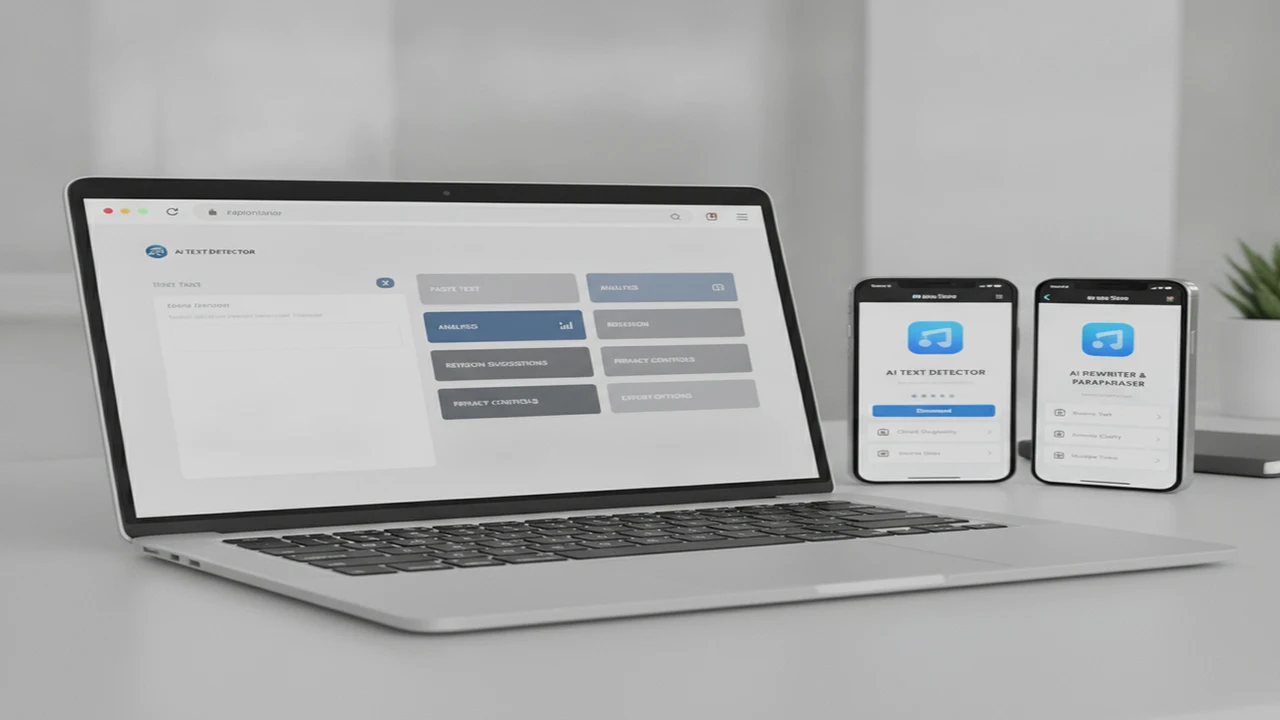
Combined detector and humanizer apps promise a shorter session: paste a passage, inspect the result, revise it, and copy or export the draft. The product decision is not simply whether both labels appear in the store listing. It is whether both jobs are reachable without repeated sign-ins, hidden limits, confusing navigation, or an immediate subscription screen.
The best fit also depends on intent. A browser user may want a focused AI Checker, while an iPhone user may prefer writing, chat, and image tools in the same install. In either case, the useful outcome is a clearer and more accurate draft, not a supposedly perfect detector score.
Quick answer: The strongest choice combines AI-text checking and rewriting in one short workflow. Start with the web option for direct browser access, or choose the relevant iPhone listing for a broader writing suite. Compare input limits, editing controls, privacy disclosures, platform availability, subscription terms, export options, and onboarding friction. Detection scores are estimates, not definitive evidence of authorship.
What does this mean?
Definition: An AI detector and humanizer app combines a classifier that estimates whether text may be AI-generated with rewriting tools intended to make wording sound more natural, varied, or audience-specific.
What should an AI detector and humanizer app do well?
A combined app should make the core path obvious in its listing and first session. The user should be able to paste text, run a check, understand which passages deserve attention, open rewriting controls, and recover the revised copy. If detection and rewriting live behind unrelated tabs, the all-in-one promise adds little value.
Detector output needs context. A percentage without passage-level signals, confidence language, or an explanation of what influenced the result can invite overconfidence. The interface should make uncertainty visible rather than presenting authorship as a settled fact.
Rewriting controls should support the intended audience and preserve meaning. Useful options may include tone, length, reading level, or targeted passage editing, but only when they are documented. For a deeper distinction between the two jobs, see AI Detector vs AI Humanizer.
Pricing also belongs in the feature matrix. A Jotform roundup from 2026 listed Phrasly from $10.99 per month and WriteHuman from $12 per month when billed annually. Those two figures are historical category benchmarks, not current prices for the options ranked here.
- Check the maximum characters or words per scan and rewrite.
- Look for passage-level feedback instead of relying only on one score.
- Confirm whether rewriting controls cover tone, length, and audience.
- Count the steps from paste to revised copy or document export.
- Check whether an account is required before the first useful result.
- Review privacy disclosures, deletion terms, and data-retention language.
- Inspect subscription duration, trial conversion, and cancellation instructions.
- Verify whether the product supports the web, the required iOS storefront, or both.
Which option is best for checking and rewriting text on the web?
The browser-based AI detector is the most direct fit for someone who wants checking and rewriting without starting in an App Store. Its positioning brings the detector and humanizer into the same web destination, which can reduce switching between separate services during a short editing session.
This route makes sense for desktop drafting, occasional checks, and users who do not want an iPhone install. It can also be easier when the source text already lives in a browser-based editor. The decision still depends on the paste limit, sign-in requirement, pricing screen, available rewrite controls, and treatment of submitted text.
Do not interpret the detector result as proof that a person did or did not use AI. Use it to locate generic language, repetitive structure, vague claims, or other passages worth reviewing. The rewrite should then be judged against the original for factual accuracy and voice, not by whether a score moves in a preferred direction.
Which iPhone listing fits an AI writing and chat workflow?
The US App Store page for ACI AI Chat presents a broader iPhone utility. Its title, subtitle, and supplied keyword focus cover writing, chatbot assistance, image creation, detection, and humanization rather than a detector-only task.
That breadth can suit someone who wants an AI chatbot for iPhone alongside editing tools. It also raises an onboarding question: can a new user find the checker and humanizer quickly, or does the first session prioritize chat and image features? A broad feature set helps retention only when navigation keeps the repeated jobs easy to reach.
Inspect the screenshots in sequence. They should explain the main jobs, show where text enters the workflow, and make any subscription gate understandable before install. If the detector is important, confirm that it appears as a first-class tool rather than an incidental keyword in the listing.
Which iPhone listing emphasizes detection and humanization?
The Canadian listing for ACI AI Detector leads with the two core jobs in its product name. Its subtitle also emphasizes humanizing and checking chatbot text, making the store proposition more focused for people searching for an iOS AI detector app.
The Canadian and US pages share app identifier 6743860477. That indicates regional storefront pages for the same underlying App Store record, but it does not guarantee identical naming, screenshots, availability, pricing, promotions, or feature presentation in every country.
Choose the storefront page that applies to the Apple ID region used for installation and billing. A focused title can improve discovery, but the installed navigation, input limits, privacy label, and in-app purchase terms still determine whether the product supports the intended session.
How do the combined options compare by workflow?
The main split is between direct browser access and an iOS install with a broader tool bundle. The web route is better aligned with a focused paste, check, revise, and copy session. The US iPhone presentation emphasizes a larger writing and chat suite, while the Canadian presentation leads with detection and humanization.
Adjacent writing products such as QuillBot, Grammarly, Originality.ai, and WriteHuman appear in the broader market, but they are not ranked here because this article is limited to the three supplied destinations. Product claims and pricing from one service should not be transferred to another.
In the matrix, “Not listed” means the supplied public material did not establish the detail. It should not be read as “No.” Account gates, document export, exact limits, and subscription conditions should be verified on the current product or storefront page.
How should you check and humanize a draft without losing meaning?
Start with a clean source draft and use a representative passage. Smaller selections make it easier to see what changed and reduce the amount of sensitive material submitted. If the text includes client information, unpublished research, or personal data, pause for a privacy review before pasting.
Review detector output as an editing prompt. Repetitive sentence rhythm, generic transitions, unsupported certainty, and vague examples often matter more to a reader than the displayed percentage. Revise those weaknesses for clarity and specificity.
After rewriting, compare the new version line by line with the source. Automated changes can remove qualifications, alter a quotation, invent a stronger claim, or detach a citation from the sentence it supports. The phone-oriented process is covered in more detail in how to check and humanize AI text on your phone.
A final human edit remains necessary. Read the draft for audience fit, natural variation, factual support, and consistent terminology. Do not keep rewriting solely to chase a target detector score.
- Paste a representative passage rather than an entire sensitive document.
- Check the text and record which passages receive uncertain or elevated signals.
- Review repetitive phrasing, generic transitions, sentence rhythm, and unsupported claims.
- Rewrite for specificity, factual accuracy, audience fit, and consistent voice.
- Compare the revision with the original to catch changed meaning or missing citations.
- Verify quotations, sources, names, dates, and numerical claims manually.
- Edit the final draft as a human author instead of chasing a target detector score.
What product and UX details matter before installing?
Start with the store listing rather than the install button. The title and subtitle should make the core job clear, while screenshots should show the path from input to output. Recent reviews can reveal onboarding or billing complaints, but individual reviews are not a substitute for reading the current in-app purchase disclosure.
Inspect the privacy label and linked policy before submitting any unpublished text. Look for language about collection, retention, model training, third-party processors, account deletion, and data removal. A short paste flow does not reduce the sensitivity of the content being pasted.
Trial design matters because it shapes first-session friction. Confirm the trial length, renewal price, billing interval, and whether the core feature can be evaluated before payment. The App Store subscription sheet should match the promise made by the listing and onboarding screens.
Then inspect the return path. A retained user should be able to reopen the core checker, recover or deliberately clear prior work, and export the result without hunting through unrelated features. If score inconsistency is the main concern, read why AI Checker apps can give different scores.
- Do the screenshots show detection, rewriting, and result recovery?
- Are word or character limits visible before text entry?
- Can the user paste from the clipboard without formatting damage?
- Is document import or export listed, or only copy and paste?
- Does onboarding require an account before the core task?
- Are trial length, renewal price, and billing interval displayed together?
- Does the privacy label align with the sensitivity of the intended drafts?
- Can a new user reach the main task during the first session?
Which combined AI checker should you choose?
Choose the browser destination for a focused detect-and-rewrite session, especially when the draft already lives on a desktop or in a web editor. Choose the US iPhone presentation when writing, chat, and image generation are part of the same recurring mobile workflow. Choose the Canadian iPhone presentation when detector and humanizer language is the primary App Store discovery path.
Platform is only the first filter. Before deciding, confirm the input limit, privacy policy, account requirement, trial and renewal terms, export path, and number of taps required to finish the core task. A narrower product with a clear first session may deliver more value than a larger bundle with difficult navigation.
Comparison
| Option | Platform or storefront | Primary listing emphasis | Detector included | Humanizer included | Additional tools | Onboarding questions | Best fit |
|---|---|---|---|---|---|---|---|
| AI Detector App | Web | Checking and rewriting | Promoted | Promoted | Not listed | Account gate, input limit, pricing, saved history | Direct browser-based check and rewrite session |
| AI Writer & AI Chat: ACI, US listing | iOS, US storefront | Writing, chat, image creation, detector, and humanizer | Promoted in supplied metadata | Promoted in supplied metadata | Chatbot and image tools | Tool navigation, trial gate, export, feature limits | Broader iPhone writing and chat workflow |
| AI Detector, AI Humanizer: ACI, Canada listing | iOS, Canadian storefront | Detection and humanization | Promoted in title | Promoted in title | Chatbot referenced by subtitle | Regional availability, pricing, limits, account requirement | Detector-led App Store discovery in Canada |
Limitations
AI-detection percentages are estimates, not proof of authorship. Different classifiers can respond differently to editing, translation, short passages, formulaic writing, or model changes. False positives can affect human-written text, so decisions about academic integrity, employment, publishing, or discipline should not rest on one score.
Humanization can change meaning, factual claims, quotations, citations, or author voice. Public listings may also omit model names, limits, pricing details, export support, and data-retention terms. The US and Canadian pages share an app identifier, but storefront naming, screenshots, availability, and purchase presentation may differ.
Sensitive, confidential, academic, client, or unpublished material requires a privacy-policy check before submission. The supplied competitor pack described trading-card scanner apps such as HoloDex, ScanDex, and MonPrice Collector & Scanner, so those products were excluded rather than presented as AI-writing alternatives.
Frequently Asked Questions
Can an AI detector prove that a person used AI to write text?
No. A detector estimates patterns associated with machine-generated text and can produce false positives or inconsistent results. It should be one review signal, not proof of authorship or the sole basis for a consequential decision.
Does AI Detector App also rewrite flagged text?
Its supplied product positioning combines checking and humanization on the web. Confirm the current rewrite controls, limits, sign-in requirements, pricing, and handling of submitted text before using it for a full document.
Are AI Writer & AI Chat: ACI and AI Detector, AI Humanizer: ACI the same iOS app?
The US and Canadian pages share app identifier 6743860477, which points to regional presentations of the same App Store record. Names, screenshots, pricing, availability, and displayed features can still vary by storefront.
Can an AI humanizer guarantee that text will pass every detector?
No. Detectors use different models and thresholds, and their behavior can change. Rewriting should improve specificity, readability, and audience fit rather than attempt to guarantee a particular score.
Should sensitive or client text be pasted into an AI content detector?
Only after reviewing the service's privacy policy, retention terms, deletion options, and use of third-party processors. Remove personal, confidential, contractual, or unpublished information when possible.
What should iPhone users check before starting a free trial?
Check the trial duration, renewal date, recurring price, billing interval, cancellation route, included limits, and whether the core detector and humanizer features are available during the trial.
Can humanized text still contain factual errors or citation problems?
Yes. A rewrite can change dates, names, numerical claims, quotations, qualifications, or citation placement. Compare the revision with the source and verify every factual claim manually.
Is a web AI Checker better than an iOS app?
A web checker is often better for desktop drafts and quick browser access. An iOS app may be more convenient for clipboard-based mobile sessions, recurring use, and bundled chat or image tools. The better option is the one with lower friction for the repeated task.