
AI Detector Apps: Checkers, Humanizers, and Mobile Writing Tools
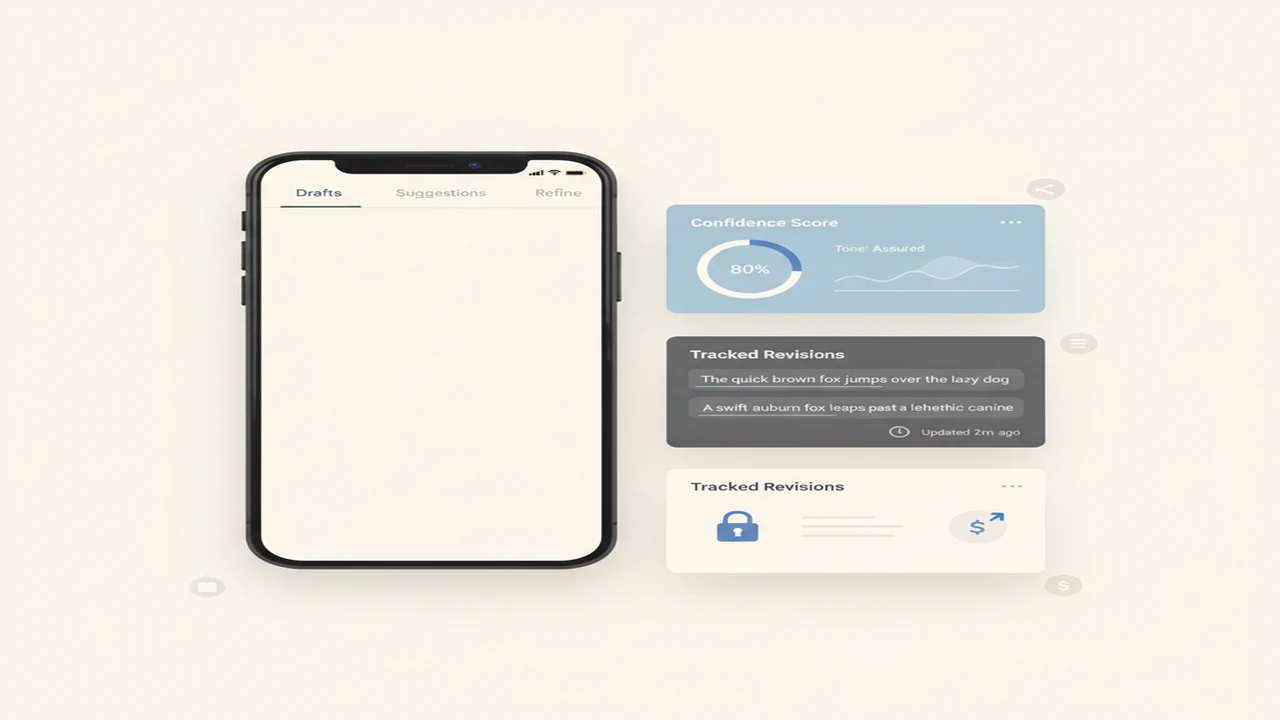
AI detector apps sit in an awkward product category. They promise a simple result, often a score or label, for a problem that has no universal measurement standard. Different tools can interpret the same paragraph differently, especially when the text is short, edited, technical, translated, or written by someone using a highly predictable style.
The first product decision is whether you need detection, rewriting, or both. A detector reports a likelihood or classification. A humanizer changes the submitted text. Our detector versus humanizer guide maps those jobs to common mobile workflows, including reviewing drafts, revising chatbot output, and checking text before it enters a publishing queue.
This category hub focuses on app-level decisions: how quickly users can paste or import text, whether scores are explained, what happens after a scan, how subscriptions are presented, and whether the product supports repeated editing sessions without excessive friction. It also covers privacy questions that matter when drafts may contain client, student, employee, or unpublished product information.
Quick answer: Choose an AI detector app for a second opinion on writing patterns, not a final authorship ruling. Choose a humanizer when the real task is revising tone, repetition, or sentence structure. For mobile use, prioritize clear score explanations, easy copy and paste, revision history, transparent limits, and an obvious path from scan to edit.
What does this mean?
Definition: AI detector apps analyze writing for patterns associated with machine-generated text, while AI humanizers rewrite text to change its style, structure, or apparent authorship signals.
Guides in this category
What jobs should an AI detector or humanizer app handle?
Start with the session you expect to complete. A detector-only session usually involves pasting text, starting a scan, interpreting a score, and deciding whether to investigate further. A humanizer session adds a rewrite, comparison, manual edit, and export step. Products that combine both functions can reduce app switching, but only if the transition from result to revision is clear.
For students, editors, marketers, and product teams, the useful output is not merely an AI percentage. Look for sentence-level flags, explanations of uncertainty, and a way to identify passages that triggered the result. A single document-wide label creates more decision risk because users cannot see which wording influenced the classification.
If your workflow repeatedly moves from checking to revising, use our guide to the best combined detector and humanizer apps as a feature-matrix starting point. Keep grammar review, factual verification, citation checks, and brand-voice editing as separate steps because a detection score does not cover those jobs.
- Detection: estimate whether writing resembles patterns associated with generated text.
- Explanation: show flagged passages, confidence language, or reasons behind a result.
- Humanization: rewrite wording, rhythm, sentence length, or tone.
- Editing: let the user revise the result rather than forcing an immediate export.
- History: preserve prior scans and versions when the workflow spans several sessions.
- Export: support reliable copying or sharing without introducing formatting errors.
How should you choose a checker for a phone-based workflow?
On a phone, input friction can matter more than the headline feature count. Check whether the product accepts direct paste, long-form text, and text copied from browsers, document apps, email, or chat tools. A useful mobile flow keeps the original draft available after scanning so users can compare versions without rebuilding the session.
A web product such as AI checker may suit users who want browser access without committing to a store install. The listing and product documentation should clarify text limits, account requirements, available checker and humanizer functions, and whether results can be revisited after the tab or session closes.
For an end-to-end phone process, follow the check and humanize AI text on your phone guide. Before subscribing, run through an operational checklist: source document, paste step, scan, result interpretation, rewrite, manual review, and final export. Any unclear handoff in that chain can increase abandonment and create avoidable copy errors.
Which mobile UX and store-listing signals matter most?
Store listings should communicate the primary job before secondary AI features. The US listing for ACI writing app emphasizes writing, chat, and assistant use cases, while the Canadian listing for ACI AI Humanizer foregrounds checking and humanizing. These regional titles illustrate an ASO issue: the same app can set different expectations depending on the storefront.
Inspect screenshots and description text for evidence of the actual funnel. A detector listing should show how text enters the app, what the result screen contains, and what action follows the score. If screenshots focus on generic AI imagery rather than interface states, users have less information about onboarding, scan limits, editing controls, and export behavior.
| Decision area | Listing or product signal | Product risk |
|---|---|---|
| Onboarding | Scan available before lengthy setup | Users leave before reaching the core feature |
| Input | Paste limits and file support are explained | Long drafts fail late in the session |
| Results | Score labels and flagged text are defined | Users overread an unexplained percentage |
| Revision | Original and rewritten versions remain visible | Edits become difficult to audit |
| Subscription | Trial, renewal, and usage limits are legible | Paywall surprise reduces trust and retention |
Why can two AI checker apps return different scores?
AI checkers may use different models, reference data, thresholds, text-length requirements, and score labels. One app might classify an entire document, while another weighs individual sentences. Some may respond strongly to predictable phrasing, low variation, repeated syntax, or formal structure even when those features came from a human writer.
Input changes also matter. Fixing punctuation, removing headings, adding citations, translating a passage, or scanning only one paragraph can shift the result. The guide to why AI checker apps give different scores explains how to document the text version, tool, settings, and scan date before comparing outputs.
What should you check before installing or paying?
Read the current store page and in-app purchase information for platform, region, and billing details. The Australian listing for ACI AI Checker positions checking and humanizing as core jobs, but users should still confirm current limits and purchase terms in their own storefront. Titles, subtitles, screenshots, prices, and feature emphasis can vary by region or change after publication.
Review privacy documentation before submitting confidential text. Determine whether drafts are stored, used to improve models, linked to an account, or shared with service providers. If the policy does not clearly answer a sensitive use case, remove names, customer details, unpublished metrics, source code, or other identifying information before scanning.
Finally, evaluate the paywall against your session frequency. A recurring plan may make sense for high-volume editorial queues, while occasional users may prefer a limited free tier or browser workflow. Check character caps, scan quotas, humanizer limits, restoration options, and cancellation controls rather than choosing from the annual price alone.
Why this category
- AI detection is increasingly embedded inside larger writing products, which makes category labels less reliable. An app marketed as a chatbot may also include detection and rewriting, while a checker may add grammar, paraphrasing, summarization, or image tools. Evaluating the feature matrix prevents a secondary feature from being mistaken for the product’s main workflow.
- Mobile context adds specific product constraints. Users often paste from another app, work with a smaller comparison surface, and expect an immediate result. Clear progress states, preserved drafts, readable explanations, and predictable export behavior can have more effect on repeat use than adding another general-purpose AI feature.
- The category also requires careful result interpretation. Detector outputs are signals produced by a particular system, not shared measurements across the market. A defensible workflow records the exact text version, uses more than one form of review when stakes are high, and gives human evidence greater weight than an unexplained score.
Frequently Asked Questions
Can an AI detector prove who wrote a document?
No. An AI detector estimates whether text matches patterns its system associates with generated writing. It does not establish authorship, intent, or misconduct, so high-stakes decisions should include contextual evidence and human review.
Why does the same text receive different AI scores?
Each checker can use different models, thresholds, text requirements, and score definitions. Formatting, passage length, edits, and language can also change the output. Record the exact text version and scan conditions when reviewing differences.
What is the difference between an AI checker and an AI humanizer?
An AI checker classifies or scores submitted text. An AI humanizer rewrites text to change wording, rhythm, tone, or structure. Some products combine both jobs in one session.
Should I use a detector before or after editing?
Scan before editing if you want a baseline, then scan the final version only if the result is relevant to your workflow. Keep both versions so you can see what changed. Grammar, accuracy, citations, and voice still need separate review.
Are short passages harder to classify?
Short passages provide less writing context for a checker to analyze. A result based on a sentence or brief paragraph can therefore be especially sensitive to small edits. Follow the tool’s documented minimum length where one is provided.
Can formal human writing be flagged as AI-generated?
Yes. Highly structured, repetitive, technical, or predictable human writing may receive an AI-associated classification. This is one reason detector output should not be used as the only evidence in an academic, workplace, or publishing decision.
Does humanizing text make it more accurate?
No. Rewriting can change style without correcting factual errors, unsupported claims, weak citations, or misleading context. Review every rewritten passage against the source material before publishing or submitting it.
Is AI Detector App available without an iOS install?
AI Detector App is presented as a web-based checker and humanizer product. Browser access can suit users who do not want a store install, but current account requirements, text limits, and feature availability should be checked on the product site.
What does ACI include in its store positioning?
Regional ACI listings emphasize combinations of AI writing, chat, detection, checking, and humanization. Storefront positioning can vary, so confirm the current screenshots, description, in-app purchases, compatibility, and privacy details in your region.
What privacy questions should I ask before scanning text?
Check whether submitted text is retained, associated with an account, used for model improvement, or shared with service providers. Avoid uploading confidential drafts when the policy does not clearly cover your use case. Redaction can reduce exposure but may also alter a detection result.
Is a subscription necessary for occasional checks?
Not always. Compare free limits, character caps, scan quotas, rewrite allowances, and browser access against how often you expect to use the tool. Frequent editorial queues and occasional one-off checks have different pricing needs.
What should a useful detector result screen show?
A useful result screen defines its labels, identifies relevant passages, preserves the submitted text, and offers a clear next action. It should also make uncertainty visible rather than presenting an unexplained percentage as a final judgment.