
Mobile In-App Advertising Basics for App Teams
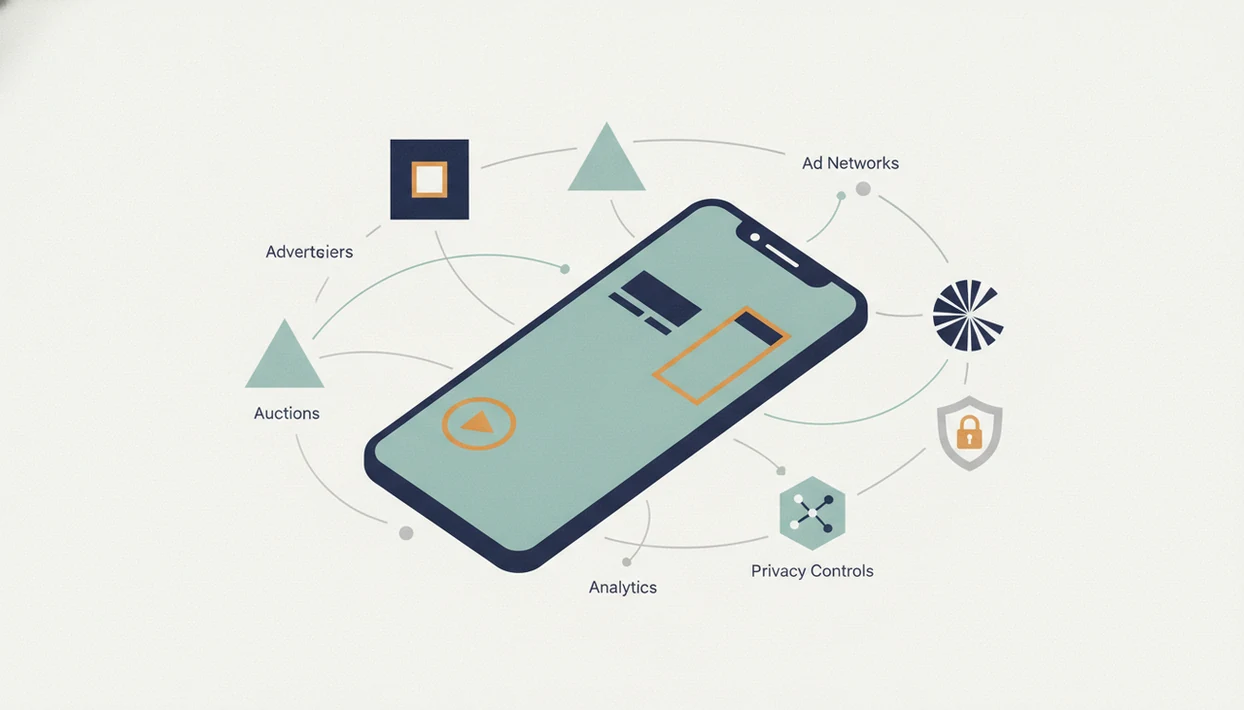
Mobile in app advertising is the practice of showing paid ads inside a mobile app, usually through ad SDKs, ad networks, and real-time auctions. It helps app publishers monetize free users and gives marketers access to engaged mobile audiences, but it works best when ad formats, timing, privacy rules, and user experience are managed deliberately.
> Definition: Mobile in-app advertising is paid advertising inventory served inside a mobile application rather than in a mobile web browser.
TL;DR
- In-app ads include banners, interstitials, native ads, video, rewarded video, playable ads, and offerwalls, each with different revenue and user-experience tradeoffs.
- The in-app advertising ecosystem connects app publishers, advertisers, ad networks, DSPs, SSPs, exchanges, mediation tools, and measurement partners through programmatic auctions.
- Strong results usually come from placement design, creative testing, privacy-safe measurement, and LTV-aware monetization, not from simply adding more ad units.
Mobile In-App Advertising Definition for App Publishers and Marketers
Mobile in-app advertising is paid advertising inventory served inside a mobile application rather than in a mobile web browser. It is one part of mobile advertising, which can also include mobile web display, SMS, search ads, and app install campaigns.
For publishers, in-app ads create revenue from users who may never subscribe or buy an in-app purchase. For advertisers, the same placements offer access to people who are already active inside an app session. Common examples include rewarded video after a game level, banners in a calculator or weather app, and native ads placed between feed items.
The store listing is not the ad product. The app session is.
In practice, teams should separate what the app experience can tolerate from what an ad network can sell. That distinction matters when comparing monetization against indie app business models.
5 Mobile In-App Advertising Facts for App Teams
- Fact 1: App owners monetize in-app advertising by integrating ad SDKs, defining placements, and selling inventory through networks, exchanges, or direct campaigns.
- Fact 2: In-app inventory matters because a 2023 Adobe study cited by Verve found that 85% of smartphone usage time was spent in apps, versus 15% on mobile web source.
- Fact 3: Programmatic auctions connect publishers, advertisers, DSPs, SSPs, ad exchanges, mediation tools, measurement partners, and fraud controls.
- Fact 4: Ad formats vary by user-experience cost, revenue potential, advertiser goal, and where the placement sits in the session.
- Fact 5: Privacy changes such as Apple’s App Tracking Transparency push teams toward contextual signals, first-party data, cohorts, and privacy-safe measurement.
AppsFlyer projected global in-app advertising revenue at $314.5 billion in 2023, with 10% annual growth source. That number explains the budget pressure, but not the product decision.
How Mobile In-App Advertising Works
Mobile in-app advertising works by moving an ad opportunity from a publisher’s app to advertisers that want that audience, then returning the winning creative to the screen. The full path runs from app placement to SDK or mediation layer, through supply and demand platforms, into an auction, and back into measurement.
An SDK is the code package that lets the app request and show ads. Mediation decides which networks or exchanges get a chance to fill the placement. An SSP helps the publisher sell inventory, a DSP helps advertisers buy it, and an exchange is the marketplace where bids can compete. An MMP, or mobile measurement partner, connects later events such as installs or purchases back to campaigns when policy and consent allow it.
- Collect the allowed targeting signals, such as placement, app context, geography, device type, cohort, or consented identifier.
- Attach consent signals so each partner knows what data use is permitted.
- Send the request through mediation, SSPs, exchanges, networks, or DSPs for bidding.
- Render the winning ad inside the placement if it passes format, policy, and quality checks.
- Measure impressions, clicks, installs, revenue, and post-install events while fraud controls screen for bots, click spam, fake installs, and suspicious supply.
Mobile In-App Advertising Auctions Behind the App Screen
Mobile in-app advertising works by turning an eligible app placement into a real-time ad request. When a user reaches that placement, the app calls an ad SDK or mediation layer, sends allowed context and consent signals, receives bids from demand partners, renders the winning creative, and tracks the impression.
That request may include placement type, app category, geography, device signals, contextual signals, cohort data, first-party signals, or consented identifiers. The safer reading is simple: use only the data allowed by platform policy and user consent. The request then moves through a mediation platform, SSP, exchange, ad network, or DSP. Advertisers bid, the auction selects a winner, the creative renders, and impression tracking begins.
The tiny spinner before a rewarded video is not random.
After the impression, clicks, installs, purchases, or post-install events may be measured by an MMP. Fraud-prevention vendors look for fake installs, click injection, bot traffic, and suspicious supply. Publisher, advertiser, ad network, DSP, SSP, exchange, mediation platform, MMP, and fraud vendor all touch the workflow, which is why a launch checklist beats memory.
Mobile In-App Advertising Formats and UX Tradeoffs
In-app ad formats should be chosen by session context, not by revenue promise alone. The same interstitial that works after a completed level can feel hostile during account setup.
| Format | Where it appears | Best use case | Revenue potential | User-experience risk |
|---|---|---|---|---|
| Banner | Fixed screen area | Utilities, reference apps | Low to moderate | Visual clutter, banner blindness |
| Interstitial | Full-screen break | Natural pauses, level ends | Moderate to high | Retention loss if shown too early |
| Native | Feed or content stream | Media, social, commerce | Moderate | Confusion if labeling is weak |
| Video | In-feed or full-screen | Brand campaigns, app installs | Moderate to high | Autoplay fatigue |
| Rewarded video | Opt-in value exchange | Games, freemium features | High | Reward economy distortion |
| Playable | Interactive ad unit | Game and app discovery | High | Load time and mismatch risk |
| Offerwall | List of rewarded offers | High-engagement free users | Variable | Low-quality offers or trust issues |
Rewarded video often fits games and freemium apps because the user chooses the exchange. Interstitials and autoplay video need stricter frequency caps. Adjoe reports average CTRs of 0.56% for in-app ads versus 0.23% for mobile web ads source, but a higher click rate does not excuse a bad interruption.
Before You Start Mobile In-App Advertising
Before you start mobile in-app advertising, make sure the app can absorb monetization pressure without breaking trust. Ads should enter after the product has steady retention, clear measurement, and a reviewed privacy path.
- Confirm the app already has stable baseline retention before adding new interruptions or reward loops. If users are still dropping during the first core task, ads will usually magnify the leak.
- Audit onboarding, checkout, permission prompts, support moments, health or finance screens, and other sensitive flows. Mark the natural session breaks where an ad might fit, and mark the places where one should never appear.
- Prepare consent management, Data safety answers, privacy review ownership, and partner documentation before an SDK goes into the build.
- Define baseline retention, ARPDAU, LTV, churn, and app store review metrics so the team can separate revenue lift from product damage.
- Decide which users should see no ads or fewer ads, including payers, likely subscribers, high-LTV cohorts, new users, children, or users inside fragile recovery flows.
This is slower than dropping in a banner, but it gives the launch a clean comparison point.
5-Step Mobile In-App Advertising Setup for an App
Use mobile in-app advertising by mapping placements, segmenting users, selecting formats, testing carefully, and measuring both revenue and retention. For app teams, setup works better when monetization is treated as a product change, not a last-minute SDK task.
- Map user flows, session moments, and natural pauses where an ad could appear without blocking the core task.
- Segment payers, likely payers, high-LTV users, free users, and ad-tolerant users before assigning placements.
- Select ad formats, networks, mediation tools, and policy fit against your category, audience, and platform rules.
- Test frequency caps, placement timing, creative variation, and holdout groups before rolling ads to everyone.
- Measure eCPM, ARPDAU, retention, churn, ROAS, LTV, and reviews together.
A team usually catches the real problem in the flow map. The ad looked fine in a build, but it landed before the user finished the first task. Before you submit, compare the policy text against the workflow, especially for kids, health, finance, or age-sensitive categories.
Mobile In-App Advertising Metrics for Revenue and Retention
In-app advertising performance should be judged with revenue, engagement, retention, and acquisition metrics together. A high eCPM can still be bad if it increases churn or cannibalizes subscriptions and in-app purchases.
Key publisher metrics include impressions, fill rate, eCPM, ARPDAU, retention, churn, LTV, and app store review movement. Advertiser-side metrics include CTR, conversion rate, CPI, ROAS, post-install events, and payback period. Unity summarizes in-app advertising as accounting for the majority of mobile app revenue, especially in freemium and gaming apps source.
Metric swings are normal. Seasonality, geography, category, platform, user quality, and advertiser demand all change results. A founder checking keyword rank in a spreadsheet before coffee may see the same term move from position 18 to 23; ad metrics can drift the same way. Tie monetization reads to mobile app market trends, not one Tuesday dashboard.
Mobile In-App Advertising Privacy and Measurement Rules
Privacy rules do not eliminate in-app advertising, but they change how targeting, attribution, and optimization work. Apple’s App Tracking Transparency requires apps to get permission before tracking users across other companies’ apps and websites source. Google Play’s User Data policy also requires clear disclosure, consent for certain data uses, and accurate Data safety disclosures source.
Teams now rely more on SKAdNetwork, aggregated attribution, modeled measurement, contextual targeting, first-party data, and consent management. Those systems are less tidy than user-level identifiers, but they are safer under current platform expectations. Do not collect data without consent, fingerprint users, or depend on identifiers where store policy disallows them.
The dull routine matters here: Apple Developer documentation in one tab, Google Play policy in another, then metadata changes after the comparison. Privacy-safe analytics can reduce campaign precision in the short term, but it supports long-term app store compliance. Practical guides on mobile app product, growth, app store discovery, shipping, and industry trends should give policy-aware operating steps, not tricks that depend on ignoring review guidelines.
Tools like Power Themes can help teams separate what the store requires from what marketers recommend.
6 Mobile In-App Advertising Mistakes That Reduce LTV
The most damaging in-app advertising mistakes reduce lifetime value by trading durable retention for short-term ad yield. They usually appear in placement timing, segmentation, or measurement, not just in network choice.
- Banner-only thinking: Treating in-app advertising as only banner inventory misses rewarded video, playable, native, and owned inventory options.
- Bad interruption points: Showing ads during onboarding, checkout, permission prompts, or core task completion adds friction at the wrong time.
- eCPM tunnel vision: Optimizing only for eCPM can hide retention loss, subscription cannibalization, or weaker reviews.
- Static creative: Ignoring creative iteration and placement context makes advertiser performance decay faster.
- Flat user treatment: Failing to separate payers, likely payers, and free users can reduce total LTV.
- No owned inventory plan: Ignoring cross-promotion wastes surfaces that could move users between related apps or products.
Launch day chat full of screenshots often reveals the issue. Someone posts the ad covering a button, then the release note field is too cramped to explain the rollback cleanly.
Mobile In-App Advertising Verification Checklist for Launch
A healthy in-app advertising launch should pass a product, measurement, privacy, and quality checklist before broad rollout. Treat the ad stack like a release train, not a switch.
- Confirm ads appear only at natural breaks, idle moments, or opt-in reward points.
- Confirm frequency caps, cooldowns, and session limits are configured.
- Confirm analytics capture revenue, engagement, retention, reviews, and funnel impact.
- Confirm privacy consent, platform policy, and age-sensitive category rules are reviewed.
- Confirm fraud monitoring, attribution quality checks, and suspicious source reports are active.
- Confirm A/B tests or holdout groups are used before full release.
- Confirm the App Store Connect yellow warning banner is resolved before submission.
A Play Console pre-launch report screenshot with red accessibility and crash markers should pause the rollout. Monetization can wait until the build is stable. For adjacent release discipline, teams often fold ads into a broader product and ux review.
Limitations
Mobile in-app advertising is not a fit for every app, and it can damage a good product when added carelessly. The risk is highest when ads interrupt early trust, paid conversion paths, or sensitive user tasks.
- Heavy or poorly timed ads can reduce retention, app store ratings, and user trust.
- Revenue can fluctuate with eCPM changes, fill rates, seasonality, geography, and advertiser demand.
- Privacy rules and platform changes make attribution less deterministic than older device-level systems.
- Fraud risks include fake installs, click injection, bot traffic, and low-quality programmatic supply.
- Small apps may lack enough scale for advanced mediation or programmatic optimization to matter.
- Ads can cannibalize subscriptions or in-app purchases if premium users are not segmented.
- Brand-safety and category-fit controls matter when third-party creatives appear inside the app.
- Extra SDKs can add build weight, crash risk, privacy disclosures, and review complexity.
For subscription-heavy products, compare ad revenue against subscription app economics before adding inventory. The better answer may be fewer ads, stricter segmentation, or no ads at all.
FAQ
What is in-app advertising?
In-app advertising is paid ad inventory shown inside a mobile app. It includes formats such as banners, interstitials, native ads, video, rewarded video, playable ads, and offerwalls.
How do in-app ads work?
An app exposes an ad placement, then an SDK or mediation layer sends a bid request to ad platforms. A winning ad is selected, rendered, tracked as an impression, and measured for clicks or conversions.
Are in-app ads profitable for small apps?
In-app ads can produce revenue for small apps, but results vary by scale, geography, category, session length, and user behavior. Small apps often need careful placement and simple mediation before advanced optimization is useful.
Which in-app ad format usually pays the most?
Rewarded video, playable ads, and interstitials often have higher revenue potential than banners. The best format depends on app category, placement timing, user intent, and retention impact.
Do in-app ads hurt retention?
In-app ads can hurt retention when they interrupt onboarding, checkout, or core tasks. Opt-in or well-timed ads, such as rewarded video after a natural pause, may perform better.
What is rewarded video advertising?
Rewarded video advertising lets users choose to watch a video ad in exchange for in-app value. Common rewards include game currency, extra lives, unlocked content, or temporary premium access.
How is in-app advertising measured?
In-app advertising is measured with impressions, fill rate, eCPM, CTR, conversion rate, ARPDAU, retention, churn, LTV, and ROAS. Publishers and advertisers often read different parts of the same campaign data.
Is in-app advertising privacy safe?
In-app advertising can be privacy safe when it uses consent, data minimization, platform-compliant identifiers, and aggregated measurement. It becomes risky when teams collect data without consent or bypass Apple and Google policy.