
Building Mobile Apps: How to Ship and Maintain a Real App
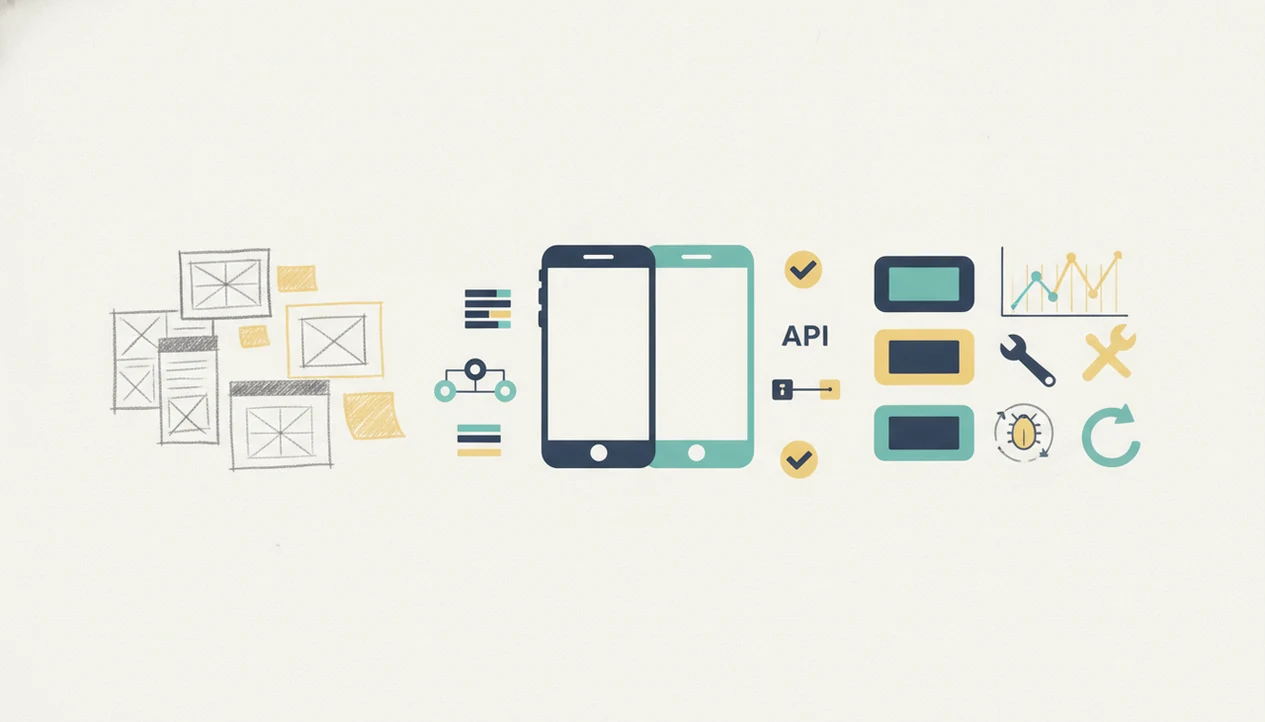
Building mobile apps means turning a validated user problem into an iOS or Android product that can be designed, developed, tested, launched, measured, and improved over time. The practical work includes product scope, UX, code or no-code implementation, backend services, app store release, analytics, growth, and maintenance.
> Definition: Building mobile apps is the full lifecycle of planning, designing, developing, launching, and maintaining software for smartphones and tablets.
TL;DR
- A mobile app is a product lifecycle, not just a coding project: research, design, development, launch, analytics, growth, and maintenance all matter.
- Choose native, cross-platform, web, hybrid, or no-code early because the choice affects cost, speed, performance, hiring, and app store release constraints.
- Most teams should ship a focused MVP first, measure real usage, improve onboarding and retention, and keep maintaining the app after launch.
Building Mobile Apps at a Glance
Building mobile apps covers the path from an idea to a maintained product on iOS, Android, or both. It includes design, development, backend services, testing, store submission, analytics, and updates after launch.
In practice, the work starts with a user problem and ends with a build train that still needs care after release. A team may sketch onboarding, write Swift or Kotlin, connect APIs, test payments, submit metadata, and watch crash reports after version 1.0 ships. Consumers downloaded about 255 billion mobile apps worldwide in 2023, according to Statista (Statista), so the market is large but crowded. A useful app still needs distribution work: store listing clarity, screenshots, ratings, launch messaging, and retention loops.
The App Store Connect yellow warning banner is not strategy. It is just one checkpoint before review.
Five Facts About Building Mobile Apps
- Building is a lifecycle. Mobile app building starts with research and problem definition, then continues through design, development, launch, analytics, and maintenance. The cramped release note field later becomes part of the product work too.
- The stack choice shapes the project. Native, cross-platform, hybrid, web, and no-code decisions affect performance, hiring, cost, app store readiness, and maintainability. The cross platform vs native apps decision should happen before the roadmap hardens.
- An MVP should be small but useful. The first release should solve one meaningful problem, not present every roadmap card as a launch feature.
- Discovery affects outcomes. ASO, reviews, screenshots, onboarding, activation, and marketing can decide whether a solid app gets tried at all.
- Serious apps need infrastructure. APIs, storage, authentication, security, monitoring, and support routines are part of the product, not optional extras.
For early teams, a focused MVP is often safer than a broad launch because it creates real usage data before the budget is locked.
How Building Mobile Apps Works Behind the Scenes
Building mobile apps works by connecting a device front end to services that store data, enforce rules, send messages, and measure behavior. The app screen is only the visible layer of a larger product system.
A tap inside the app changes local state, moves the user to another screen, or sends a network request through an API. Backend logic may check authentication, read from a database, update stored records, return a response, and trigger analytics or push notification events. Offline behavior adds another layer because the app must decide what data can be cached, synced later, or blocked until the connection returns.
Behind the release, teams also handle device permissions, operating system updates, crash reporting, and monitoring. A Play Console pre-launch report screenshot with red accessibility and crash markers can change the release plan in one afternoon. Mobile app development is product decision-making plus technical architecture, not screens alone. For reliability basics, teams usually pair analytics with app crash reporting.
Mobile App Building Lifecycle From Idea to Launch
A practical mobile app lifecycle moves from problem definition to release, then into measurement and maintenance. Launch is a milestone, not the finish line.
Research and app scope
Start by defining the audience, the painful task, the competing alternatives, and the metric that proves the app helped. Good independent guides on mobile app product, growth, app store discovery, shipping, and industry trends deliver policy-aware operating notes, not agency jargon or ranking tricks. Tools like Power Themes can help teams separate what the store requires from what marketers recommend.
- Define the user problem before naming features.
- Choose one success metric for the first release.
- Prioritize must-have flows and park later ideas.
- Test the release candidate with real devices and real accounts.
- Submit with checked metadata using a mobile app release checklist.
Design, development, and launch
Wireframes, UI design, development, QA, beta testing, and store submission come next. After launch, analytics, support tickets, reviews, bug fixes, retention signals, and roadmap planning shape the next build.
How to Build a Mobile App Step by Step
To build a mobile app step by step, start with one proven user problem, then choose the smallest technical path that can solve it well. The goal is not to ship every idea; it is to release a usable product, measure behavior, and improve it after real people touch it.
- Validate one problem with interviews, competitor checks, landing pages, prototypes, or concierge tests before choosing features or platforms. If users do not care about the task, Swift, Flutter, or no-code will not rescue the product.
- Select the build approach based on constraints: native for deep device behavior, cross-platform for shared delivery, web or hybrid for web-heavy workflows, and no-code for fast prototypes or simple internal tools.
- Design the core flow around the value moment, then remove launch features that do not help a user complete that flow. A smaller app is easier to explain, test, and support.
- Build and test the MVP on real devices with real accounts, analytics events, crash reporting, and edge cases like poor network conditions.
- Submit and improve with complete store assets, monitored crash reports, review tracking, retention data, and a plan for the next update.
Native, Cross-Platform, Hybrid, Web, and No-Code App Options
Native is not automatically the best choice for every mobile app. The right build option depends on performance needs, budget, team skills, OS integration, and how quickly the team needs validated learning.
In practice, the named choices are usually Swift or SwiftUI for native iOS, Kotlin for native Android, React Native or Flutter for cross-platform work, Ionic or Capacitor for hybrid apps, and Bubble, Glide, or Adalo for no-code prototypes.
| Option | Good fit | Main tradeoff |
|---|---|---|
| Native iOS and Android | High-performance apps, deep device features, polished platform behavior | Higher cost if building separately for both platforms |
| Cross-platform frameworks | Shared codebases, faster multi-platform delivery, common consumer app flows | Some native integrations still need specialist work |
| Hybrid apps | Web-heavy products that need app store packaging | Performance and UI feel can lag native patterns |
| Progressive web apps | Early validation, content tools, simple account workflows | App store visibility and device access may be limited |
| No-code tools | Prototypes, internal tools, simple marketplaces, early tests | Custom logic, scale, and OS-level features can hit ceilings |
Before the stack debate turns abstract, compare the policy text against the workflow. No-code or web-first can be practical when the team needs to validate demand before funding a deeper build.
MVP Scope for Building Useful Mobile Apps
An MVP is the smallest version of a mobile app that solves one meaningful user problem. It is not a rough version of every planned feature.
The scope work is usually unglamorous. A team deletes custom profile themes, delays referral rewards, and keeps the first signup form tested with one thumb. Must-have features support the core promise. Later roadmap ideas can wait until beta testing, usage data, retention signals, and feedback loops show what users actually do.
Bloated first releases hide the signal. Over-custom design can burn weeks before anyone proves the workflow matters. Monetization should also wait if users have not reached the core value moment. For many teams, beta testing mobile apps is the cleanest way to find confusing screens, dead features, and early retention problems before public launch.
Growth and App Store Discovery for Mobile Apps
Building the app is not enough because app stores are crowded conversion surfaces. Google Play alone had more than 2.5 million apps available in Q2 2023, according to Statista (Statista), so discovery work must be planned before launch week.
App Store Optimization covers the app title, subtitle, keywords, descriptions, screenshots, ratings, reviews, and the promise shown on the listing. A Slack thread debating store screenshots is product work if the screenshots explain the activation moment better than the interface does. Marketers and builders need the same positioning, user promise, onboarding flow, and launch narrative.
Growth also depends on activation, push notification strategy, retention loops, referral paths, and analytics instrumentation. A push notification draft on a whiteboard should be checked against user intent, not only open-rate hopes. App discovery usually works best when store metadata, onboarding, and retention measurement are planned together, while paid acquisition fits teams that can already retain users.
When Building a Mobile App Applies and When It Does Not
Does every idea need a mobile app? No. A mobile app fits best when the product needs repeated use, device-native behavior, offline access, camera input, location, push notifications, payments, or deep personalization.
Mobile matters because mobile devices account for about 58% of global website traffic, according to StatCounter (StatCounter), and Pew Research Center reports that about 90% of U.S. adults own a smartphone (Pew Research Center). That does not mean every workflow deserves an app. One-time tasks, low-frequency content, basic forms, and unvalidated ideas may be better served by a responsive website first.
Maintenance should be part of the decision. Apps need store review, device testing, policy checks, update planning, and support after release. A founder checking keyword rank in a spreadsheet before coffee and watching a term move from position 18 to 23 is doing real distribution work, but it only matters if the app earns repeat use.
Limitations
Building mobile apps carries real constraints, even when the first prototype looks simple. The safer reading is that an app creates an ongoing product obligation, not a one-time launch task.
- Simple apps can still take weeks or months once design, QA, store assets, review, and fixes are included.
- Not every idea deserves an app; a responsive website may be cheaper, faster, and easier to maintain.
- Cross-platform and no-code tools can limit deep OS integration, complex animations, background behavior, or high-performance experiences.
- App store policies, fees, review queues, and metadata rejections can delay or block releases.
- Analytics, ASO, and growth experiments cannot guarantee product-market fit.
- Security, privacy, device fragmentation, OS updates, and dependency changes add long-term risk.
- Backend costs can rise as usage grows, especially with media, notifications, search, or real-time sync.
- Teams need an app update strategy because unsupported apps lose trust quickly.
Legal review comments in the margin can slow a launch more than a missing button state. Plan for that.
FAQ
Can you build your own app?
Yes. Individuals can build apps with code, no-code tools, freelancers, or agencies depending on scope, budget, and technical skill.
Do mobile apps need coding?
Many production apps need coding for custom logic, integrations, security, and performance. Simpler apps can sometimes be built with no-code or low-code platforms.
How long does it take to build an app?
A clickable prototype may take days or weeks. A focused MVP often takes several weeks to a few months, while complex production apps can take longer.
How much does an app cost?
App cost depends on features, platforms, design depth, backend services, integrations, testing, compliance, and maintenance. A simple app costs far less than a multi-platform product with payments, accounts, and real-time data.
Is making mobile apps profitable?
Mobile apps can be profitable, but profit depends on retention, pricing, acquisition cost, competition, and product-market fit. Building the app alone does not create a business.
Can I build Android apps only?
Yes. Starting with Android alone can make sense when your audience is Android-heavy or your budget supports one platform first.
How do apps reach app stores?
Apps reach the Apple App Store and Google Play through developer accounts, build submission, metadata, screenshots, policy checks, and review. Teams should compare the policy text against the workflow before submitting.
Do apps need maintenance?
Yes. Apps need bug fixes, OS updates, dependency updates, security patches, analytics review, and feature improvements after launch. Power Themes covers these operating questions for teams that need practical mobile app guidance.