
Best Wine Cellar Apps in 2026
Quick answer: CellarTracker is the best wine cellar app for most collectors because it combines detailed inventory records, scanning, valuation data, and drinking guidance. InVintory is better for visual rack-level organization. DiVino suits iPhone users who want to scan a label, see its drinking window, and save the bottle without creating an account.
The bottle you want is somewhere in the back row, but your spreadsheet lists the wrong vintage. A good wine cellar app solves that problem before dinner, while also tracking quantity, storage location, purchase cost, and drinking windows.
We ranked these apps for cellar management first. Ratings and label recognition counted, but an app built mainly for shopping or social posts could not outrank a full wine inventory app simply because it had more App Store reviews.
Comparison at a glance
| App | Best for | Platforms | Free version | Price | Standout |
|---|---|---|---|---|---|
| CellarTracker | Most wine collections | iPhone, iPad, Android, and web | Free download; exact premium limits are unclear | Purchases from $4.99 to $44.99, checked October 2026 | Inventory records backed by extensive tasting and price data |
| InVintory | Visual cellar mapping | iPhone, iPad, and web; Android unknown | Free download; included tools depend on plan | $9.99 monthly or $99.99 yearly and up | 3D racks with bottle-level locations |
| Oeni | Aging and value tracking | iPhone and iPad; Android unknown | Free download; exact free limits are unclear | Annual purchases from $39.99 to $89.99 | Tracks maturity, cellar value, and purchase spending |
| DiVino | Scan-to-cellar guidance | iPhone and compatible iPads; Android coming soon | Free download; check the listing for unpaid limits | $5.99 weekly or $59.99 yearly | Label scan leads directly to a drinking window |
| Vivino | Ratings and wine discovery | iPhone, iPad, and Android | Scanning, ratings, and collection tools; exact limits unclear | Premium listings from $4.99 to $57 | 139,462 US App Store ratings |
| Wine Identifier | Simple label-based cellar logging | iPhone stated; other platforms unknown | Check the listing | Check the listing | Scanning, pairings, notes, and cellar records in one flow |
| Wine-Searcher | Price and retailer research | iPhone, iPad, Android, and web | Free search with limited results; exact limit unknown | PRO purchases listed at $10.99 and $98.99 | Compares listings from thousands of merchants |
| Delectable | Tasting journals and social posts | iPhone, iPad, and Android | Ad-supported scanning and journal tools | $5.99 monthly; $1.99 ad-free purchase listed | Wine journal tied to a professional-focused social feed |
Prices and ratings from the US App Store and Google Play, checked October 2026. Store prices change; the listing is the final word.
How we picked
We read the supplied US App Store listings, developer sites, pricing records, and research covering Google Play availability and help pages. Prices, ratings, compatibility, and update dates were checked in October 2026. No hands-on scan test was conducted, so we did not rank apps by unverified recognition speed or accuracy.
The order reflects fit for cellar ownership: inventory depth came first, followed by bottle location, scanning, drinking windows, price tracking, platform reach, cost, and recent maintenance. App Store rating counts show audience size, not cellar-management quality.
- Tracks quantity, vintage, and bottle location.
- Adds bottles by label or barcode scan.
- Records maturity, value, and tasting notes.
- Has current platform and pricing information.
- Was updated recently enough for its target platform.

CellarTracker
4.9 on the App Store (13,328 ratings)
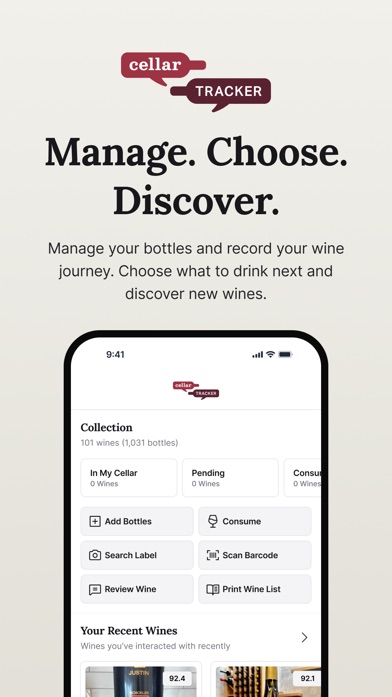
CellarTracker is the strongest match for someone who needs a wine inventory app, not merely a scanner. Its US App Store listing had 4.9 stars from 13,328 ratings and was updated September 28, 2026. The app records bottles, personal notes, ratings, storage details, and consumption history; label and barcode tools reduce manual entry.
The deciding advantage is the data around that inventory. CellarTracker connects collection records with community tasting notes, price information, and guidance about which bottle to open. That helps when you have several vintages of the same producer or need to choose between bottles nearing their drinking windows. It also supports Android and web access, while the iPhone app works on iOS 15.5 or later.
InVintory has the better visual cellar map, and CellarTracker's supplied pricing is less easy to read. The App Store lists bottle-based purchases from $4.99 to $44.99 without clearly showing the billing period. Even with that caveat, CellarTracker ranks first because its inventory workflow, platform reach, and 13,328-rating history fit more cellar owners.
- Detailed bottle and tasting records
- iPhone, Android, and web access
- Store billing periods are unclear
- Price
- Free download; purchases from $4.99 to $44.99 as of October 2026.
- Platforms
- iPhone and iPad on iOS 15.5+, plus Android and web.
Pick CellarTracker if inventory accuracy and wine data matter more than a 3D rack display.

InVintory
4.8 on the App Store (4,984 ratings)
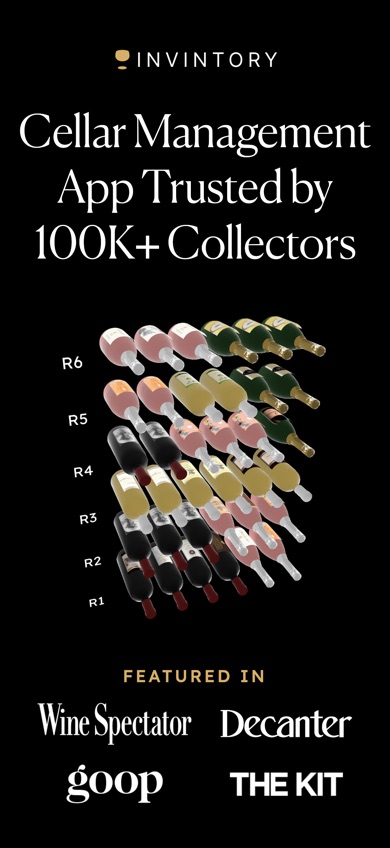
InVintory is a wine cellar management app for collectors who want to see where each bottle sits. It had 4.76 stars from 4,984 US App Store ratings and an October 21, 2026 update. Its 3D cellar view can assign bottles to a cellar, rack, bin, case, or other location. That is useful when a text search still leaves you checking six shelves.
InVintory also imports collections from CellarTracker, Vivino, and spreadsheets. Its listing describes a database of more than 2 million wines, along with drinking windows, value tracking, purchase history, and reports for insurance or portfolio records. Those tools give serious collectors more physical and financial detail than Vivino or DiVino.
The cost is the main reason InVintory sits below CellarTracker. Listed plans start at $9.99 monthly or $99.99 yearly, while Premium prices reach $13.95 monthly and $149.99 yearly. It also requires iOS 18, and Android availability was not confirmed in the supplied research. For a walk-in cellar or several storage areas, the 3D location system may justify that price.
- Bottle-level 3D rack mapping
- Spreadsheet and app imports
- High annual price and iOS 18 requirement
- Price
- $9.99 to $13.95 monthly or $99.99 to $149.99 yearly, checked October 2026.
- Platforms
- iPhone and iPad on iOS 18+; web reported; Android unknown.
Pick InVintory if finding a bottle by its exact rack or bin is your main concern.

Oeni
4.7 on the App Store (935 ratings)
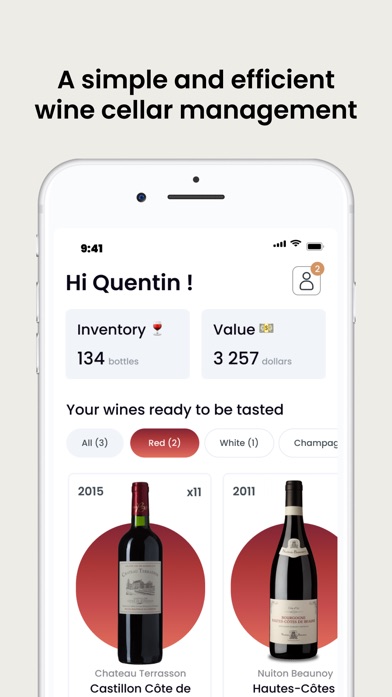
Oeni is built around inventory aging, spending, and market value. Its US App Store record showed 4.7 stars from 935 ratings, an October 5, 2026 update, and support for 15 languages. It works on iOS 15 or later, which gives it broader iPhone compatibility than InVintory or DiVino.
The app scans bottles into a catalog that its listing says contains more than 400,000 entries. You can enter purchase prices, watch quantities, view a 3D cellar, and follow maturity or estimated peak dates. Oeni also tracks cellar value over time and suggests pairings from a database described as covering more than 5,000 dishes. For someone deciding what to open and what to hold, those aging tools are more relevant than Vivino's shopping feed.
Oeni's plan list is confusing. The App Store shows several annual purchases between $39.99 and $89.99, plus a $39.99 special monthly purchase; the exact plan attached to each amount needs checking before payment. Android availability and free-tier limits were not confirmed. Oeni still ranks third because its listing addresses stock, location, maturity, and value directly.
- Maturity and peak-date tracking
- Spending and cellar-value records
- Multiple listed plans make pricing hard to parse
- Price
- Annual purchases from $39.99 to $89.99; plan details checked October 2026.
- Platforms
- iPhone and iPad on iOS 15+; Android unknown.
Pick Oeni if drinking windows and changes in cellar value drive your decisions.

DiVino
5.0 on the App Store (1 ratings)
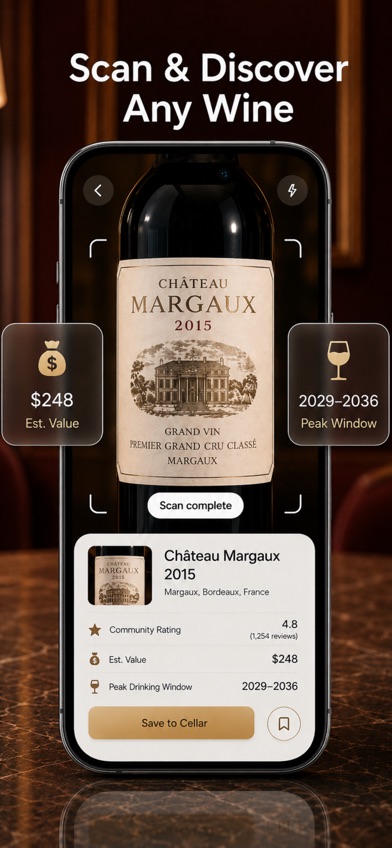
DiVino is an iPhone wine scanner that connects identification directly to cellar management. Photograph a label and the app identifies the bottle, then shows details that can include estimated value, ratings, food pairings, and a suggested drinking window. You can save the result, record quantity and storage location, add tasting notes, or ask its AI sommelier about serving and pairings.
That scan-to-cellar path is DiVino's strongest point. A bottle can move from an unfamiliar label to a saved record marked hold, ready, at peak, or past peak without a spreadsheet. The app does not require an account, and its listing says the collection and notes remain on the device. DiVino also scans restaurant wine lists, a task the deeper inventory apps do not all prioritize.
DiVino is new and has limited public rating evidence: 5 stars from one US App Store rating, with its latest update on September 23, 2026. It requires iOS 18, costs $5.99 weekly or $59.99 yearly, and Android is still coming soon. Those limits keep it below the established cellar managers, despite its well-matched feature set.
- Scan-to-drinking-window workflow
- No account required
- Apple only, with one US rating
- Price
- $5.99 weekly or $59.99 yearly, checked October 2026.
- Platforms
- iPhone on iOS 18+ with iPad compatibility; Android coming soon.
Pick DiVino if you want fast label identification and opening guidance on a recent iPhone.

Vivino
4.8 on the App Store (139,462 ratings)
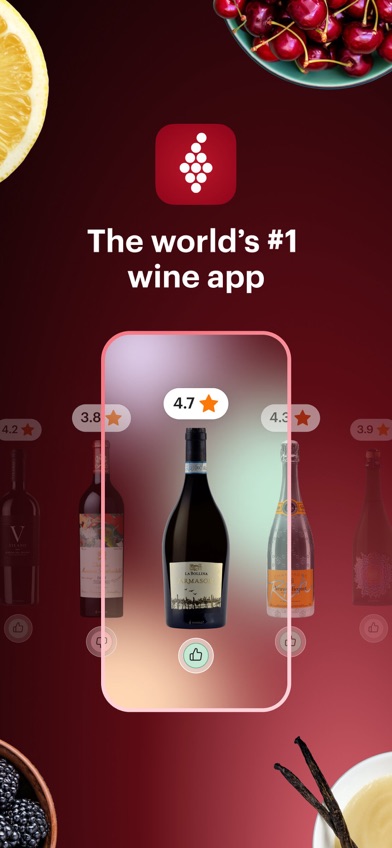
Vivino has the largest US App Store rating count in this comparison: 4.84 stars from 139,462 ratings as of October 2026. It was updated October 19, 2026. Label and restaurant-list scanning lead to community scores, tasting notes, pairings, purchasing choices, and recommendations based on wines you have rated.
Vivino does include cellar tools. You can add owned bottles and sort the collection by quantity, vintage, or drinking status. For a casual collection, that may be enough. It also works on iPhone, iPad, and Android, so mixed-phone households have fewer compatibility problems than they would with DiVino, Oeni, or InVintory.
The tradeoff is inventory depth. The supplied listing does not describe rack, bin, case, or custom storage locations, and official export details were not confirmed. Retail averages and crowd ratings also are not professional appraisals. Premium purchases appear at several prices, including $4.99 and yearly amounts from $47.90 to $57. Vivino ranks fifth because discovery is its center of gravity, though it is easier to recommend for shopping than the four apps above it.
- Large US rating base
- iPhone and Android support
- Less storage-location detail than collector apps
- Price
- Premium listings from $4.99 to $57, checked October 2026.
- Platforms
- iPhone and iPad on iOS 18.6+, plus Android.
Pick Vivino if scanning, crowd ratings, and buying wine outweigh rack-level inventory control.
Wine Identifier
Wine Identifier is a label-scanning app described on its site as combining bottle identification, pairing suggestions, tasting notes, and cellar tracking. The intended flow is simple: photograph a label, review the producer, region, grape, and vintage when available, then save the bottle and your notes. Its site states that the app is for iPhone.
This approach suits someone starting a small collection who wants the camera to do most of the initial data entry. The cellar component records bottles you own or have consumed, while pairing support connects the saved wine to dinner or restaurant decisions. That is a closer match to the search for a wine cellar app than Wine-Searcher's price-first design or Delectable's social journal.
There is less verifiable store information here than for the higher-ranked picks. The supplied sources do not provide a current US App Store rating, update date, OS requirement, subscription price, free limit, or confirmed Android version. The site also cautions that damaged, rare, counterfeit, or obscure labels may need manual review. Check every matched vintage and bottle size before saving a record.
- Camera-led cellar entry
- Pairings and tasting notes included
- Price, ratings, and update date are unconfirmed
- Price
- Check the listing for current pricing.
- Platforms
- iPhone stated; iPad, Android, and web support unknown.
Pick Wine Identifier if you want a straightforward scan-and-save workflow and can verify the current listing first.

Wine-Searcher
4.8 on the App Store (17,156 ratings)
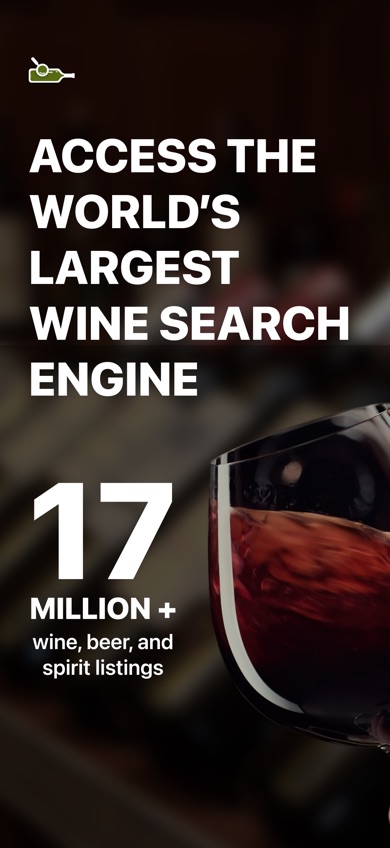
Wine-Searcher is the best price-research companion in this group, though it is not a full wine cellar management app. Its US App Store listing had 4.81 stars from 17,156 ratings and was updated October 15, 2026. Scan or type a bottle to compare vintages, critic scores, merchant listings, regional information, and nearby availability.
The listing describes roughly 8 million wine, beer, and spirits listings from 55,000 merchants. That breadth helps when you need to check whether a cellar purchase price resembles current retail asking prices. You can also rate wines and save bottles for later. Wine-Searcher beats every higher-ranked pick at retailer comparison, and it covers spirits as well as wine.
It ranks seventh because a saved-wine list is not a detailed inventory. The supplied listing does not describe bottle quantities, rack positions, consumption history, or case-level management. Free access is confirmed, but the exact result limit is unknown. PRO purchases are listed at $10.99 and $98.99; check the billing terms before subscribing. Use Wine-Searcher beside a cellar app if buying and price checks are frequent.
- Broad merchant price comparison
- Wine and spirits coverage
- Lacks detailed cellar-location tools
- Price
- Free download; PRO purchases listed at $10.99 and $98.99 in October 2026.
- Platforms
- iPhone and iPad on iOS 16+, plus Android and web.
Pick Wine-Searcher if finding sellers and comparing current asking prices is the main task.

Delectable
4.7 on the App Store (25,998 ratings)
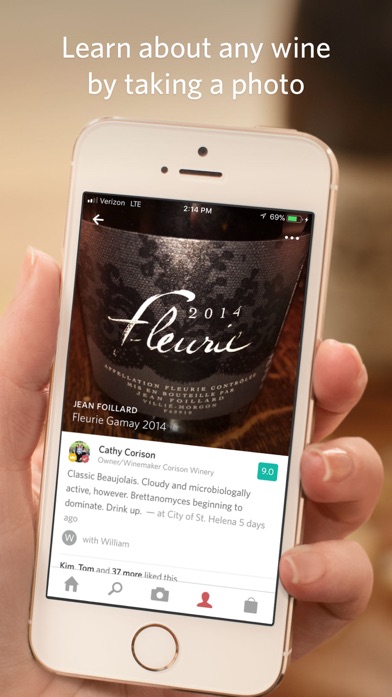
Delectable combines label recognition with a personal wine journal and social feed. It had 4.7 stars from 25,998 US App Store ratings in October 2026. You can photograph labels, record ratings and tasting notes, tag people or places, and follow posts from sommeliers, critics, and winemakers.
The listing says free users can scan an unlimited number of wines. Premium adds Vinous reviews, priority handling for labels that are difficult to identify, and an ad-free experience. The listed Premium price is $5.99 monthly, while a separate $1.99 ad-free purchase appears among the in-app options. Delectable works on much older iPhones than the other apps here because its listing requires iOS 10 or later.
Age is also its largest concern. The last listed iPhone update was September 14, 2021, five years before this comparison. More important for cellar owners, the listing centers on tasting memories and social discovery, without detailed quantity, drinking-window, valuation, or rack-location controls. Choose Delectable for logging what you drank; choose one of the higher picks to manage what you still own.
- Unlimited free scans stated
- Social tasting journal
- No listed iPhone update since 2021
- Price
- $5.99 monthly for Premium; $1.99 ad-free purchase listed.
- Platforms
- iPhone and iPad on iOS 10+, plus Android.
Pick Delectable if tasting notes and wine-focused social posts are more useful than inventory controls.
CellarTracker vs InVintory for managing a collection
CellarTracker and InVintory are the closest rivals because both handle serious inventories, bottle locations, drinking guidance, and collection value. The main choice is data depth and platform reach versus visual organization.
| Point | CellarTracker | Rival |
|---|---|---|
| US App Store record | 4.9 stars from 13,328 ratings | 4.76 stars from 4,984 ratings |
| Bottle location | Searchable cellar records | 3D rack, bin, case, and cellar maps |
| Platforms | iPhone, iPad, Android, and web | iPhone, iPad, and reported web access |
| iPhone requirement | iOS 15.5 or later | iOS 18 or later |
| Listed paid prices | $4.99 to $44.99; billing period unclear | $9.99 monthly or $99.99 yearly and up |
CellarTracker wins for most people because it reaches more platforms, supports older iPhones, and connects inventory to a large body of tasting and price data.
InVintory wins when the physical layout is the problem. Its 3D view is better suited to several racks, storage rooms, or bins where knowing that a bottle exists is only half the answer.
What to check before moving your cellar into an app
Inventory detail and storage locations
Start with the information you need for each bottle: producer, vintage, quantity, purchase price, storage position, and consumption date. A 20-bottle shelf may need only searchable records. Several racks or off-site storage call for rack, bin, case, or custom-location fields. Confirm that filters can find bottles by vintage, region, drinking status, and location.
Scanning and vintage verification
A label scanner saves typing, but recognition is not guaranteed. Similar labels may cover several vintages, formats, or vineyard designations. Check the producer, cuvee, vintage, bottle size, and quantity before saving each scan. If you own older or damaged bottles, choose an app that permits manual corrections and database searches when the camera match is wrong.
Price data versus real valuation
Retail listings, community estimates, auction results, and your purchase cost answer different questions. An app's estimated value is not automatically the amount a buyer or insurer will accept. Condition, provenance, fees, shipping, and market demand can change the figure. Collectors using values for insurance, estates, or sales should retain receipts and seek qualified appraisal advice.
Export, privacy, and platform access
Entering hundreds of bottles creates a record you may need for years. Check CSV export, backups, account deletion, photo retention, and migration before committing. Also confirm iPhone, Android, tablet, and web access for every person who updates the collection. Cellar data can reveal purchase habits, home storage details, and collection value, so read the current privacy policy.
Frequently asked questions
What is the best free wine cellar app?
CellarTracker is the strongest free starting point because the download includes inventory tools and scanning. Its exact premium limits and billing periods need checking in the current listing.
Which wine cellar app is best for a large collection?
CellarTracker is the best fit for a large collection that needs detailed records across iPhone, Android, and web. InVintory is better when exact 3D rack and bin locations take priority.
Which app is best for finding a bottle in a rack?
InVintory is the best choice for rack-level searches because its 3D cellar view assigns bottles to cellars, racks, bins, cases, and custom locations.
What is the best app for comparing current wine prices?
Wine-Searcher is the strongest price-comparison app here because it searches merchant listings and availability across vintages. Listed retail prices are not guaranteed resale or appraisal values.
Can a wine cellar app distinguish different vintages?
A wine cellar app may identify the vintage from a clear label, but similar designs and damaged labels can produce the wrong match. Verify the vintage, producer, bottle size, and quantity before saving.
Can a wine inventory app estimate my cellar value?
Some wine inventory apps calculate estimated value from retail or market data. The result can differ from auction proceeds, insurance value, or an appraisal.
Can I export my wine cellar to CSV?
CSV export depends on the app and subscription plan. Confirm export format, bottle limits, and included fields before entering a large collection.
Our recommendation for most wine cellars
Choose CellarTracker for the best balance of detailed inventory, wine data, platform reach, and recent maintenance. Pick InVintory for a visual 3D cellar, Oeni for aging and value tracking, or DiVino if an iPhone label scan leading directly to a drinking window is the feature you will use most.
DiVino is the scan-to-drinking-window pick
DiVino is worth considering for one specific reason: a label scan can identify a bottle, show its suggested drinking window, and save it to your cellar in the same flow. That suits iPhone users who want help deciding whether to hold, open, or prioritize a bottle without building a complex inventory system. It requires iOS 18, has only one US App Store rating, and costs $5.99 weekly or $59.99 yearly, so established collectors may prefer CellarTracker.