
Best Free Pregnancy Apps in 2026
Quick answer: The best free pregnancy app in 2026 is Zen Pregnancy for hypnobirthing, labor tools and live partner sharing in one app. BabyCenter is better for free classes and due-date communities. Pick Ovia Pregnancy if detailed symptom logging and postpartum tracking are higher priorities.
At 3 a.m., you may want a sleep meditation. Months later, with contractions five minutes apart and your partner circling the hospital parking lot, you need a timer that is easy to find. The right pregnancy app should cover both moments without hiding every useful tool behind a subscription.
For many readers, the best pregnancy app for first time moms also needs plain weekly guidance. We ranked seven apps by their free access, pregnancy-specific tools, platform support, prices and October 2026 store data.
Comparison at a glance
| App | Best for | Platforms | Free version | Price | Standout |
|---|---|---|---|---|---|
| Zen Pregnancy | Birth preparation | iPhone, iPad, Android, Apple Watch tools | Free session and download; other limits vary | Free; purchases from $2.99 to $29.99 | Live partner and family labor sharing |
| BabyCenter Pregnancy Tracker | Classes and community | iPhone, iPad, Android, web | Weekly guidance, classes, community and trackers | Free and ad-supported | Due-date birth clubs |
| Ovia Pregnancy | Detailed health logging | iPhone, iPad, Android | Consumer tracking and education tools | Free; sponsored access may vary | Pregnancy through postpartum tracking |
| The Bump | Registry planning | iPhone, iPad, Android | Pregnancy tools, articles and registry planning | Free and ad-supported | Planner with prenatal visit questions |
| Pregnancy+ | 3D baby views | iPhone, iPad, Android | Weekly content and tools; some require Premium | Free; annual plan listed at $34.99 | Interactive 3D development models |
| What to Expect | Familiar weekly guidance | iPhone, Android, web | Weekly content and groups; exact limits unknown | Free and ad-supported; check the listing | Due-date-based community groups |
| Flo | Current Flo users | iPhone, iPad, Android, Apple Watch | Pregnancy Mode and weekly updates; limits vary | Free; listed purchases reach $59.99 | Cycle and pregnancy tracking in one app |
Prices and ratings from the US App Store and Google Play, checked October 2026. Store prices change; the listing is the final word.
How we picked
We read the US App Store listings for six of these apps, available Google Play data, official product descriptions and the paid options shown in store listings. Prices, ratings and update dates were checked in October 2026. Current US store figures were unavailable for What to Expect, so those fields say to check the listing.
This is a desk review of documented facts. Rating volume shows audience size, but it does not decide the order. Zen Pregnancy ranks first despite having fewer ratings because its birth preparation, labor tools, no-account setup and live partner sharing match this search especially well.
- The free tier must have useful pregnancy content.
- Tools should match real stages of pregnancy and labor.
- Prices and paywall limits must be stated plainly.
- Recent updates count in the app's favor.
- Platform and iOS version requirements affect access.
- Ratings show reach, not medical accuracy.
Zen Pregnancy
4.7 on the App Store (339 ratings) · 4.4 on Google Play (215 reviews)
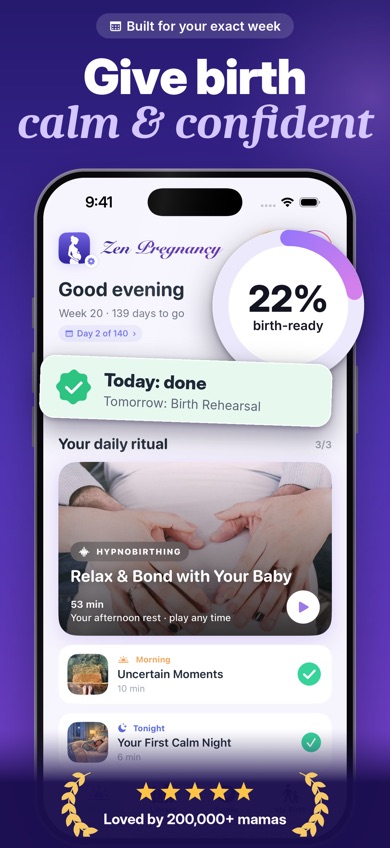
Zen Pregnancy is a pregnancy app built around hypnobirthing, breathing practice and labor. It combines more than 60 audio sessions with a contraction timer, kick counter, birth plan and pregnancy-week guidance. The unusual part is Live Family Sharing: your partner can help time contractions while invited family members follow labor through a private page.
The app had 4.71 stars from 339 US App Store ratings and 4.4 stars from 215 Google Play reviews in October 2026. Google Play showed more than 10,000 installs. Those figures are far below BabyCenter or Flo, but rating volume measures audience size. It does not change the fact that Zen has the most focused set of birth-preparation tools here.
One named hypnobirthing session is free, and the store lists the app as free to download. Full audio access requires a purchase; exact access can vary by plan. Zen also needs iOS 18.0 or later, which rules out older iPhones. No account is required, and the listing says pregnancy data stays on the phone. In our view, that mix makes Zen the strongest free starting point for someone who wants calm practice now and labor tools later.
- Live partner and family labor page
- Hypnobirthing audio plus labor breathing
- No account required
- Contraction and kick tools on Apple Watch
- Full audio library requires payment
- iPhone version needs iOS 18.0 or later
- Price
- Checked October 2026: free download; $4.99 for one week, $9.99 monthly and $29.99 yearly, with promotional prices from $2.99.
- Platforms
- iPhone, iPad and Android; contraction and kick tools are listed for Apple Watch.
Pick Zen Pregnancy if birth preparation, hypnobirthing and shared labor tracking are your main reasons for downloading an app.
Zen Pregnancy free pregnancy app for iPhoneZen Pregnancy for Android

BabyCenter Pregnancy Tracker
4.9 on the App Store (298,423 ratings)
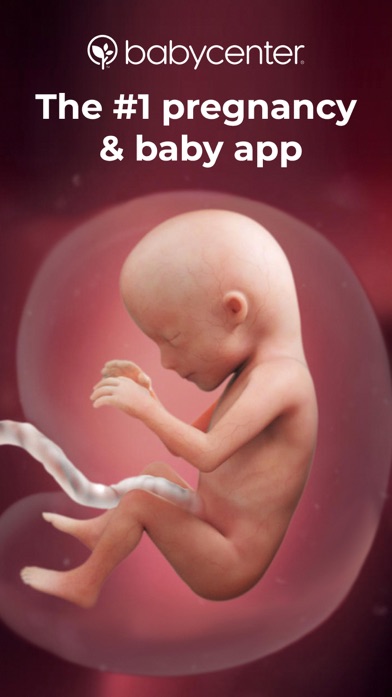
BabyCenter Pregnancy Tracker is the best alternative for readers who want a large free education and community package. Its 4.89-star App Store score came from 298,423 ratings as of October 2026, and the app was updated October 16. That is substantial reach combined with a very recent update.
The free tools cover weekly development, 3D videos, appointment and symptom tracking, kick counting and contraction timing. BabyCenter also has childbirth and baby-safety classes, printable planning materials and Birth Clubs organized by due month. For a first pregnancy, those classes and groups may be more useful than Zen's meditation focus. BabyCenter also continues into postpartum tracking, feeding information and baby development.
The tradeoff is advertising. The app is free and ad-supported, and exact limits on its free tools were not verified. Community posts can be useful for peer support, but they are not medical advice. BabyCenter also has registry and loyalty sections, so it feels busier than a focused tracker. Pick it over Zen when you want more reading, classes and conversations with parents due around the same time.
- Free childbirth and baby-safety classes
- Birth Clubs based on due month
- Kick counter and contraction timer
- Advertising is part of the free model
- Exact free limits are unknown
- Price
- Checked October 2026: free and ad-supported; no verified paid plan.
- Platforms
- iPhone, iPad, Android and web; iPhone requires iOS 17.0 or later.
Pick BabyCenter if free education and a large due-date community are more useful to you than guided birth preparation.

Ovia Pregnancy
4.8 on the App Store (90,762 ratings)
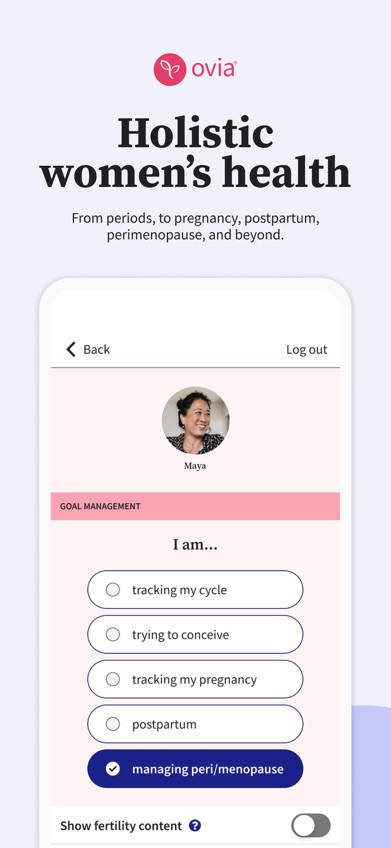
Ovia Pregnancy is the data-heavy choice. It tracks symptoms, weight, appointments, fetal movement and due-date progress, then continues with a 12-month postpartum program. More than 2,000 reproductive-health articles are listed in the app description. This suits readers who want one record that extends beyond delivery.
The US App Store showed 4.83 stars from 90,762 ratings and an October 21, 2026 update. Ovia's logging is more detailed than The Bump's registry-led setup, and its postpartum modes account for delivery type, including vaginal birth, C-section and VBAC. Food-safety information and reminders add value during pregnancy.
The consumer app is free, while some added access may be supplied by an employer or health plan. Exact consumer limits and sponsored-access terms were not verified, so check what appears after installation. The current iPhone version requires iOS 18.0 or later. Ovia is also less focused on labor relaxation than Zen and less community-centered than BabyCenter. Choose it when records, symptoms and postpartum recovery are the main job.
- Detailed symptom and health logs
- 12-month postpartum program
- Food-safety and fetal-movement tools
- Some access may depend on health-plan eligibility
- iPhone version requires iOS 18.0 or later
- Price
- Checked October 2026: consumer app is free; employer or health-plan pricing is unknown.
- Platforms
- iPhone, iPad and Android.
Pick Ovia Pregnancy if you want detailed pregnancy records that continue through postpartum recovery.

The Bump
4.9 on the App Store (40,194 ratings)
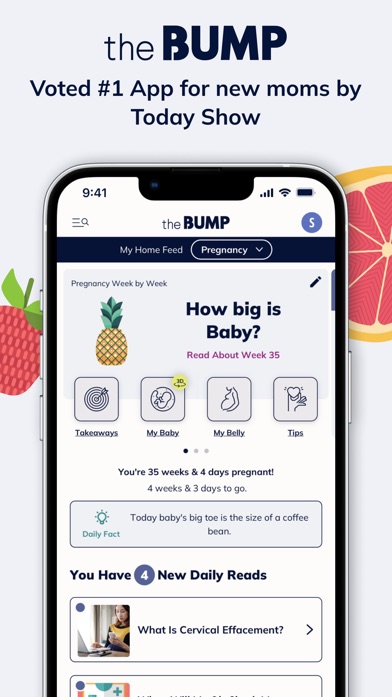
The Bump combines weekly pregnancy tracking with registry planning. The App Store showed 4.85 stars from 40,194 ratings, and the app was updated October 21, 2026. Its free tool set includes a due-date countdown, journal, kick counter, weight tracker, contraction counter and food-safety reference.
Planner+ is the more distinctive tool. It suggests questions for prenatal appointments and connects those visits with the phone's calendar. The registry section also brings products from multiple registries into one place. That pairing makes The Bump a better choice than Pregnancy+ for someone spending as much time planning appointments and baby purchases as tracking fetal development.
The app is free and ad-supported, and no paid plan was verified. Exact free limits remain unknown. Registry and shopping content take up space that some readers would prefer to use for health tracking, and the App Store listing names only one supported language. The weekly fruit-size comparisons and interactive 3D view are approachable, but Pregnancy+ has the stronger visual-development case. Pick The Bump when organization and registry work are central.
- Prenatal appointment question planner
- Registry tools in the pregnancy app
- Food-safety and labor counters
- Advertising and shopping content
- Exact free limits are unknown
- Price
- Checked October 2026: free and ad-supported; no verified paid plan.
- Platforms
- iPhone, iPad and Android; iPhone requires iOS 17.6 or later.
Pick The Bump if prenatal appointments and registry planning belong in the same app.

Pregnancy+
4.9 on the App Store (76,799 ratings)
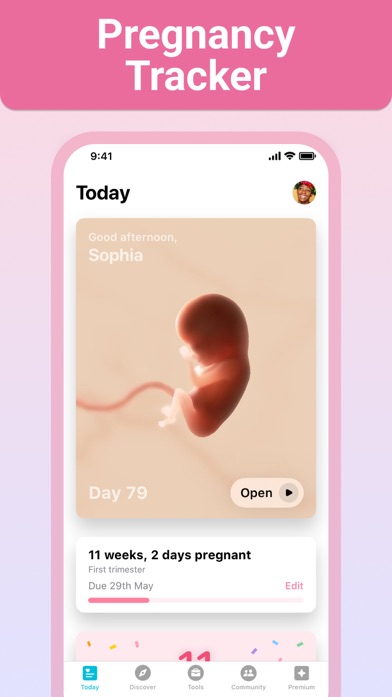
Pregnancy+ is the visual pick. Its interactive 3D models show development by pregnancy week, with movement views, zoom controls and several skin-tone choices. The app also has 2D and 3D scan examples. If seeing weekly development is what keeps you opening a pregnancy app, Pregnancy+ does that better than the other picks.
The supporting tools are substantial: kick and contraction counters, appointment tracking, a weight log, hospital-bag lists and an exportable birth plan. In October 2026, Pregnancy+ had 4.85 stars from 76,799 US App Store ratings. Its most recent listed update was August 10, 2026, and it supported 14 languages.
Some content and tools require Premium, and the exact free boundary is not stated in the listing. The paid schedule is also busier than those of the fully ad-supported apps. Listed prices include $5.99 for one month, $12.99 for three months and $34.99 annually, plus other purchases. Use the free version first and check which tools remain available before paying.
- Interactive week-by-week 3D models
- Exportable birth plan
- Support for 14 languages
- Some tools require Premium
- Exact free boundary is unknown
- Price
- Checked October 2026: free; $5.99 monthly, $12.99 for three months and $34.99 annually are listed.
- Platforms
- iPhone, iPad and Android; iPhone requires iOS 16.4 or later.
Pick Pregnancy+ if interactive fetal-development views are more important than community or meditation.
What to Expect
What to Expect is a free, ad-supported pregnancy app centered on due-date-based guidance. It has weekly information, daily content, videos, forums and birth clubs. The tone is designed for quick answers to common pregnancy questions, which may suit readers who already know the What to Expect format and want the same approach on a phone.
Its strongest comparison is with BabyCenter. Both have weekly education and communities, but What to Expect may suit readers who prefer its familiar editorial format. BabyCenter has the better documented free tool list for this review, including classes, kick counting and contraction timing. What to Expect's exact free limits were not verified.
Current US App Store rating volume, update date, iPad support and paid pricing were also unavailable for this October 2026 comparison. Check the listing before downloading, especially if a specific tracker or tablet version is required. The confirmed platform reach covers iPhone, Android and web. This ranks below apps with current store figures because update recency and paywall boundaries are part of the buying decision.
- Weekly due-date-based guidance
- Videos and birth clubs
- iPhone, Android and web access
- Current store figures were not verified
- Free-tier limits and paid prices are unknown
- Price
- Checked October 2026: free and ad-supported; check the listing for current paid options.
- Platforms
- iPhone, Android and web; current iPad support is unknown.
Pick What to Expect if you prefer its familiar weekly format and community groups.

Flo
4.7 on the App Store (2,003,647 ratings)
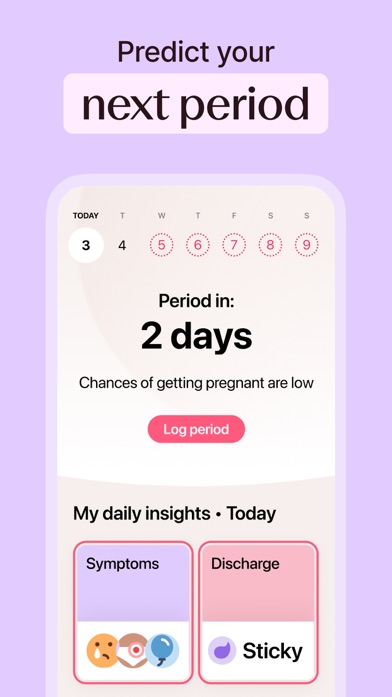
Flo is a broader reproductive-health app with a Pregnancy Mode. It supplies weekly fetal-development updates, daily articles and checklists after you switch modes. Existing Flo users may prefer to keep cycle history and pregnancy tracking in one account instead of starting with a separate pregnancy app.
Its scale is unmatched here: 4.74 stars from 2,003,647 US App Store ratings in October 2026. Flo was also updated October 22, the most recent date in this comparison. Outside pregnancy, the app can log more than 70 symptoms and moods. Anonymous Mode is available for people who do not want personal identifiers connected to health data.
Flo ranks last for this specific search because pregnancy is one mode inside a much larger cycle platform. Its store listing gives less detail about free labor tools than Zen, BabyCenter or The Bump. Premium pricing is also hard to read: listed purchases range from $1.99 to $59.99, including a $49.99 Pregnancy Tracker entry, but the current billing periods and free limits need checking.
- Pregnancy tracking within an existing Flo account
- More than two million App Store ratings
- Anonymous Mode for health data
- Pregnancy is only one part of the app
- Current Premium terms are unclear
- Price
- Checked October 2026: free; listed purchases range from $1.99 to $59.99. Check the listing for plan terms.
- Platforms
- iPhone, iPad, Android and Apple Watch; iPhone requires iOS 17.0 or later.
Pick Flo if you already use it for cycle tracking and want pregnancy updates in the same account.
Zen Pregnancy vs BabyCenter Pregnancy Tracker
Zen and BabyCenter solve different parts of pregnancy. Zen concentrates on birth preparation and shared labor tools; BabyCenter puts more weight on education, classes and due-date communities.
| Point | Zen Pregnancy | Rival |
|---|---|---|
| Free model | Free download and one named hypnobirthing session; full audio access is paid | Free and ad-supported; no paid plan was verified |
| Birth preparation | Hypnobirthing, breathing, sleep audio, affirmations and partner labor sharing | Childbirth classes, birth plan material and a contraction timer |
| Community | Private sharing with invited family | Birth Clubs with parents sharing the same due month |
| October 2026 ratings | 4.71 stars from 339 App Store ratings; 4.4 from 215 Google Play reviews | 4.89 stars from 298,423 App Store ratings |
| Phone requirements | iOS 18.0 or later; Android version available | iOS 17.0 or later; Android and web versions available |
BabyCenter wins on free educational depth, classes and community size. It also supports older iPhones. For readers who mainly want to understand each week and compare notes with other parents, BabyCenter is the better download.
Zen wins on focused birth preparation and private labor sharing. It is the stronger fit when breathing practice, hypnobirthing and partner involvement are the deciding points.
How to choose a free pregnancy app
Check what free actually includes
A free download can still place audio, trackers or articles behind a subscription. Look at the in-app purchase list and confirm which tool you need most. If you only want weekly updates, an ad-supported app may be enough. If you want a full audio library or advanced insights, compare monthly and annual prices before entering payment details.
Match the tools to your stage
Early pregnancy may call for due-date guidance, symptom notes and appointment reminders. Later, a kick counter, hospital list and contraction timer become more useful. Postpartum tracking matters if you want to keep the same record after delivery. Pick based on the next few months, since one app rarely leads every category.
Read the medical sourcing
A high store rating does not prove that health information is accurate. Look for named medical reviewers, dated articles, citations and wording that tells you when to contact a clinician. Community groups can provide company and shared experiences, but posts from other users cannot diagnose symptoms or confirm that a concern is harmless.
Review privacy and account rules
Pregnancy apps can collect due dates, symptoms, cycle history and other sensitive information. Read the privacy policy, check permissions and find the account-deletion controls before logging details. If you prefer less account data, look for on-device storage or an anonymous mode. Partner sharing should use an invitation you control.
Check updates and phone support
A recent update suggests the app is still being maintained, though it does not prove information quality. Also check the required operating system. Zen and Ovia need iOS 18.0 or later, while Pregnancy+ supports iOS 16.4 or later. That difference decides the download if you use an older iPhone.
Frequently asked questions
What is the best free pregnancy app?
Zen Pregnancy is our top free pregnancy app for hypnobirthing, breathing tools, contraction timing and live partner sharing. Full audio access is paid, so check the free content before subscribing.
What is the best pregnancy app for first time moms?
BabyCenter Pregnancy Tracker is a strong choice for first-time moms because it has free childbirth classes, weekly guidance and due-date Birth Clubs. Zen Pregnancy is better when birth preparation is the main concern.
Which pregnancy app has the best 3D baby views?
Pregnancy+ has the strongest 3D focus in this comparison, with interactive weekly development models, movement views and zoom controls.
Is there a pregnancy app with no subscription?
BabyCenter Pregnancy Tracker is free and ad-supported, with no paid plan verified in October 2026. The exact limits of its free tools remain unknown.
Which pregnancy app tracks postpartum recovery?
Ovia Pregnancy has a 12-month postpartum program with modes based on delivery type, including vaginal birth, C-section and VBAC. The consumer app is free, while some added access may depend on an employer or health plan.
Which pregnancy app is most accurate?
Store ratings cannot establish medical accuracy. Check for named medical reviewers, citations, article dates and agreement with guidance from your prenatal care team.
Are pregnancy apps safe to use instead of asking a doctor?
Pregnancy apps cannot replace prenatal care, diagnosis or emergency advice. Contact a healthcare professional about concerning symptoms or information that conflicts with your care plan.
Do pregnancy apps sell personal data?
Data policies differ, so read the privacy policy and review sharing, advertising and deletion terms before entering health information. App Store privacy labels can help, but the full policy has more detail.
Our recommendation
Start with Zen Pregnancy if you want one free pregnancy app centered on hypnobirthing, breathing and partner-supported labor. BabyCenter is the better choice for free classes and community, Ovia is stronger for detailed records, and Pregnancy+ wins on 3D development views.
Zen Pregnancy is best for shared birth preparation
Zen Pregnancy is worth trying for Live Family Sharing, the most distinctive documented tool in this group. A partner can help time contractions while invited relatives follow labor through a private page. That turns the app from a personal tracker into a shared labor tool.
It best suits parents who want hypnobirthing, breathing practice and partner involvement in the same pregnancy app. The full audio library is paid, and iPhone users need iOS 18.0 or later.