
Best AI for Writing Emails in 2026
Quick answer: FlyMail is the best AI for writing emails if you want a dedicated mobile app with full drafts, pasted-message replies, voice input, and 18 output languages. Gmail Help me write is better for people who live in Gmail. Microsoft Copilot in Outlook fits Microsoft 365 users who want drafting, thread summaries, and tone coaching inside Outlook.
It is 7:40 a.m. You need to answer a client, follow up on an invoice, and turn a few notes into a formal request before the first meeting. The right AI email writer cuts out the blank page without forcing you to replace your current inbox.
The main choice is where the AI works. Some apps write anywhere and require copy and paste; others sit inside Gmail or Outlook and can use the current thread. Price also varies sharply, from free browser tools to $30 monthly email clients.
Comparison at a glance
| App | Best for | Platforms | Free version | Price | Standout |
|---|---|---|---|---|---|
| FlyMail | Dedicated mobile email writing | iPhone, iPad, Android | Free download; web writer has three free generations daily | $5.99 weekly, $49.99 yearly, or $99.99 lifetime | Drafts and pasted-message replies in 18 languages |
| Gmail Help me write | People who use Gmail | iPhone, iPad, Android, web | Available at no charge for personal US accounts; exact quota unknown | Paid Gemini and Workspace plan prices vary | Writes and revises messages inside Gmail |
| Microsoft Copilot in Outlook | Microsoft 365 users | iPhone, iPad, Android, web | Outlook is free; Copilot access depends on the account | Microsoft 365 Personal starts at $9.99 monthly | Drafting, thread summaries, and tone coaching |
| Spark Mail | Multiple inboxes in one app | iPhone, iPad, Android, web | Free mail plan; exact free AI quota unknown | Premium starts at $7.99 monthly | AI writing inside a unified inbox |
| Grammarly | Polishing emails in any app | iPhone, iPad, Android, web, desktop | Free keyboard and basic writing help; official AI quota unknown | Mobile plans start at $17.99 monthly | Keyboard-based rewriting and tone changes |
| EmailAI | Free no-account browser writing | Web | Free browser tools; exact usage cap is not stated | Free; check the site for future limits | Thirteen tools for drafts, replies, and subject lines |
| ChatGPT | Flexible prompts and revisions | iPhone, iPad, Android, web | Free plan; email-specific usage limit unknown | $8 monthly for Go or $19.99 monthly for Plus | Handles detailed instructions and repeated revisions |
| Superhuman | High-volume Gmail and Outlook work | iPhone, iPad, Android, web | No confirmed permanent free tier | $30 monthly or $25 monthly with annual billing | Draft replies prepared for messages needing an answer |
Prices and ratings from the US App Store and Google Play, checked October 2026. Store prices change; the listing is the final word.
How we picked
We read the US App Store listings, available Google Play information, official sites, pricing pages, and help documents in October 2026. We compared email-specific writing tools, reply handling, inbox access, platforms, free limits, paid prices, update dates, and phone requirements.
The order reflects fit for writing emails, not raw rating volume. FlyMail has only 55 US App Store ratings, but its focused draft-and-reply setup fits this search better than broad apps with millions of ratings. We did not run hands-on speed tests.
- The app can create complete emails from short instructions.
- Replies can use the incoming message as context.
- Tone and length controls are easy to find.
- The price and free limit are stated or marked unknown.
- The app works on the devices and inboxes readers already use.

FlyMail
4.8 on the App Store (55 ratings)
FlyMail is a dedicated AI email writer for iPhone, iPad, and Android. A short prompt can become a complete email with a subject line; you can also paste a received message to generate an AI email reply. Voice input and controls for tone and length cut down the setup needed on a phone.
It generates email text in 18 languages and covers common jobs such as client follow-ups, payment reminders, meeting requests, apologies, and cold outreach. After the first draft, its chat can revise a line, shorten the message, or change the tone. This focused flow is why FlyMail ranks above larger general-purpose apps here.
The US App Store listing had 4.76 stars from 55 ratings and was last updated April 7, 2026. That is a small rating base compared with Gmail, Outlook, or ChatGPT, so it shows less audience history. The web writer states a limit of three free generations per day. Paid choices include weekly, yearly, and lifetime access, which is unusual in this group.
- Complete drafts and contextual replies
- Eighteen output languages
- The iPhone and iPad app requires iOS 18.0 or later, and generated facts still need checking.
- Price
- October 2026: $5.99 weekly, $49.99 yearly, or $99.99 lifetime.
- Platforms
- iPhone, iPad, and Android.
Pick FlyMail if you want one mobile app for new emails, replies, voice prompts, and tone changes.
FlyMail ai for writing email app for iPhoneFlyMail for Android
Gmail Help me write (Gemini)
Gmail Help me write puts AI drafting inside Gmail on mobile and the web. You can enter a request for a new message, revise existing text, change tone, or use an email thread to get suggested responses. There is no separate copy-and-paste step when the conversation is already in Gmail.
Personal US accounts can access Help me write at no charge, though limited Gemini tools may have monthly caps. The exact current quota was not stated in the available documentation. Paid access also comes through eligible Google AI and Workspace plans; plan eligibility and current prices need to be checked before subscribing.
Gmail is the closest rival to FlyMail because inbox context saves work. It wins if every important conversation already lives in Gmail. FlyMail is more flexible across mail providers and has plainly listed weekly, yearly, and lifetime choices. Gmail Help me write also lacks a separate store rating because it is a feature within Gmail, not its own downloadable app.
- Works inside existing Gmail threads
- No-charge access for personal US accounts
- It is tied to Gmail, and the exact free quota is unknown.
- Price
- October 2026: no charge for eligible personal US accounts; check the plan listing for paid prices.
- Platforms
- iPhone, iPad, Android, and web.
Pick Gmail Help me write if Gmail is your main inbox and you want thread-aware drafting in place.

Microsoft Copilot in Outlook
4.8 on the App Store (9,341,152 ratings)
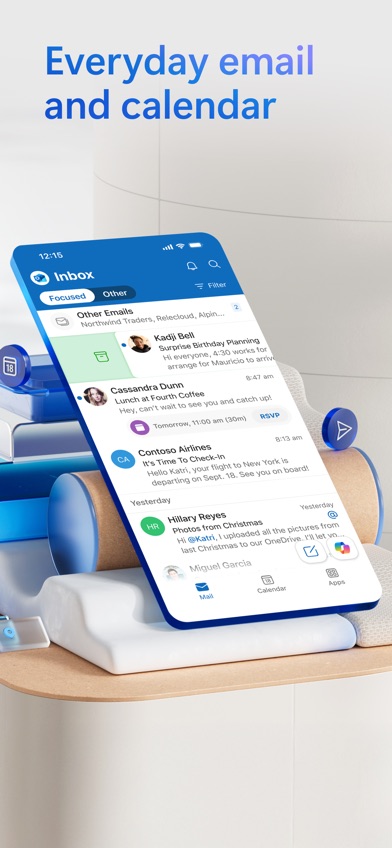
Microsoft Copilot in Outlook combines email drafting with thread summaries and writing feedback. A few instructions can start a message, while Copilot coaching checks tone, sentiment, and wording before it is sent. For a long Monday-morning thread, the summary tool may be as useful as the email reply generator.
The Outlook iOS app had 4.79 stars from 9,341,152 ratings and an October 19, 2026 update. That rating count shows a very large mobile audience, although it covers the whole Outlook app and not Copilot alone. Outlook can also connect Exchange, Microsoft 365, Outlook.com, Gmail, Yahoo, and iCloud accounts.
Copilot access depends on an eligible Microsoft 365 subscription or supported business account. Microsoft 365 Personal was listed at $9.99 monthly or $99.99 yearly, while Family was $12.99 monthly or $129.99 yearly. Outlook is a better fit than FlyMail when calendar, attachments, and Microsoft 365 are already part of the workday.
- Drafting plus thread summaries
- Uses several email account types
- Copilot eligibility varies, and the iOS app requires iOS 26.0 or later.
- Price
- October 2026: Microsoft 365 Personal costs $9.99 monthly or $99.99 yearly.
- Platforms
- iPhone, iPad, Android, and web.
Pick Copilot in Outlook if you already pay for Microsoft 365 and want AI inside Outlook.

Spark Mail
4.6 on the App Store (82,699 ratings)
Spark Mail is an email client with AI drafting, reply writing, rephrasing, translation, and thread summaries. It can combine Gmail, Outlook, iCloud, Yahoo, and IMAP accounts in one inbox. That makes it useful when your personal address, freelance account, and day-job inbox all need attention.
Spark also groups lower-priority mail, schedules messages, and lets teams comment on or co-write an email. Those inbox tools separate it from a standalone generator. You can act on the message where you read it, while FlyMail and ChatGPT usually require you to move generated text into another mail app.
The US App Store listing showed 4.62 stars from 82,699 ratings and an October 15, 2026 update. The app has a free plan, but the exact free AI allowance was not confirmed. Listed paid choices ranged from $7.99 monthly or $59.99 yearly for Premium to higher Plus and Pro tiers. Check which tier includes the AI volume and team tools you need.
- Unified inbox with AI writing
- Team comments and co-writing
- The free AI quota is unknown, and advanced plans reach $199 yearly.
- Price
- October 2026: Premium starts at $7.99 monthly or $59.99 yearly.
- Platforms
- iPhone, iPad, Android, and web.
Pick Spark Mail if one AI-assisted inbox needs to handle several email accounts.

Grammarly
4.7 on the App Store (226,923 ratings)
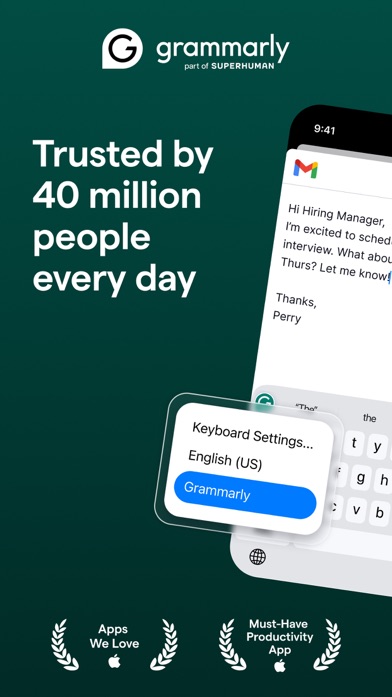
Grammarly is strongest after you already know what the email needs to say. Its keyboard checks grammar and spelling, detects tone, rewrites full messages, and can adjust length or fluency inside supported apps. Voice dictation also removes filler words and cleans up grammar.
Because it works through a keyboard and desktop tools, Grammarly is not tied to one inbox. That is useful if you answer mail in Gmail, Outlook, a customer support app, and a browser form during the same day. It is less direct than FlyMail for turning a one-line goal into a structured email with a subject line.
The iOS listing had 4.66 stars from 226,923 ratings and was updated October 22, 2026, the newest dated update in this comparison. The free version includes the keyboard and basic writing help, but the official AI allowance was not confirmed. Store-listed mobile pricing starts at $17.99 monthly or $83.99 yearly; broader plans cost more.
- Rewrites inside many apps
- Strong grammar and tone tools
- Some tone and wording controls require payment.
- Price
- October 2026: mobile-only plans start at $17.99 monthly or $83.99 yearly.
- Platforms
- iPhone, iPad, Android, web, and desktop.
Pick Grammarly if your main need is revising and proofreading emails where you already type.
EmailAI
EmailAI is a browser-based AI for writing emails without creating an account. It has 13 specialized tools covering complete drafts, replies, follow-ups, cold email, subject lines, apologies, thank-you notes, and rewriting. You enter the goal and details, select a tone, then copy the result into your inbox.
The separate web entry is handy on a work computer where installing an app or keyboard is blocked. It also avoids paying for a full email client when you need occasional help with wording. Unlike Gmail, Outlook, Spark, or Superhuman, EmailAI does not open your inbox, send messages, or automatically read an email thread.
There is no App Store or Google Play rating for this web tool, so there is no store rating history to compare. The site describes the tools as free and says no account is needed, but it does not state a firm long-term usage allowance in the supplied pricing information. Check the page if you plan to use it heavily.
- No account required
- Thirteen email-specific tools
- It is web-only and requires manual copying between the tool and your inbox.
- Price
- October 2026: free; check the site for current usage limits.
- Platforms
- Web browsers.
Pick EmailAI if you need occasional free drafts on a computer where you cannot install an app.

ChatGPT
4.8 on the App Store (11,531,604 ratings)

ChatGPT can draft, rewrite, shorten, summarize, and translate email text for any inbox. Its main advantage is instruction depth. You can describe the recipient, relationship, required facts, words to avoid, desired length, and tone, then continue revising the same draft through conversation.
The iOS app had 4.83 stars from 11,531,604 ratings and an October 16, 2026 update. It also supports 60 interface languages according to the store listing. Those numbers show reach, not special skill at email. ChatGPT is a broad assistant, so it takes more prompting than a dedicated email form with preset reply and subject-line fields.
A free plan is available, but the exact email-specific allowance is unknown. Store-listed upgrades include ChatGPT Go at $8 monthly and Plus at $19.99 monthly. ChatGPT is better than FlyMail for long back-and-forth revisions or unusual instructions; FlyMail is faster to set up when the task is simply writing or answering an email.
- Detailed conversational revisions
- Works independently of the inbox provider
- It needs copy and paste, and broad prompts can produce generic mail.
- Price
- October 2026: free plan; Go costs $8 monthly and Plus costs $19.99 monthly.
- Platforms
- iPhone, iPad, Android, and web.
Pick ChatGPT if you want fine control over instructions and do not need inbox integration.

Superhuman
4.6 on the App Store (3,711 ratings)

Superhuman is a paid Gmail and Outlook client built around fast inbox processing. Its AI prepares draft replies for messages that need answers, writes from voice input, summarizes conversations in one line, and can adapt writing for different recipients. Snippets cover repeated phrases and complete messages.
This is the strongest option here for people whose workday revolves around a large inbox. It also has reminders, scheduled sending, shared message views, team comments, and CRM connections. Those tools go beyond email generation, but they only justify the bill if inbox speed and team handling are regular work needs.
The iOS listing had 4.6 stars from 3,711 ratings and was updated October 19, 2026. There is no confirmed permanent free tier. Pricing was $30 monthly or $25 per user per month with annual billing, far above FlyMail's $49.99 yearly plan. The iOS app also requires iOS 26.0 or later and works with Gmail and Outlook accounts.
- Automatic draft replies
- High-volume inbox and team tools
- It costs at least $300 yearly and is limited to Gmail and Outlook.
- Price
- October 2026: $30 monthly or $25 per month with annual billing.
- Platforms
- iPhone, iPad, Android, and web.
Pick Superhuman if email volume is high enough to justify a premium Gmail or Outlook client.
FlyMail vs Gmail Help me write
These are the two closest choices for most readers. FlyMail is a separate writer that works with any inbox through copy and paste; Gmail Help me write sits inside Gmail and can use the open conversation.
| Point | FlyMail | Rival |
|---|---|---|
| New email drafts | Creates a full draft and subject line from a short prompt | Creates drafts directly in the Gmail compose window |
| Reply context | You paste the received email into FlyMail | Gmail can use the current thread |
| Mail providers | Generated text can be used with any mail app | Help me write is tied to Gmail |
| Languages | FlyMail states support for 18 output languages | Exact current language coverage was not confirmed |
| Paid choices | $5.99 weekly, $49.99 yearly, or $99.99 lifetime | Pricing depends on eligible Gemini or Workspace plans |
Gmail wins on convenience. If the whole thread is already open, built-in context removes a copy-and-paste step and reduces the chance that you omit an earlier detail.
FlyMail wins on provider choice and plainly stated consumer pricing, including lifetime access. It also gives you a dedicated form for voice prompts, tone, length, and multilingual drafts.
What to check before choosing an AI email writer
Draft accuracy and context
An email generator can write a confident sentence that contains the wrong date, price, name, or promise. Give it the recipient, goal, required facts, and any line it must avoid. For replies, decide if you are comfortable pasting the original message or if you need a tool that can read the thread inside Gmail or Outlook. Review every factual statement before sending.
Inbox integration
Built-in tools save steps when you answer dozens of messages. Gmail Help me write and Copilot in Outlook can work where the conversation lives; Spark and Superhuman replace or combine inboxes. FlyMail, EmailAI, and ChatGPT work outside the inbox, which gives you provider freedom but adds copying. Grammarly sits between these approaches through its keyboard and desktop tools.
Real cost after free limits
Look past the free download button. Some apps make the mail client free while reserving AI for a paid account; others do not publish an exact generation cap. Compare the yearly total: $5.99 each week becomes much more expensive than FlyMail's $49.99 annual choice, while Superhuman starts at $300 a year with annual billing. Check the current listing before paying.
Privacy and sensitive email
Email text can contain customer records, salary details, medical information, contracts, or private workplace discussions. Read the service's current retention, training, sharing, and deletion policies before pasting that material into a cloud tool. For HR, legal, financial, medical, negotiation, or emotionally charged messages, remove unnecessary private details and have a person review the final wording.
Frequently asked questions
What is the best AI for writing emails?
FlyMail is the best fit for dedicated mobile drafting, replies, voice prompts, and 18 output languages. Gmail Help me write is better when all your email already runs through Gmail.
What is the best free AI email writer?
EmailAI is a free browser option with no account required, while Gmail Help me write is available at no charge to eligible personal US accounts. Exact usage caps can change, so check the current page.
Does AI email writing work with Gmail?
Gmail Help me write drafts and revises messages inside Gmail on mobile and the web. Outside tools can also write Gmail messages through copy and paste.
Which AI email writer works with Outlook?
Microsoft Copilot in Outlook can draft messages, summarize threads, and give tone feedback for eligible accounts. Spark Mail and Superhuman can also connect Outlook accounts.
Can AI write a reply from an email thread?
Yes, if the tool can access the thread or you paste the relevant messages into its prompt. Always check that the reply follows the latest request and does not invent missing facts.
Is it safe to paste private emails into AI?
Do not paste confidential email into any AI service until you have checked its current retention, training, sharing, and deletion policies. Remove names and sensitive details when full context is unnecessary.
Will someone know that an email was written by AI?
There is no reliable visual marker in ordinary email text, but generic wording or incorrect personal details can make AI assistance obvious. Edit the draft so it reflects your facts, relationship, and normal voice.
Is a paid AI email writer worth it?
A paid plan makes sense when you write enough email to use the tool most days or need inbox integration, higher limits, and tone controls. Occasional users can usually start with a free browser tool or an included inbox feature.
The best choice for most email writers
Choose FlyMail if you want a focused mobile app that turns prompts or pasted messages into complete emails and supports 18 output languages. Gmail users should choose Help me write for built-in thread context, while Microsoft 365 users will get more from Copilot in Outlook. Grammarly is the better purchase when revision and proofreading are the main jobs.
FlyMail is the pick for writing in 18 languages
FlyMail's strongest checkable advantage is email generation in 18 languages from the same dedicated mobile workflow. You can choose a tone, enter or speak the request, generate the draft, and revise it before moving the text into any email app. That suits bilingual professionals, international freelancers, job seekers, and small teams that write across more than one language. The $99.99 lifetime option also gives frequent users an alternative to another monthly subscription.