
Best AI Writer Apps for iPhone and Android in 2026
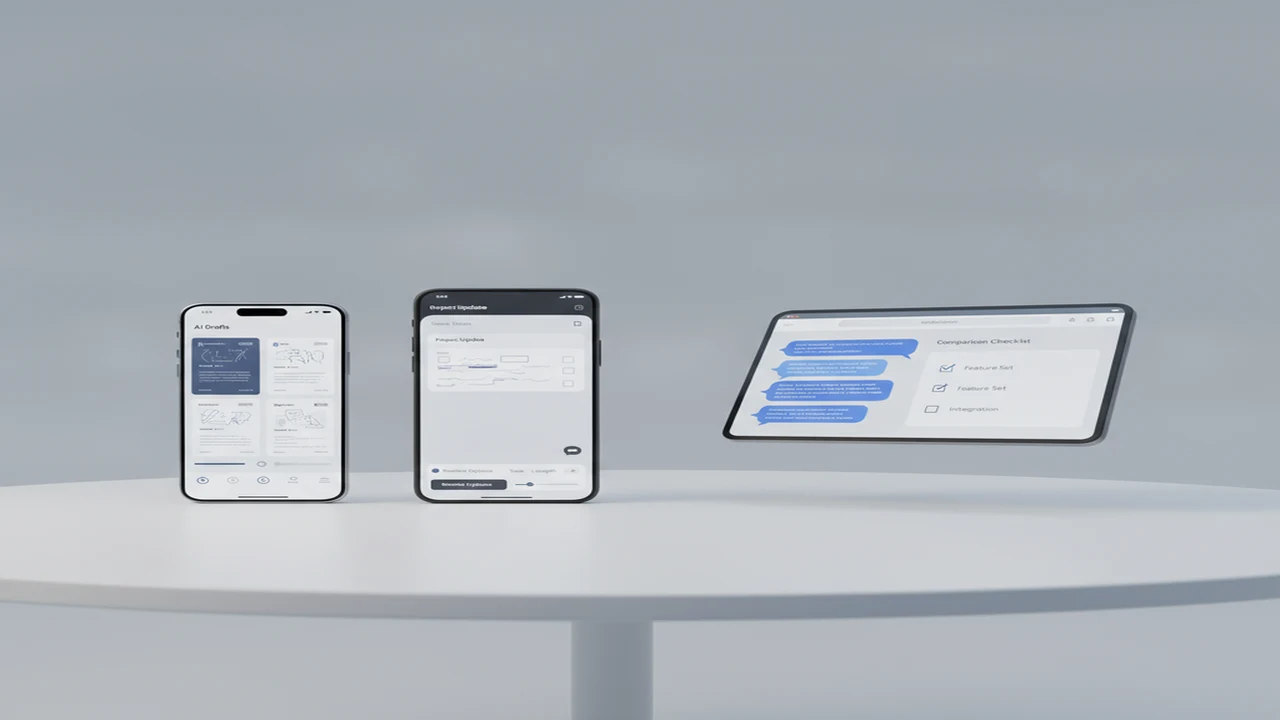
Mobile AI writing is no longer one product category. Some apps begin with a chatbot, others open directly into an editor, and specialist tools concentrate on email, paraphrasing, grammar, or content review. That difference shapes the first session: how quickly a user reaches a useful draft, how much context must be entered, and whether the result can move into Mail, Gmail, Notes, or another work app.
The shortlist below is organized by workflow rather than by a universal ranking. Platform labels matter because a browser tool is not a native Android app, while an iPhone listing does not establish Android availability. Feature breadth also needs context. A crowded onboarding flow can weaken activation even when the store listing presents a long feature matrix.
Quick answer: The best choice depends on the job. Use an all-in-one iPhone app for drafting and chat, QuillBot for focused rewriting, Originality for publisher review, or AI Email Writer - Boss for email generation. Browser-based chat suits users who want lower sign-in friction. Confirm native iOS or Android support, permissions, export options, editing effort, and subscription terms before choosing.
What does this mean?
Definition: An AI writer app is a native or mobile-web tool that uses generative AI to draft, rewrite, summarize, or edit text, often alongside chat, grammar, email, detection, humanizing, or image features.
What should you look for in an AI writer app?
Start with drafting and editing controls. A useful AI writing assistant should make it easy to enter context, select a tone, revise one passage, preserve earlier versions, and copy or export the result. Conversation history and supported languages matter when the app will handle recurring work rather than an occasional prompt.
Prompt friction is especially visible on a phone. Check whether the empty state offers relevant templates, whether voice input works with the device keyboard, and whether output remains editable when the keyboard is open. One-handed controls, readable paragraph spacing, draft recovery, and a clear share path often matter more than another generation mode.
Review onboarding with the same care as output features. Account creation, an immediate paywall, notification requests, or unexplained camera and photo permissions can delay the first useful draft. Camera access can make sense for document capture or image features, but the permission request should appear when the user invokes that job, not before its purpose is clear.
Finally, separate native platform support from browser access. Native iOS and Android apps may offer share sheets, notifications, local integrations, and subscription billing through the store. Mobile-web tools can reduce install and sign-in friction, but their history, file access, and cross-app behavior may differ.
- Primary job: drafting, rewriting, email, summarization, chat, or content review
- Editing depth: tone controls, partial revisions, version history, and reusable prompts
- Output path: copy, file export, share sheet, email handoff, or cloud-document integration
- Mobile fit: keyboard behavior, voice input, readable output, and session recovery
- Plan clarity: current free-tier limits, renewal terms, and which features require payment
Which AI writer tools belong on the 2026 shortlist?
This is a job-based shortlist, not a single ranking. General assistants set expectations for mobile drafting, but specialized products may reduce prompt setup for email, rewriting, or publisher review. An Axis Intelligence mobile AI overview reported in 2026 that ChatGPT had passed 500 million Google Play installs. The same source placed common full-feature subscription pricing at about $10 to $30 per month, although current store terms still need checking.
For an iPhone or iPad user who wants several writing functions in one product, the App Store listing for AI Writer presents AI Writer & AI Chat: ACI as a combined writer, chatbot, rewriting, detector, humanizer, and image-generation tool. Those are listed capabilities, not performance or accuracy findings.
Free AI Chat is the browser-first option in this group. It is positioned as no-signup chat for drafting questions and text prompts on a phone. It should be evaluated as mobile web unless first-party documentation later identifies native iOS or Android availability.
- AI Writer & AI Chat: ACI: an iPhone and iPad option for users seeking writing, chat, rewriting, detection, humanizing, and image tools in one interface.
- Free AI Chat: a mobile-web choice for low-friction chat without presenting browser access as a native app install.
- QuillBot: a writing toolkit centered on its sentence rewriter, writing modes, text summarizer, and grammar-oriented workflows.
- Originality: a publisher content workflow for originality checking and AI content detection, with scores that require human interpretation.
- AI Email Writer - Boss: a focused email and letter generator with spelling assistance, adjustable writing preferences, and stated compatibility with common mail services.
How do the shortlisted AI writing tools compare by feature and platform?
Use the matrix to eliminate tools that do not fit the required platform or handoff. Free AI Chat is available through AI Chat in a mobile browser and is not represented here as a native iOS or Android download. For every product, verify the current listing in the reader's country because platform support and plans can change.
A listed feature only establishes positioning. It does not show how much editing a draft will require, whether detection results are dependable, or whether a particular plan includes the function. Entries marked not listed or availability to verify are prompts for current documentation checks rather than claims that a feature is absent.
How should you choose an AI writing app for your workflow?
A short selection process prevents secondary features from distracting from the recurring job. Run the same realistic prompt through each candidate where available, then assess the full path from opening the product to sending or saving the edited result.
- Define the recurring job: email replies, cover letters, long-form drafting, rewriting, general chat, or publisher content review.
- Confirm whether the workflow requires native iOS, native Android, or mobile-web access. Do this before evaluating image tools, detection, or other secondary features.
- Audit account creation, paywall timing, permission requests, sample prompts, and time to the first useful draft. This comparison of writer apps and chatbots on mobile provides a useful framework for evaluating the first app session.
- Draft a representative item with the context, length, recipient, and tone used in real work. Avoid judging the product from a generic sample prompt.
- Review meaning, tone, structure, facts, and attribution. For paraphrasing work, use the checklist for rewriting AI text on a phone without losing meaning.
- Check copy, export, share-sheet, history, cross-device access, free-tier limits, renewal language, and cancellation terms in the current listing.
- Choose the smallest feature set that completes the workflow with acceptable onboarding friction and a clear path into the next app.
Which AI writer is best for email, cover letters, rewriting, and detection?
Matching the tool to intent reduces prompt setup. A professional email generator needs different controls from an AI text rewriter, while an AI detector comparison should focus on how results are interpreted rather than which interface produces the strongest warning.
- Email drafting: AI Email Writer - Boss is the specialist candidate for email and letter generation. Evaluate recipient context, subject-line support, tone-controlled email drafts, follow-up generation, and the handoff into a mail app. Friday and Xemail are additional names readers may encounter when looking for the best AI email writer.
- Email replies: An email reply generator should preserve the thread's facts and make the requested action clear. The most useful flow captures recipient, relationship, desired outcome, and tone before producing a response. Important messages still need line-by-line editing.
- Cover letters: An AI cover letter writer should support job requirements, relevant experience, length, and employer context without inventing credentials. A reusable prompt may be more valuable than a large library of generic letter templates.
- Paraphrasing: QuillBot is the focused AI paraphrasing tool in this shortlist, with sentence rewriting, summarization, and writing modes. Compare the revised passage against the source to preserve technical meaning and proper attribution.
- Grammar cleanup: Grammarly is a broader alternative for users who primarily want a grammar checker and writing suggestions across mobile apps. This workflow differs from generating an entire document from a prompt.
- General chat: A general AI chatbot suits brainstorming, outlining, and iterative questions. It may require more prompting than a purpose-built email or rewriting interface, but flexible conversation can help when the job changes between sessions.
- AI content detection: Originality and ACI list detection-related functions. GPTZero and ZeroGPT are other detection names, while StealthGPT, Undetectable AI, and NaturalWrite are associated with rewriting or humanizing workflows. None of these categories should be used as conclusive authorship proof.
What mobile UX details can make an AI writing app easier to keep using?
Good empty states shorten the distance between install and first draft. A few job-based templates can show users how much context to enter without turning onboarding into a long questionnaire. Once drafting begins, readable output, paragraph-level revision, undo, and reliable draft recovery reduce the cost of correcting a weak response.
Keyboard behavior is part of the product. The send button should remain reachable, long outputs should not jump while editing, and voice input should have a clear review step. Copy, share, and export actions need to preserve paragraph breaks because a draft that requires formatting repairs creates friction in every repeat session.
History becomes useful when it supports labels, search, reusable prompts, and saved voice guidance rather than an undifferentiated list of conversations. These features may support repeat sessions, but no retention measurements were supplied for the products in this article.
Store-listing screenshots should set accurate expectations for the first session, including whether account creation or payment appears before drafting. The analysis of why AI email app UX breaks down shows how weak context gathering and unclear handoffs can undermine an otherwise marketable feature set.
- Delay notification, camera, and photo requests until the related feature is selected.
- Explain what is saved to history and provide visible controls for deleting or organizing drafts.
- Keep subscription choices readable before purchase, including billing period and renewal language.
- Match listing screenshots and captions to the actual onboarding sequence.
- Preserve drafts when the app backgrounds, the browser refreshes, or a user switches to a mail app.
Which AI writing app should you pick?
Choose ACI if the current App Store listing fits an iPhone or iPad workflow and the goal is to keep writing, chat, rewriting, detection, humanizing, and image features in one product. Confirm the current plan and decide whether that breadth simplifies or crowds the first session.
Choose Free AI Chat from Write.info when browser access and low signup friction matter more than native-app integrations. Android readers should describe this route as mobile web unless a current native listing becomes available.
Choose QuillBot for rewriting and grammar-oriented work, Originality for publisher review, or AI Email Writer - Boss for dedicated email generation. The final checklist is platform, primary job, onboarding friction, export path, privacy review, and subscription terms.
Comparison
| Tool | Best fit | iOS | Android | Mobile web | Chat and drafting | Rewriting or grammar | Email tools | Detection or humanizing | Onboarding and plan notes |
|---|---|---|---|---|---|---|---|---|---|
| AI Writer & AI Chat: ACI | All-in-one writing toolkit | Listed for iPhone and iPad | Not listed in reviewed source | Not established | Writer and chat listed | Rewriting listed | General drafting; dedicated email flow not listed | Detector and humanizer listed | App install; verify current in-app purchase terms and voice-input support |
| Free AI Chat | Low-friction browser chat | Mobile web | Mobile web | Listed | Chat-based drafting | Prompt-dependent | Prompt-dependent | Not listed | No-signup positioning; browser history and limits should be checked |
| QuillBot | Paraphrasing and editing | Availability to verify | Availability to verify | Listed | Platform-dependent | Writing modes, summarization, and grammar tools | General writing support | Not the primary positioning | Account and feature limits vary by current plan |
| Originality | Publisher content review | Availability to verify | Availability to verify | Platform-dependent | Not the primary positioning | Content-quality workflow | Not the primary positioning | Originality and AI content checks listed | Interpret scores with source evidence; verify current plan |
| AI Email Writer - Boss | Email and letter generation | Availability to verify | Availability to verify | Not established | Email-focused drafting | Spelling assistance listed | Templates, preferences, and mail handoff | Not listed | Confirm regional availability, trial terms, and renewal details |
Limitations
Generated text can contain factual errors, generic phrasing, missing context, or an inappropriate tone. Every draft needs review before it is published or sent. Paraphrasing can also change the original meaning or leave language too close to a source, so accuracy, citation, and attribution remain the user's responsibility.
AI detector results are probabilistic signals rather than proof of authorship. Scores can shift with passage length, genre, editing, and product updates. They should be considered alongside drafts, source material, revision history, and human judgment, not used alone for academic, employment, or compliance decisions.
Sensitive emails, personal details, client documents, and unpublished material require a review of the current privacy policy and data controls. Pricing, trials, platform support, and regional availability can change after publication. A feature omitted from a public listing is not proven absent, but it should not be assumed available without current documentation.
Frequently Asked Questions
What is the best AI writer app for iPhone and Android?
There is no universal winner. The right option depends on whether the primary job is drafting, email, rewriting, chat, or content review. Confirm that a current native listing exists for the required platform, then assess onboarding friction, editing controls, export options, free-tier limits, and subscription renewal terms.
Can an AI writing app help write professional emails?
Yes. An AI email generator can create subject lines, replies, follow-ups, outreach drafts, and more formal letters. Results improve when the prompt includes the recipient, relationship, requested action, tone, and deadline. Review names, dates, commitments, confidential details, and mail-app formatting before sending.
Is Write.info available without creating an account?
Write.info presents Free AI Chat as a no-signup browser experience. That can reduce onboarding friction for a quick drafting or brainstorming session. It should be described as mobile web rather than a native iPhone or Android app unless current first-party documentation or an official store listing confirms otherwise.
Does ACI include an AI detector and humanizer?
The reviewed App Store listing for AI Writer & AI Chat: ACI includes detector and humanizer functions among its stated features, alongside writing, chat, rewriting, and image generation. The verified listing is for iPhone and iPad. Feature inclusion does not establish detector accuracy or guarantee access under every current plan.
Can AI detector apps prove that text was written by AI?
No. An AI detector produces a probabilistic signal based on patterns in the submitted passage. Its result can change with text length, genre, revisions, and product updates. Use the score as one input alongside source evidence, drafts, and revision history, not as conclusive proof of authorship.
What is the difference between an AI writer and an AI paraphrasing tool?
An AI writer usually creates text from instructions, context, or a conversation. An AI paraphrasing tool starts with existing language and rewrites it for tone, clarity, length, or structure. Both require review, but paraphrasing also demands a careful meaning and attribution check against the source.
Should you choose a native app or a mobile-web AI chatbot?
Choose a native app when share sheets, store billing, notifications, and deeper mobile integration matter. Choose mobile web when avoiding an install or account wall is the priority. A browser option such as Write.info may suit quick chat, but users should inspect history, export, and cross-device behavior.
What should you check before paying for an AI writing subscription?
Check the billing period, automatic renewal language, cancellation route, regional price, generation limits, and which features require payment. Also inspect export options, history, cross-device access, privacy controls, and whether the app completes the primary job without excessive editing. Use the current store listing rather than an older quoted price.