
AI Writer App vs Chatbot: Which Has Better Mobile UX?
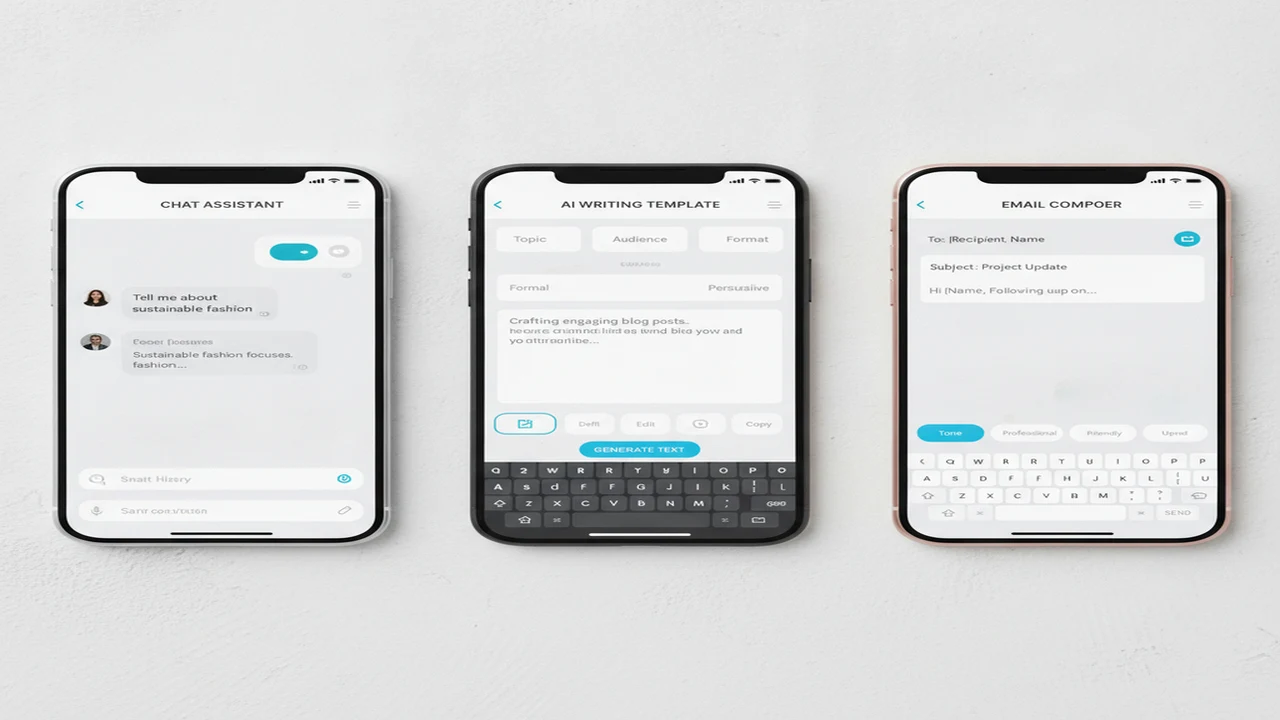
On a phone, the difference between an AI writing assistant and an AI chatbot is not simply templates versus chat. It affects how much users type, how quickly they reach an editable draft, whether an interrupted session can be recovered, and how many handoff steps sit between generation and sending.
The strongest interface depends on the recurring job. A specialist flow can reduce blank-screen friction for replies and follow-ups, while an open conversation handles ambiguous work that needs questioning and redirection. Product teams should evaluate the full session, from App Store listing and onboarding through correction, export, and return use.
Quick answer: A dedicated AI writing app usually creates a faster mobile workflow for structured drafts, tone changes, email replies, and reusable formats. An AI chatbot is stronger for exploratory prompts, follow-up questions, and iterative editing. Choose based on whether the recurring job benefits more from a task-first interface with fewer inputs or a flexible conversation that accepts additional direction.
What does this mean?
Definition: An AI writing app organizes generation around specific outputs such as emails, cover letters, rewrites, and summaries, while an AI chatbot uses a conversation-first interface that lets users prompt, refine, and redirect responses across broader tasks.
What makes mobile UX different for an AI writer and an AI chatbot?
A task-first writing app asks users to choose an output, provide context, set a tone, and generate a draft. This gives the interface a clear starting state and can reduce the amount of prompt construction required. It also creates more decisions during onboarding because templates, projects, rewriting tools, and output formats must be organized within limited screen space.
A conversation-first AI chatbot normally opens on a text box. That lowers feature-selection friction and supports follow-up questions, but it shifts more responsibility to the user. The person must explain the audience, goal, tone, constraints, and desired format through a mobile keyboard that competes with the conversation for screen space.
Thumb reach, keyboard height, prompt length, and context switching matter more on mobile than on desktop. A user may begin a reply while reading another app, lose context after a notification, or return to a draft hours later. Saved history, draft recovery, readable editing controls, and clear session titles can therefore matter as much as generation quality.
Output destination is another product decision. A useful draft may need to move through copy, the iOS share sheet, an email client, or a saved document. Each extra handoff creates another chance to lose formatting, omit an attachment, or send before reviewing the final text.
Mobile UX should be judged by time to the first useful draft, required taps and inputs, editing control, session continuity, and confidence before sending. A 2024 PMC-indexed study of generative AI mobile apps reported ChatGPT compound usability scores of 0.504 on Android and 0.462 on iOS. Those results show that conversation-led UX can be highly competitive, but they do not decide which structure fits a specific recurring task.
When does an all-in-one AI writer create the better mobile flow?
The AI Writer & AI Chat: ACI listing presents an all-in-one AI writer and chatbot for iPhone and iPad. Its documented scope combines AI writing, chat, an AI detector, a humanizer, image generation, and chatbot-assistant positioning within one iOS app.
That breadth can reduce app switching for a user who moves from drafting to paraphrasing, grammar cleanup, chat-based refinement, or image creation in one session. The tradeoff is navigation density. More tools require stronger feature hierarchy, clearer labels, and an onboarding path that does not force every user to evaluate every capability before writing.
Presets are particularly useful for an AI cover letter writer, AI paraphrasing tool, or grammar checker. A preset can collect the role, recipient, tone, source text, or target length through discrete fields instead of asking the user to encode every constraint in a long prompt.
ACI still needs to make the transition between tools legible. Users should be able to tell whether a draft will open in an editor, continue in chat, or be passed to another utility. Generated cover letters and rewrites also require final editing for factual accuracy, personal detail, and tone rather than being submitted unchanged.
An all-in-one model is strongest when the same person regularly uses several creation and revision modes. If most sessions repeat one narrow task, breadth can become discovery work rather than a retention benefit.
When is a focused email writer faster than a general chatbot?
The AI Email Writer - Fly Mail listing positions the iOS app as an AI email writer and reply assistant. Its narrower job gives the interface an opportunity to replace open prompt construction with fields that match how users already think about email.
A focused flow can begin with intent, such as reply, follow-up, outreach, or a new message. The user then supplies recipient context, key points, and tone before generating a draft. Editing, copying, and moving the text into a mail client should follow without making the person reconstruct the original request.
This structure helps explain how to write an email with AI on a phone: provide the relationship and goal, specify the required facts, select an appropriate tone, generate, edit, and verify the handoff. Names, dates, promises, meeting times, links, and attachments still need direct review.
An email reply generator can also preserve recurring distinctions that a blank chatbot may require users to restate. Professional email generator presets, tone-controlled email drafts, AI follow-up email writer flows, and AI outreach email generator flows can reduce repeated setup when the controls match real mail tasks.
Fly Mail is therefore a better structural fit for frequent, repeatable email sessions than for open-ended research or brainstorming. The key UX test is not the number of templates. It is whether the app reduces correction and sending friction without hiding important context.
Which feature matrix reveals the better fit for each mobile task?
The matrix separates interface consequences from feature volume. A general writing app may combine several utilities, an AI chatbot may prioritize iterative conversation, and a focused email writer may optimize one handoff. Unknown or not listed means the reviewed documentation did not establish the behavior.
Adjacent tools solve narrower parts of the workflow. QuillBot is associated with a sentence rewriter, grammar checker, text summarizer, and selectable writing modes. StealthGPT is positioned around AI content rewriting and AI draft revision. AI Email Writer - Boss emphasizes email templates and spelling assistance, although its current trial and Pro terms should be confirmed before purchase.
Other alternatives include Friday and Xemail for email-oriented workflows. ChatGPT emphasizes open conversation, Grammarly brings editing closer to other mobile apps, and GPTZero, ZeroGPT, Originality, Undetectable AI, and NaturalWrite address detection or rewriting from different positions. Those names form a useful shortlist, but detector scores and feature counts do not establish the best mobile workflow.
How should an indie team evaluate onboarding, retention, and store-listing fit?
For builders, the comparison is an activation problem as much as a feature decision. The App Store subtitle and first screenshots should state whether the product is a specialist email tool, a document-oriented AI writing assistant, or an open chatbot. Mixing those promises can attract installs that do not convert into successful first sessions.
Screenshot order should mirror the activation path: primary job, required inputs, generated draft, editing, and output handoff. Teams defining this hierarchy can use the mobile AI writer app landscape to see how specialist and general positioning differ without turning the listing into a feature inventory.
Onboarding friction can affect activation and later return use even when generation quality is strong. A premature paywall, unclear draft history, or a copy-and-paste dead end may make a useful tool feel unfinished. The related analysis of email-app failure patterns and UX fixes covers these retention risks in more depth.
- Define the primary job and the exact outcome a successful first session should produce.
- Map the path from store listing and install through onboarding, generation, editing, and handoff.
- Count required inputs, taps, screens, and context switches before the first useful draft appears.
- Inspect permission timing for microphone, photos, camera, contacts, and notifications only where the product actually needs them.
- Verify draft history, session recovery, account behavior, and what happens after an interruption or reinstall.
- Review copy, share, email handoff, subscription disclosure, privacy information, ratings context, platform labels, and regional terms.
- Measure time to first useful draft, correction effort, onboarding completion, repeat sessions, and Day-7 retention using the team’s own analytics.
Comparison
| Mobile UX criterion | General AI writing app | AI chatbot | Focused AI email writer | Product decision |
|---|---|---|---|---|
| Onboarding path | Tool or template selection before drafting | Open chat box with optional examples | Intent, recipient context, and tone fields | Prefer the path that matches the recurring job |
| Time to first useful draft | Fast when the correct preset is visible | Fast for simple requests, slower when context must be built | Potentially short for common reply and follow-up tasks | Measure useful output, not generation start |
| Prompt burden | Structured fields can reduce prompt writing | User supplies most constraints conversationally | Specialist fields reduce repeated email setup | Count required inputs and later corrections |
| Tone and format controls | Often exposed through presets or writing modes | Usually expressed in the prompt or a follow-up | Can map tone directly to mail intent | Visible controls help repeatability |
| Follow-up refinement | Depends on whether editing and chat are connected | Core strength of the conversation model | Useful when revision remains tied to the email draft | Chat suits ambiguous or changing requirements |
| Editing and rewriting | Dedicated rewriting tools may be available | Revision requested through conversational instructions | Editing can focus on tone, length, and recipient fit | Check whether edits preserve names and commitments |
| Draft history | Project or document history may be offered; verify listing | Conversation history is common, but exact behavior varies | Not listed consistently across email tools | Test recovery requirements in product analytics |
| Copy, share, or email handoff | Copy or share behavior varies by app | Usually copy or share from a response | Should minimize steps into the mail client | Count formatting loss and destination taps |
| Specialist templates | Useful across letters, summaries, and rewrites | Generally user-defined through prompts | Central to replies, outreach, and follow-ups | Templates help only when they match real sessions |
| Platform evidence | AI Writer & AI Chat: ACI has an iPhone and iPad App Store listing | Platform support varies by provider | AI Email Writer - Fly Mail has an iOS App Store listing | Confirm device, region, and current listing details |
| Best-fit recurring task | Mixed creation, rewriting, and utility use | Exploration, brainstorming, and iterative questions | Repeated replies, follow-ups, and outreach | Choose by session pattern rather than feature count |
Limitations
Feature statements in this comparison come from public listings and available product documentation checked on August 6, 2026. Public listings can change and may not document every capability, platform behavior, subscription term, trial condition, regional difference, or usage limit. A capability not listed is not proven absent, and this article does not claim measured speed, install behavior, accuracy, or retention results.
Generated drafts can include factual errors, invented details, awkward tone, unsuitable citations, or commitments the sender did not intend to make. Users should review names, dates, amounts, links, attachments, recipient context, confidential information, and the final destination before sending or submitting any output.
AI detector scores do not establish authorship. No humanizer, AI paraphrasing tool, or rewriting service can promise reliable detector avoidance, including services positioned like StealthGPT. QuillBot-style paraphrasing can also change precision or preserve source similarities, so attribution and final editing remain necessary.
Privacy review should cover sensitive prompts, account data, stored conversations, business email content, deletion controls, and whether processing occurs on a device or through a cloud service. Subscription terms, platform support, regional availability, and listing details should be confirmed in the current store entry before installation or purchase.
Frequently Asked Questions
Is an AI writing app better than a chatbot for mobile use?
It is better when the user repeats structured tasks and benefits from presets, visible tone controls, and a document editor. A chatbot is often stronger when the request changes during the session or requires several follow-up questions. Compare prompt burden, editing effort, and handoff steps for the task performed most often.
Can an AI chatbot write professional emails?
Yes, but the prompt should include the recipient relationship, objective, required facts, tone, length, and desired call to action. The draft still needs editing for names, dates, commitments, links, attachments, and wording that may sound inappropriate for the relationship.
What should I check before installing an AI email writer?
Confirm iOS or Android support, device compatibility, subscription and trial disclosure, privacy information, requested permissions, draft history, and the copy or share flow into your mail client. The App Store screenshots should show the main task and editing path rather than only listing broad AI features.
Are AI detectors reliable enough to judge a draft?
A detector score should not be used as definitive evidence of who wrote a document. Different detectors can classify the same text differently, and rewriting can alter a score without resolving factual, ethical, attribution, or quality concerns. There is no single best AI detector for proving authorship.
Can tools such as Write.info help with AI-assisted writing decisions?
Write.info is another brand readers may encounter while researching AI-assisted writing. Evaluate it with the same checklist: supported platforms, onboarding clarity, editing controls, privacy disclosures, subscription terms, draft recovery, and output handoff. Its presence here does not imply a product evaluation.
How do QuillBot and StealthGPT differ from an all-in-one AI writer?
QuillBot is commonly associated with paraphrasing, grammar support, summarization, and multiple rewriting modes. StealthGPT is positioned around revising AI-assisted drafts into less formulaic prose. An all-in-one writer combines more creation and utility jobs, while these tools emphasize revision; neither precision nor detector avoidance should be assumed.
Which app type is better for cover letters, replies, and follow-up emails?
An AI cover letter writer can structure role, experience, and employer inputs. An email reply generator or focused email app better fits recurring replies and follow-ups, while an open chatbot is useful when the message requires exploratory questions or an unusual format. In every case, review personal facts, tone, commitments, and the final handoff.