
How to Rewrite AI Text on Your Phone Without Losing Meaning
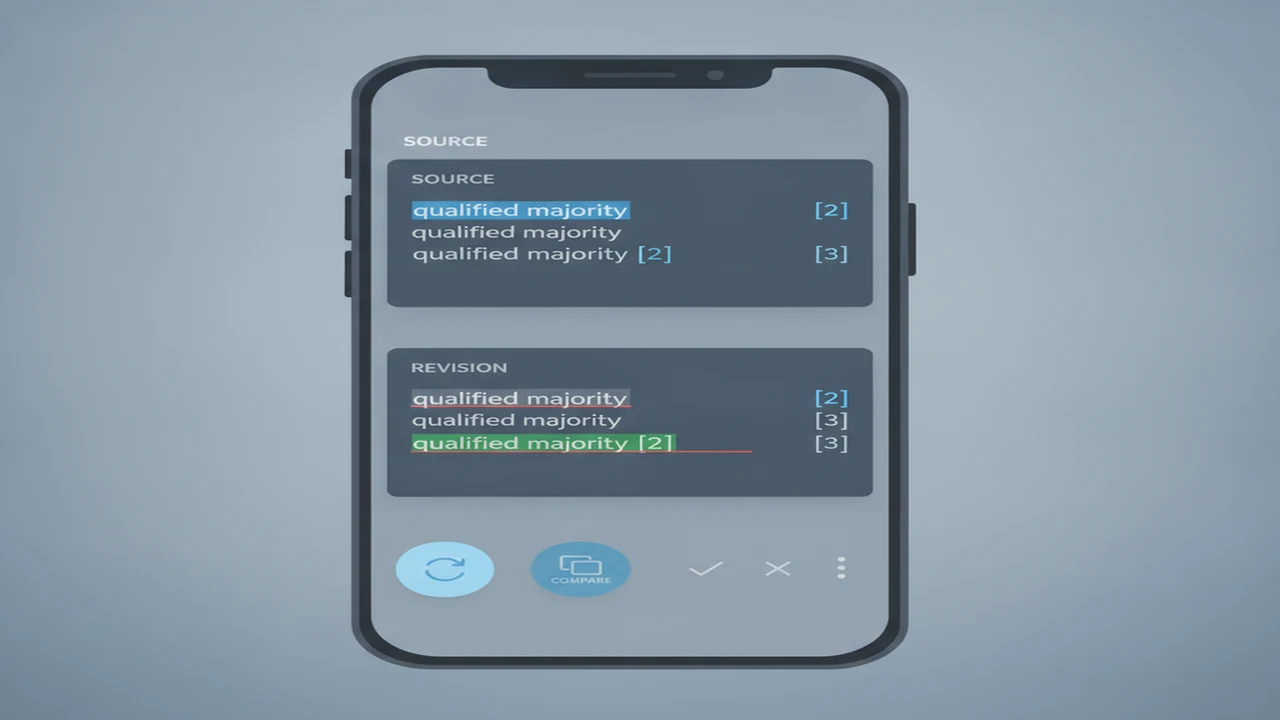
Phone-based rewriting is now a product workflow, not merely a smaller version of desktop editing. Grammarly reported in 2023 that 72% of U.S. workers used mobile devices for work communication every day, while QuillBot reported in 2023 that its rewriting tools processed more than one billion sentences per month. These first-party figures point to strong demand for quick editing inside email, messaging, notes, and publishing flows.
The UX challenge is preserving context while selections, keyboards, app switching, and short sessions compete for attention. Coverage from Bloomberg also tracks how mobile AI features influence consumer expectations. A reliable workflow keeps the source visible, makes revisions reversible, and measures success by factual fidelity rather than how dramatically the wording changes.
Quick answer: Start by locking the original claims, audience, tone, facts, citations, and requested action. Rewrite one idea or short paragraph at a time, then compare every revision with the untouched source. Restore missing qualifiers, dates, names, and conditions before a final accuracy read. Detector scores can provide an optional signal, but they should not become the editing target.
What does this mean?
Definition: Rewriting AI text without losing meaning means changing wording, rhythm, and structure while preserving the original claims, factual boundaries, intent, tone, citations, and required actions.
What meaning must you preserve before rewriting?
Copy the original into a phone note before editing. Mark the main claim, supporting facts, audience, tone, citations, and requested action. This creates a compact meaning map that you can consult when a revision sounds polished but feels less precise.
Meaning is not the same as phrasing. You may replace words, vary sentence length, or move supporting context. Dates, names, quantities, conditions, exceptions, caveats, and causal relationships must remain stable unless you deliberately correct the source.
Pay particular attention to may, must, usually, only, not, except, and similar boundary words. Changing “may reduce delays” to “will prevent delays” converts a qualified possibility into a promise.
- Main claim: What is the passage asserting?
- Evidence: Which facts, examples, and citations support it?
- Boundaries: What qualifiers, negatives, conditions, or exceptions apply?
- Voice: Who is speaking, and to which audience?
- Action: What should the reader do, by when, and through which link or channel?
How should you divide AI text for a phone-based rewrite?
Keep two copies. Preserve an untouched source, then edit a duplicate in Notes, a document app, or an AI writing assistant. Version history and autosave are useful, but they should supplement the source copy rather than replace it.
Segment the draft by idea, paragraph, or email component. A complete article submitted in one request is difficult to compare on a narrow screen. Smaller chunks reduce scrolling and make omissions easier to identify.
On iPhone, use app switching or a supported side-by-side workflow where available. Android layouts vary by device, but split screen, clipboard controls, and recent-app switching can reduce navigation. Confirm that copied text was not truncated before pasting it.
Grant only the permissions needed for the selected workflow. A text rewrite generally does not require camera, photo-library, microphone, contacts, or full-keyboard access. Voice input is a separate choice and may justify microphone access.
How can you rewrite each section without changing its claim?
Give the tool explicit constraints instead of asking it to “improve” the text. A reusable prompt is: “Rewrite this section for clearer, more natural wording. Preserve every claim, fact, name, number, qualifier, citation, uncertainty marker, tone, audience, and requested action. Do not add evidence or implications. Keep the result within the same approximate length.”
For example, the source “The update may reduce sign-in delays for some Android users” can become “Some Android users may experience shorter sign-in delays after the update.” The structure changes, but the platform, affected group, uncertainty, and claimed outcome remain intact.
After the meaning review, an AI Checker can be used as an optional post-rewrite diagnostic. Its classification should not be an evasion target or be presented as proof of who wrote the passage.
- Lock the source claim and its factual boundaries.
- Duplicate the untouched text before making edits.
- Segment the draft into one idea or short paragraph at a time.
- Constrain the request with facts, tone, audience, citations, and length.
- Rewrite only the selected section.
- Compare each source sentence with its revision.
- Restore omitted qualifiers, conditions, names, numbers, or actions.
- Verify factual claims against the underlying source.
- Preview the approved text in its final destination.
- Save the approved version separately before submission.
Which mobile editing choices make the rewrite easier to review?
Choose a layout that keeps the source and revision visible or makes switching predictable. Use headings, one paragraph per idea, undo controls, autosave, and short editing sessions. A reversible edit is easier to approve than a replacement that immediately overwrites the source.
Voice input can help draft a replacement sentence, especially when keyboard editing feels slow. Manually check names, punctuation, numbers, acronyms, and technical terms because dictation can substitute plausible but incorrect wording.
App selection should cover iOS or Android availability, account requirements, export formats, offline access, privacy disclosures, clipboard behavior, and subscription prompts. Excessive onboarding, forced registration, or unrelated permission requests can interrupt a rewrite that should take one session.
The best AI writer for a particular user is the one that supports source comparison and clean export, not the one with the broadest store-listing claim. Our guide to choosing an AI writing app for iPhone or Android covers platform selection without assuming identical features across both systems.
How do you verify facts, citations, tone, and intent after rewriting?
Run separate review passes. First compare factual claims. Then check names and numbers, followed by citations, qualifiers, tone, requested actions, and grammar. Separating these jobs reduces the chance that surface fluency distracts from a changed claim.
Compare sentence pairs directly. Ask what each source sentence commits to, then confirm that the revision commits to exactly the same thing. Verify factual claims against the original evidence rather than asking the rewriting tool to validate its own output.
Open every citation and confirm that it still supports the nearby sentence. Check omitted negatives, exceptions, deadlines, links, attachments, and calls to action. Read the revision aloud to catch changed emphasis, abrupt transitions, or a voice that no longer fits the sender.
A grammar checker can improve punctuation and mechanics, but proposed replacements may alter domain terminology or deliberate phrasing. Accept suggestions individually instead of applying every change at once.
When should you use a paraphraser, humanizer, grammar checker, or detector?
Tool categories solve different editing jobs. QuillBot is commonly associated with paraphrasing, while Grammarly focuses heavily on writing mechanics and revision. NaturalWrite is positioned around sentence variation, readability improvement, and natural-sounding rewrites. None removes the need to compare meaning.
GPTZero, ZeroGPT, Originality, StealthGPT, and Undetectable AI sit in different parts of the detection and humanization market. A useful AI detector comparison should examine input limits, privacy, explanation quality, platform access, and responsible-use guidance rather than select a winner from one score.
An AI paraphrasing tool or AI humanizer for natural rewriting can alter nuance, citations, facts, or voice. Write.info is one example of a service combining writing and checking functions, but those functions should remain separate steps in the review workflow.
How do you preserve meaning when rewriting an AI-generated email?
Break the email into subject line, greeting, context, request, deadline, supporting details, and sign-off. When deciding how to write an email with AI, lock the sender’s real relationship, authority, commitments, and requested next step before changing the tone.
An AI email generator can draft a first message, an email reply generator can restructure a response, and an AI follow-up email writer can shorten a reminder. These are use cases, not guarantees that a particular app supports every workflow. The best AI email writer is still dependent on the account, platform, language, and review requirements.
For example, “Could you send the revised screenshots by 3 p.m. Friday?” may become “Please send the revised screenshots by 3 p.m. Friday when you have a moment.” The deadline remains. The rewrite should not invent urgency, a prior promise, an attachment, or personal familiarity.
Tone-controlled email drafts and a multilingual email writing assistant can help with formality, but cultural nuance and relationship cues require human review. Readers evaluating an AI email writer comparison should also consider how drafts move into the email client. See why AI email workflows break on phones for product and UX failure points.
What can go wrong when you humanize AI text on a phone?
The main limitations of rewriting, humanization, mobile editing, and detector-based review are consolidated in the dedicated limitations field below.
What final checklist should you complete before sending or publishing?
Preview the approved text where readers will encounter it. Check the email client, App Store field, Google Play field, CMS, or in-app message rather than relying only on the editor view. Line breaks, character limits, links, and pasted formatting can change at the destination.
For an app listing, confirm platform-specific features, subscription wording, permission explanations, screenshot claims, onboarding statements, and retention promises. Do not let a rewrite imply that an iOS feature exists on Android, or that an optional feature is required.
Save the approved version separately before pasting. The Write.info AI Detector may provide an optional final signal, but sending or publishing should depend on factual fidelity, tone, and destination preview rather than its score.
- ☐ Main claim remains unchanged
- ☐ Facts, names, dates, and numbers match the source
- ☐ Qualifiers, negatives, conditions, and exceptions remain
- ☐ Citations and links support the same statements
- ☐ Tone fits the audience and sender
- ☐ Attachments and requested actions are present
- ☐ Formatting and grammar work in the destination
- ☐ App-listing features and platform claims are accurate
- ☐ Approved version is saved separately
Comparison
| Editing need | Tool category | Useful output | Meaning-loss risk | Required human check |
|---|---|---|---|---|
| Restructure a dense paragraph | AI paraphrasing tool, such as QuillBot | New order and shorter sentences | Changed causality or omitted evidence | Compare each claim and citation |
| Correct grammar and punctuation | Grammar checker, such as Grammarly | Mechanical corrections | Replaced terminology or deliberate voice | Review every accepted suggestion |
| Vary repetitive sentences | Natural rewrite tool, such as NaturalWrite | Sentence variation and readability improvement | Flattened nuance or new emphasis | Confirm qualifiers and speaker voice |
| Make wording sound more natural | Humanizer, such as StealthGPT or Undetectable AI | Rhythm and phrasing changes | Altered facts, citations, or tone | Run a full source comparison |
| Review an AI-likelihood signal | Detector, such as GPTZero, ZeroGPT, or Originality | Probabilistic classification or explanation | Score interpreted as authorship evidence | Use context and responsible-use guidance |
| Rewrite an email reply | AI writing or reply assistant | Shorter, clearer, or tone-adjusted response | Invented relationship, urgency, or commitment | Check sender authority, deadline, and next step |
Limitations
A fluent rewrite can still change facts, uncertainty, causality, citations, or the requested action. Strong stylistic variation may remove qualifiers, flatten domain language, invent transitions, weaken citation alignment, or make the passage sound unlike its intended speaker.
Mobile workflows add risks from truncated selections, accidental clipboard replacement, autosave conflicts, sync errors, comparison fatigue, and submitting the wrong version. Voice input and multilingual rewriting also require manual checks for names, numbers, punctuation, formality, and domain terms.
Detector classifications are probabilistic signals and should not decide academic, employment, publishing, or moderation outcomes on their own. Humanization tools cannot guarantee a particular result and may reduce clarity. Write.info results also require contextual human review. Public listings may omit platform differences, limits, pricing conditions, or recent changes.
Frequently Asked Questions
Can AI text be rewritten without changing its meaning?
Yes, constraints and sentence-by-sentence comparison can preserve the original claim while changing wording and structure. Every revision still needs human review because a fluent result may omit a qualifier, condition, citation, or requested action.
Does rewriting AI text make it undetectable?
No rewrite can guarantee an undetectable result. Detector classifications are probabilistic and should not be used as proof that a person or model authored a passage.
Can Write.info check text after I rewrite it?
Write.info can be used as an optional checking step after the meaning review. Interpret any result alongside the source, context, editing history, and intended use rather than as a certainty.
What is the safest prompt for rewriting AI text?
Use: “Rewrite for clearer wording while preserving every claim, fact, name, number, qualifier, citation, uncertainty marker, tone, audience, and requested action. Do not add evidence or implications. Keep a similar length.”
Should I use a grammar checker before or after rewriting?
Run the main grammar review after the meaning-preserving rewrite. A light check beforehand can help if the source is difficult to understand, but avoid changing ambiguous wording until you know what the author intended.
Can I rewrite AI-generated emails on an iPhone or Android phone?
Yes. Keep an untouched source, use manageable selections, confirm clipboard contents, enable autosave where appropriate, limit permissions, and preview the result in the email client. Do not assume that an app offers identical features on iOS and Android.
How much of a draft should I rewrite at one time?
Rewrite one idea or short paragraph at a time. The ideal chunk depends on document structure and available context, but it should be small enough for direct source-and-revision comparison on the phone screen.